

Counter-Strike 1.6
Explore top Counter-Strike 1.6 resources: plugins, addons, maps, mods, skins, models and more. Download clean, optimized CS 1.6 files to upgrade your server and gameplay.
-
 Plugin Base Information
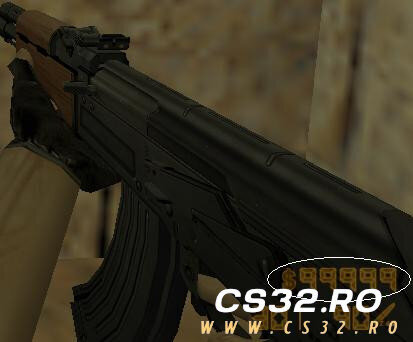
This plugin pack is based on “More Money Than 16000 2.0” and uses it as the core system.
Several features and behaviors have been modified and extended by me to better integrate with this VIP pack and to add custom functionality beyond the original version.
By Leg00 0 -
 Credits
This plugin was fully developed by me.
It took a significant amount of time and effort, and required learning multiple aspects of AMXX plugin development.
Note: The VIP tag feature was not originally created by me.
Requirements
Lela Stocks
Included inside the package under the Include folder.
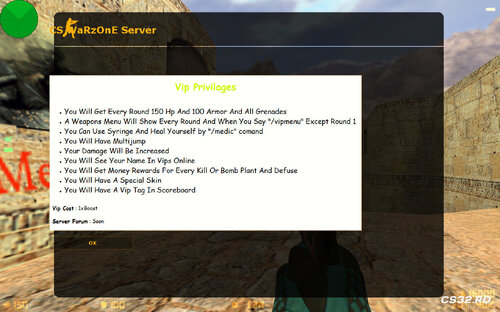
Ultimate VIP Features
VIP Menu
Automatically opens every round (except Round 1)
Can be opened manually by typing /vipmenu
Selecting any item automatically drops your current weapons
Two separate menus:
CT Menu: Includes a defuse kit with every item
T Menu: Standard items without defuse kit
VIP Skins
VIP players receive a custom skin on every spawn
VIP Tag
Displays a VIP tag on the scoreboard
Tag visibility may vary and is not always shown
VIPs Online List
Type /vips to see all online VIP players
Names are printed in both chat and console
If no VIPs are online, it displays:
“No VIPs Online”
Increased VIP Damage
VIP players deal increased damage to other players
Damage multiplier is fully configurable via CVAR
VIP Info (MOTD)
Type /vipinfo to open a MOTD showing VIP privileges
You can customize:
Forum name or link
Currently set as “Server Forum: Soon”
VIP Starting Privileges
Each round, VIP players receive:
150 HP
100 Armor
All grenades
All values can be adjusted via CVARs.
VIP Multi-Jump
Enables multi-jump for VIP players
Maximum number of jumps is configurable via CVAR
VIP Medic
Type /medic to heal yourself
Heals 35 HP by default
Plays syringe animation, then automatically returns to your weapon
Healing rules:
Will not heal if current HP exceeds the allowed limit
Maximum HP and heal amount are configurable via CVARs
VIP Rewards
VIP players receive bonus money for actions:
$1500 per kill
$700 for bomb plant or defuse
All reward values can be customized via CVARs.
By Leg00 0 -
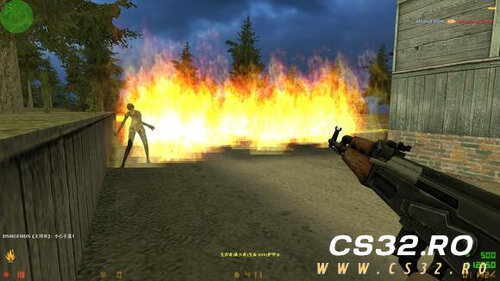 This AMXX plugin brings a Zombie Riot–style Versus mode to Counter-Strike 1.6, inspired by modes seen in Counter-Strike: Source and Left 4 Dead / Left 4 Dead 2.
Players are divided into two human-controlled teams:
Terrorists: Zombies
Counter-Terrorists: Humans
There are no bots controlling factions. Every role is played by real players.
Human Team (Counter-Terrorists)
Objective: Survive until the round timer reaches zero
Humans earn money by killing zombies
Money is used to buy better weapons and upgrades
Features a career tree system with multiple professions
Each profession has unique strengths and weaknesses
Victory depends on teamwork, role synergy, and coordination
If at least one human survives, the human team wins
Zombie Team (Terrorists)
Objective: Eliminate all humans before time runs out
Zombies must work together to hunt and overwhelm survivors
Multiple zombie classes are available
Zombie classes must be unlocked with in-game money
Each zombie type has different abilities and playstyles
Coordination and timing are critical for victory
Additional Notes
The original plugin is fully written in Chinese
An English-translated version of the source file is included
You will need to compile the plugin yourself
Ideal for servers looking for a co-op vs PvP hybrid experience
By Leg08 0 -
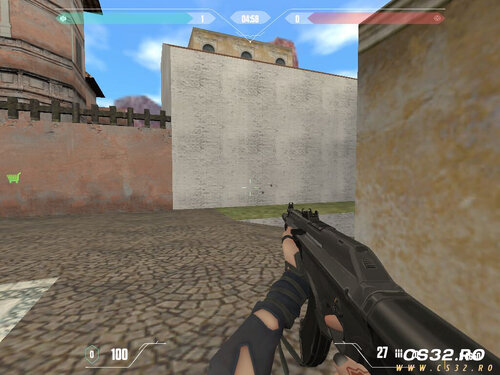 MetaHook / MetaDrawer Module Installation Guide
System Requirements
Resolution: 1024×768 (Hardcoded Requirement)
AMX Mod X: Version 1.8.2 (Exact Version Required)
Game: Counter-Strike 1.6
Operating System: Windows
Core Components
1. MetaHook Module
Purpose: Extends Half-Life engine capabilities for advanced rendering and hooking
Key Features:
DirectX/OpenGL hooking
Custom sprite/model rendering
Extended player info manipulation
Memory patching capabilities
File Structure:
text addons/metahook/ ├── plugins/ # Metahook plugins (.dll) ├── configs/ # Configuration files └── docs/ # Documentation 2. MetaDrawer Module
Purpose: Advanced drawing overlay system
Key Features:
Custom HUD elements
Vector/text rendering
Texture management
Font system support
Installation Steps
Step 1: AMX Mod X 1.8.2 Installation
Download AMX Mod X 1.8.2 (exact version)
Extract to cstrike/addons/amxmodx/
Verify installation:
amxmodx/configs/modules.ini should exist
amxmodx/dlls/amxmodx_mm.dll present
Step 2: MetaHook Installation
Download MetaHook package
Extract to cstrike/addons/metahook/
Edit cstrike/liblist.gam:
plaintext gamedll "addons/metahook/metahook.dll" Create cstrike/metahook.cfg:
cfg bind "F1" "mh_dump" mh_showinfo "1" mh_fpsmax "100" Step 3: MetaDrawer Integration
Copy MetaDrawer files to addons/amxmodx/modules/
Enable in amxmodx/configs/modules.ini:
ini metadrawer.amxx Configure in amxmodx/configs/amxx.cfg:
cfg md_version "1.0" md_debug "0" Step 4: Resolution Configuration
Must set exactly 1024×768:
Create cstrike/valve.rc:
rc unlimitall viewport_scale "2" gl_vsync "0" Launch options:
text -width 1024 -height 768 -32bpp -console Auto-execute script (cstrike/autoexec.cfg😞
cfg gl_mode "6" vid_config_x "1024" vid_config_y "768" vid_d3d "0" Configuration Files
AMX Mod X Configuration
amxmodx/configs/amxx.cfg:
cfg // MetaDrawer Settings md_enable "1" md_cache "1" md_maxsprites "512" // Execution Priority amxx_module_priority "metadrawer" "high" MetaHook Plugins
addons/metahook/configs/plugins.txt:
txt btexture.dll gsprite.dll hud.dll vmodel.dll Troubleshooting
Common Issues & Solutions
Resolution Not 1024×768
cfg // Add to cstrike/userconfig.cfg _set vid_mode "6" _set screen.width "1024" _set screen.height "768" AMX Mod X Version Mismatch
Verify version: amxx version in console
Download exact 1.8.2 from official sources
MetaHook Not Loading
Check metahook.log in cstrike/logs/
Verify liblist.gam permissions
Disable conflicting plugins
Drawing Performance Issues
cfg gl_texturemode "GL_LINEAR_MIPMAP_LINEAR" fps_max "100" fps_modem "0" Debug Commands
Command Purpose Console mh_info MetaHook status HL/CS amxx modules AMXX modules AMXX md_stats MetaDrawer stats AMXX vid_mode Display mode HL/CS Developer Information
API Access
cpp // MetaHook native example #include <metahook> // MetaDrawer natives native md_drawtext(x, y, text[], color); native md_loadsprite(path[]); Module Dependencies
text MetaDrawer → MetaHook → Half-Life Engine ↘ AMX Mod X 1.8.2 File Verification Checklist
addons/metahook/metahook.dll exists
addons/amxmodx/modules/metadrawer.amxx present
liblist.gam modified correctly
Resolution set to 1024×768 in configs
AMXX version shows 1.8.2
Performance Notes
1024×768 resolution is mandatory for proper rendering
Disable vsync for better drawing performance
Sprite count limited to 512 by default
Use texture compression with MetaHook plugins
Support
AMX Mod X Forums: Module development
MetaHook GitHub: Engine extensions
Issue Reporting: Include metahook.log and errorlogs/
By Leg00 0 -
 Complete & Enhanced Mod Description
Mod Name: CS 1.6 Zombie Shelter (based on CSO/CSNZ)
This is a comprehensive survival-horror conversion for Counter-Strike 1.6 that faithfully recreates the "Zombie Shelter" mode from CS Online and CS Nexon Zombies. It features unique gameplay, deep customization, and addresses a core engine limitation with a dedicated plugin.
Core Gameplay & Features
Objective: Survive against escalating waves of zombies. Win by either radioing for help or killing the scenario's boss zombies.
Progression System: Difficulty increases over time ("days"). Zombies gain more health (HP), and special zombies spawn more frequently.
Player Commands:
/blind – Opens the building construction menu (for shelters, towers, etc.).
/skills – Opens the skills and perks menu.
Enhanced Mechanics:
Communication Tower: Used to call in airdrops for supplies.
Water Tower: Collects rainwater for drinking or hygiene.
Survival Items: Utilize Zombie Bile, First Aid Kits, Bulletproof Vests, and more to endure.
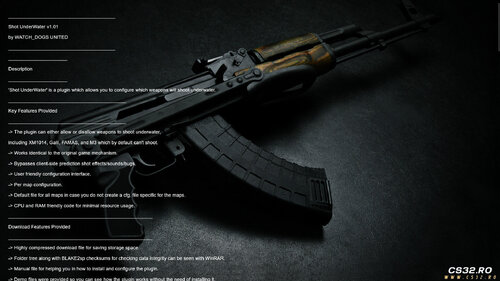
Critical Underwater Fix & Configuration (Shot UnderWater v1.01)
A key part of this mod is the included Shot UnderWater plugin, which is essential for maps with water areas.
What it Solves: By default, many weapons in CS 1.6 cannot fire underwater (e.g., XM1014, Galil, FAMAS, M3). This plugin allows full control over this behavior.
Key Features of the Plugin:
Configurable Per Weapon: You can specify exactly which weapons can or cannot shoot underwater.
Per-Map Configuration: Create specific rules for individual maps (e.g., fy_pool.ini).
Seamless Integration: Works identically to the original game's mechanism, avoiding visual or audio bugs.
Efficient: Lightweight code with minimal impact on server performance.
How it Works:
The plugin uses a simple .ini configuration file.
A value of 1 allows the weapon to fire underwater; 0 disables it.
A default file (shot_underwater.ini) governs all maps unless a specific map file is created.
Example Config Line:
text ak47 1 # AK-47 CAN fire underwater m3 0 # M3 shotgun CANNOT fire underwater Requirement: This plugin needs AMX Mod X v1.9 or newer to run, which is a standard requirement for most CS 1.6 mods.
Customization & Flexibility
Weapons: Add custom weapons by modifying the mod's source files.
Maps: Fully supports custom maps. By editing the provided INI files (which define supply points and zombie spawn coordinates), you can port the mod to any map.
Gameplay Rules: Fine-tune weapon behavior (like underwater firing) via the included plugin's configuration files.
Summary & Notes
This mod package delivers a complete survival experience by combining:
The main Zombie Shelter gameplay mod with building, skills, and survival mechanics.
The essential Shot UnderWater plugin, which fixes a major engine limitation and allows for tailored gameplay on aquatic maps.
Support: If you encounter bugs or issues, the author requests feedback to be passed on to the original developer for fixes.
In essence, this is a polished, feature-rich, and highly customizable survival mod that successfully brings a popular CSO mode to CS 1.6 while thoughtfully addressing technical constraints.
By Leg00 0 -
 Mod Overview
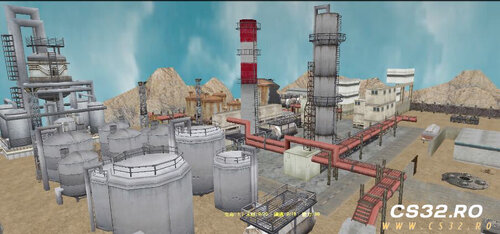
Name/Concept: A CS 1.6 mod that replicates the "Zombie Shelter" survival mode.
Uniqueness: It is presented as the first and only successful attempt to recreate this specific game mode within the CS 1.6 engine.
Origin: Originally shared on Chinese Baidu forums and now ported for wider accessibility.
Core Gameplay
Objective: Survive against endless waves of zombies. The ultimate victory conditions are to radio for help or kill the scenario's boss zombies.
Progression: Difficulty increases dynamically. As in-game "days" pass:
Zombie health (HP) increases.
The spawn rate of special zombies rises.
Player Commands:
Press ~ to open the console.
Type /blind to open the building construction menu.
Type /skills to open the skills/perks menu.
Enhanced & Modified Features
The mod expands upon the original with new building functions and survival elements:
Communication Tower: No longer just for victory. Can now be used to call in airdrops for supply replenishment.
Water Tower: Collects rainwater, which can be used for drinking or bathing.
Survival Items: Includes Zombie Bile (likely for stealth/distraction), First Aid Kits (FAK), Bulletproof Vests, and other objects to improve longevity.
Customization & Flexibility
Weapons: Users can add their favorite custom weapons by modifying the mod's source files.
Maps: Fully supports custom maps. By editing provided INI configuration files (which contain data for supply points and zombie spawn coordinates), players can adapt the mod to work with virtually any CS 1.6 map.
Final Notes & Support
The author hopes players enjoy the unique survival experience.
Feedback Channel: If players encounter any bugs, errors, or issues running the mod, they are encouraged to report them. These reports will be forwarded to the original author for fixes.
By Leg01 0 -
 Zombie Plague Boss Plugin
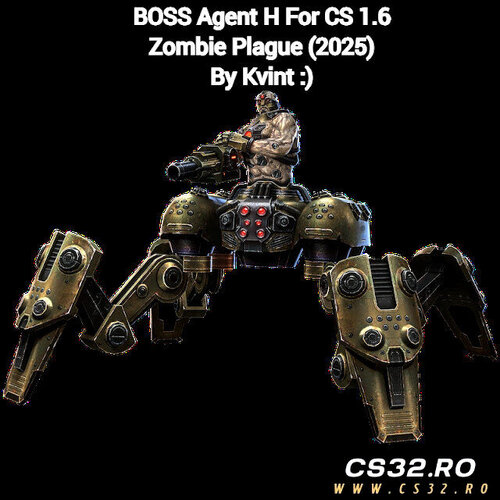
Enhance your Zombie Plague server with this exciting Boss event plugin! Add a new challenge for players and make your server gameplay more dynamic and fun.
Features
Introduces a unique boss event in Zombie Plague mode
Fully compatible with standard Zombie Plague setups
Easy to install and configure
More Plugins & Mods
Check out more custom plugins and mods for CS 1.6 on our website:
https://csnostalgia.blogspot.com/
Contact & Socials
Discord: zgd.dll
Steam: https://steamcommunity.com/id/oficialzgd
YouTube Demo: Watch here
By Leg01 0 -
 Zombie Plague 4.3 Fix 5a – Custom Version by BaRSiK
This is a custom version of Zombie Plague 4.3 Fix 5a, made by BaRSiK specifically for Zombie-Mod.RU. It includes 16 unique modifications to enhance gameplay, HUD, and server customization. This version incorporates various sub-plugins and improvements.
Key Features & Modifications
Nemesis Win/Lose Sounds
Added unique audio for Nemesis victories or defeats.
Ammo Return on First Spawn
First ammo of zombies, nemesis, and survivors is returned automatically.
Cvar: zp_return_ammo 1/0
Correct Main Menu Symbols
All characters now display correctly.
Main menu can now include more text.
Frozen Zombie Behavior
Zombies cannot attack while frozen.
Human Damage to Frozen Zombies
Humans can now damage frozen zombies.
Cvar: zp_damage_frozen 1/0
Custom Prefix Made Easy
Change server prefix via: const ZP_PREFIX[] = "Zombie-Mod.RU"
Easy Ammopack Distribution
Give ammo packs with a single command:
zp_give_ammo [nick] [amount] Increased Maximum Ammopacks
Default: 2500
VIP: 5000
Consts: ZP_MAX_AMMO = 2500, ZP_MAX_AMMO_VIP = 5000
Simplified HUD Colors
Alive players’ HUD now has a consistent dark yellow color.
HUD Position Adjustments
HUD elements repositioned for better visibility.
Anti-Block Plugin
Added from BioHazard mod to prevent zombie blocking.
Custom Weapon Models
Supports custom p_ and w_ knife and grenade models.
Extra Items Menu Symbols Fixed
All symbols display correctly.
Extra items menu can now contain more text.
Simplified Class Selection
Class descriptions removed.
Chosen class is now marked as [Chosen].
No need to use \y \r \d \w codes anymore.
Dynamic HUD (DHUD)
Player HUD and win messages updated with improved formatting.
VIP System
Different max ammo limits:
VIP: 5000
Regular: 2500
This version is designed for enhanced gameplay, better HUD visibility, and improved server management.
By Leg03 0 -
 C4 Per-Bombsite Pitch Plugin
AMX Mod X – Counter-Strike / Condition Zero
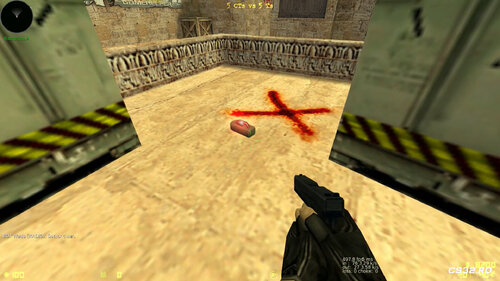
This plugin changes the C4 beeping sound based on the bombsite where the explosive is planted, adding a subtle but effective audio cue for players.
Features
Unique Sounds Per Bombsite
Different pitch for the C4 beeping sound depending on the bombsite (A, B, or C).
Makes it easier for players to identify the bomb’s location audibly.
Bombsite C Support
Supports the less common Bombsite C, often appearing in maps like de_foption.
Bombsite C uses an even lower pitch than sites A and B for clear differentiation.
Resource Optimization
By default, the plugin unprecaches the stock C4 beeping sounds, freeing up to 4 sound resource slots on the server.
Reduces memory usage and improves performance without affecting gameplay.
Compatible Games
Counter-Strike 1.6
Counter-Strike: Condition Zero
Configuration
ConVars
amx_c4ptc_enabled "1" Enables or disables the plugin.
Default: 1 (enabled)
Range: 0 = disabled, 1 = enabled
Compiler Options
Modify these options in the source before compiling:
// Enable this to unprecache the stock C4 beeping sounds // This frees up 4 server sound slots // Note: May break custom maps or plugins that rely on the original C4 sounds #define UNPRECACHE_SOUNDS 1 Requirements
AMX Mod X 1.8.2 (minimum)
AMX Mod X 1.9 (optional, recommended for latest compatibility)
By Leg00 0 -
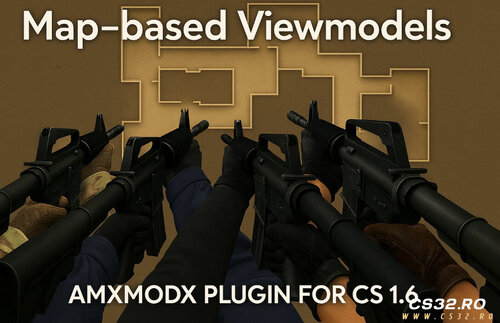 Map Based Viewmodels – AMX Mod X Plugin (CS 1.6)
Map Based Viewmodels is a powerful AMX Mod X plugin for Counter-Strike 1.6 that allows server administrators to customize weapon viewmodels (v_ models) based on the current map and player team (T or CT).
This system adds a new level of immersion and flexibility, making it ideal for themed servers, mission-based gameplay, and custom mod environments.
Features
Per-Map Customization
Assign different weapon viewmodels for each map
Uses a flexible and easy-to-edit .ini configuration file
Team-Specific Models
Separate viewmodels for Terrorists and Counter-Terrorists
Perfect for asymmetric or story-driven gameplay
Safe Precache Handling
Built-in checks to avoid exceeding the 512 model/sound precache limit
Prevents crashes and stability issues
Automatic File Validation
Detects missing or incorrectly named models
Logs errors and safely skips invalid entries
Dynamic Team Switching Support
Viewmodels update instantly when players change teams
No reconnect or map restart required
Use Cases
Themed or roleplay servers
Zombie, mission, or event-based maps
Competitive servers with visual differentiation
Story-driven or campaign-style gameplay
Notes
Designed for AMX Mod X
Fully compatible with standard CS 1.6 weapon systems
Actively tested and maintained
By Leg00 0 -
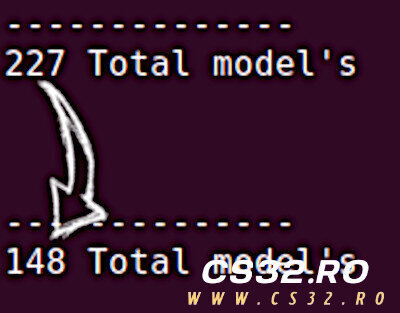 Compressor – Model Replacement Framework for CS 1.6 & HL
Compressor is a powerful model replacement framework designed for AMX Mod X servers. It allows server operators to compress multiple model entries into a single file, overcoming the 510 model resource limit while maintaining full functionality.
With Compressor, you no longer need to unprecache shields or weapons—servers can now maintain full model functionality while saving precached slots.
Key Features
Optimized Model Replacement: Automatically replaces models based on a configuration file.
Preserves Functionality: Correctly sets body groups, skin groups, and colormaps.
Automatic Precaching Management: Prevents original models from being precached.
Game Agnostic: Works with any AMX Mod X-supported game if compressed models and configs are provided.
Huge Slot Savings: Dramatically increases free precached model slots with minimal setup.
How it works:
When a configured model is requested:
Original model is prevented from precaching
Replacement entry is loaded from the config file
Body group, skin group, and colormap values are set automatically
Compatible Games
Half-Life
Counter-Strike 1.6
Configuration
1. Entities Configuration
The compressor_entities_[game].cfg file lists all weapon entities to monitor for p_ model replacements.
Example for CS 1.6 (compressor_entities_cstrike.cfg😞
weapon_mp5navy weapon_tmp weapon_p90 weapon_mac10 weapon_ak47 weapon_sg552 weapon_m4a1 ; ... additional weapons Replacements Configuration
The compressor_replacements_[game].cfg file maps original models to compressed replacements.
Example for CS 1.6 (compressor_replacements_cstrike.cfg😞
"models/shield/p_shield_deagle.mdl" "models/cstrike_compressed_models.mdl" 75 0 0 "models/shield/p_shield_fiveseven.mdl" "models/cstrike_compressed_models.mdl" 77 0 0 "models/p_ak47.mdl" "models/cstrike_compressed_models.mdl" 1 0 0 "models/p_awp.mdl" "models/cstrike_compressed_models.mdl" 3 0 0 ; ... additional entries Format:
Original model – Path to the model being replaced
Replacement model – Path to the compressed model containing multiple submodels
Submodel – Body group index in the compressed model
Skingroup – Skin variation
Colormap – Color mapping
Muzzleflash Configuration (Optional)
Some games like CS 1.6 define muzzleflash attachments in p_ models rather than player models. This config maps weapons to muzzleflash models.
Example (compressor_muzzleflashes_cstrike.cfg😞
"models/p_ak47.mdl" "models/muzzle_long.mdl" "models/p_aug.mdl" "models/muzzle_short.mdl" "models/p_awp.mdl" "models/muzzle_long.mdl" "models/p_m249.mdl" "models/muzzle_heavy.mdl" Compiler Options
The plugin includes compiler directives:
// Enable case-insensitive model name processing // Improves compatibility but increases overhead #define CASE_INSENSITIVE true API Reference
Forward Callbacks
forward Compressor_ModelChanged(const iEntity, const szModel[] = "") forward Compressor_ModelChanged_P(const iEntity, const szModel[] = "") Triggered when Compressor replaces a model or a p_ model
Native Functions
native Compressor_SetModel(const iEntity, const szModel[] = "") Changes an entity’s model while maintaining Compressor optimization
Must be used for model changes to maintain compatibility
Incompatibilities
BackWeapon Plugins (any version) & SideWeapons by SoulWeaver16
Compressor takes priority and hides back weapons
Any plugin changing an entity’s model must use Compressor_SetModel()
Simple line replacement usually solves conflicts
Example:
#if defined _compressor_included Compressor_SetModel(iFlyingCrowbar, szModel); #else engfunc(EngFunc_SetModel, iFlyingCrowbar, szModel); #endif Requirements
AMX Mod X 1.9+
Compressed model files and configuration entries
By Leg00 0 -
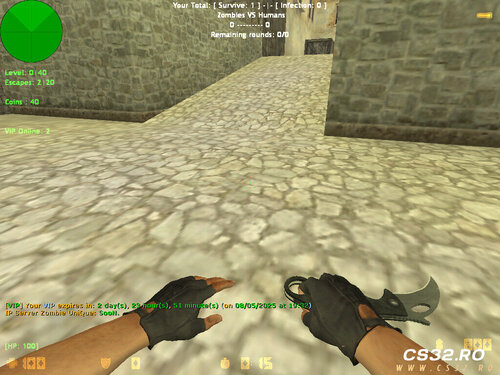 Auto VIP Reward Plugin
Author: Sohaib DZ
Version: 1.1
Platform: AMX Mod X (Counter-Strike 1.6 and mods)
Description
Auto VIP Reward automatically grants temporary VIP status to players once they reach a defined amount of playtime.
VIP status is time-based, and all data is saved and restored using nVault, ensuring players’ progress persists across sessions. Admins have full control over plugin settings via commands.
This plugin is ideal for rewarding loyal players and enhancing server engagement.
Features
Tracks player playtime (SteamID-based)
Saves and restores VIP time after disconnects
Grants temporary VIP automatically when playtime goals are reached
Colorful chat notifications for better visibility: !g (green), !t (team color), !y (default)
Admin control for:
Required playtime
VIP duration
VIP access flag
Random announcements to non-VIPs
CVARS (Add to amxx.cfg)
Variable Default Description vip_playtime_required 1500 (25 hours) Playtime needed to earn VIP vip_duration 4320 (3 days) Duration of temporary VIP g_vip_flag o Flag assigned to VIPs Admin Commands (RCON)
amx_setviptime <minutes> – Set required playtime
amx_setvipduration <minutes> – Set VIP duration
amx_setvipflag <flag> – Set VIP access flag
Player Commands
say /viptime – Shows current playtime or remaining VIP time
Data Storage
Uses nVault (SteamID-based)
Stores:
Total playtime
Remaining VIP time (persistent)
How It Works
Playtime updates every minute
Once the required playtime is reached, VIP is granted automatically
VIP time decreases every minute
When VIP expires, the VIP flag is removed
All data is saved and restored across player sessions
Chat Colors
!g – Green
!t – Team color
!y – Default color
Dependencies
AMX Mod X 1.8.2 or newer
nvault module (enabled in modules.ini)
Notes
Players who already have permanent VIP/admin flags are ignored
Choose a VIP flag that doesn’t conflict with admin or other server flags
By Leg00 0 -
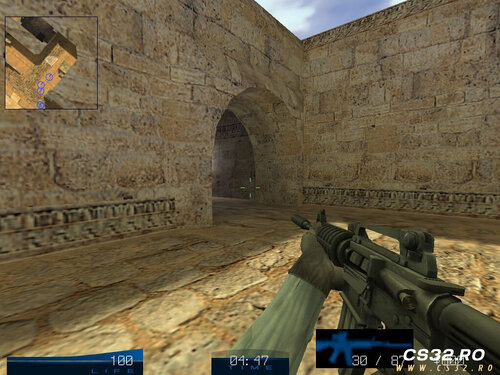 Includes Metahook / Metadrawer Module – Fully integrated for enhanced graphics and effects.
Supports 1024×768 Resolution Only – Optimized specifically for this resolution for best performance.
Requires AMX Mod X 1.8.2 – Ensure your server meets this version requirement.
By Leg00 0 -
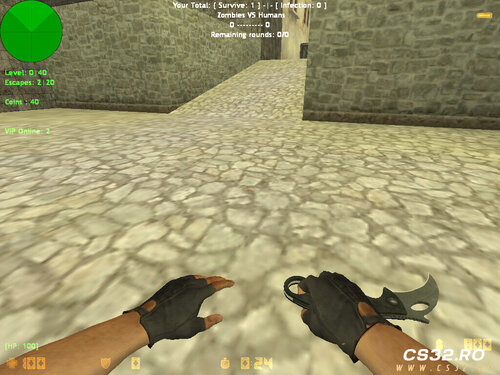 Adhan & Prayer Time Plugin for CS 1.6
AMX Mod X (1.10)
Developer: sp_saad
Purpose: Encourage players in Algeria to pray on time while playing CS 1.6.
This plugin automatically plays the Adhan (Islamic call to prayer) and temporarily moves players to Spectator mode during prayer times, allowing them to take a break and perform Salah. The goal is to help players earn Ajar (reward) and Hassanat (good deeds) while enjoying the game responsibly.
How It Works
Player Location Detection
Uses GeoIP2 City to determine if a player is located in Algeria.
Prayer Times
Reads prayer times from a JSON file updated daily for all Algerian provinces.
JSON files are stored in:
addons/amxmodx/configs/adhan Utilizes the json.inc library for parsing.
Adhan Playback
Adhan sounds are automatically played during prayer times.
Players are moved to Spectator mode for 15 minutes during the prayer period.
AMX Mod X Compatibility
Built for AMXX version 1.10.
Installation Instructions
1. Configure the JSON Generator Script
Copy generate_adhan_time.py to your server.
Edit the following line in the script:
/home/cs_server/cstrike/addons/amxmodx/configs/adhan Replace it with the full path where the daily adhan-YYYY-MM-DD.json file will be saved.
2. Edit Cron Setup Script
Open setup-cron.sh and edit the script path:
SCRIPT_PATH="/home/cs_server/scripts/generate_adhan_time.py" Replace it with the actual path to generate_adhan_time.py.
3. Activate Cron Job
Give execute permission and run the setup script:
chmod +x setup-cron.sh ./setup-cron.sh This schedules the daily update at midnight to generate the latest prayer times.
4. Install the Plugin
Copy the cstrike folder into your server directory.
Add the plugin to plugins.ini:
addons/amxmodx/configs/plugins.ini Add the line:
adhan_prayer_time.amxx 5. Restart the Server
Restart CS 1.6 to activate the plugin.
Notes
The plugin is still under development.
Feedback, suggestions, and bug reports are welcome.
Final Words
Baraka Allahou Fikom – May Allah bless you all.
By Leg00 0 -
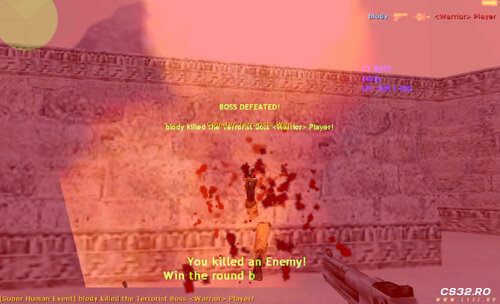 Super Human Event
AMX Mod X Plugin for Counter-Strike 1.6
Super Human Event adds a high-impact gameplay twist by introducing powerful boss-style players every few rounds, creating intense and memorable moments for both teams.
Plugin Overview
When enabled, the plugin triggers a special event every 2 rounds, where:
One Terrorist and one Counter-Terrorist are randomly selected
Both become Super Humans with enhanced abilities
The event lasts for one round only, then resets
Activation
amx_superhuman on amx_superhuman off Super Human Abilities
Each selected player receives:
Enhanced Health
Base HP: 400
Scales dynamically up to 1000 HP max
200% movement speed
Reduced gravity (700)
Weapons
Desert Eagle
Knife only
1.5× damage multiplier
Glow Effect
Red glow for Terrorists
Blue glow for Counter-Terrorists
Health Scaling System
Boss health adjusts automatically based on enemy team size:
Base HP: 400
Bonus: +100 HP for each enemy player above 4
Maximum HP: 1000
Example:
5 enemies → 500 HP
6 enemies → 600 HP
10+ enemies → 1000 HP (cap)
HUD & Visual Effects
Pre-round countdown HUD announces the event
Live HUD display showing both Super Humans’ current HP
Clear visual indicators for players during the event
Event Rules
Event occurs every 2 rounds
Super Human effects:
Apply for one round only
Automatically reset at round end
No permanent player modifications
Ideal For
DeathMatch servers
Fun / event-based servers
Zombie-style PvP modes
Competitive servers seeking occasional chaos
Custom gameplay rotations
By Leg02 0 -
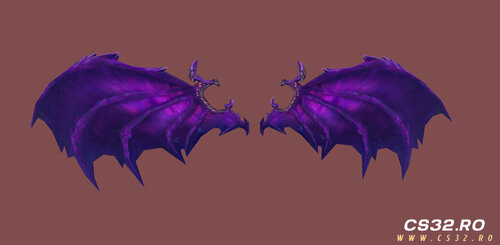 Cosmic Bat Wings – Custom Parachute Model (CS 1.6)
Cosmic Bat Wings is a custom parachute model that replaces the default CS 1.6 parachute with a dark, cosmic-themed bat wing design featuring glowing purple galaxy effects.
Perfect for Zombie Mods, VIPs, or Admin-only parachutes on AMX Mod X servers.
Features
High-quality cosmic bat wing parachute model
Dark space theme with purple galaxy glow effects
Fully compatible with popular CS 1.6 Parachute plugins
Optimized for AMX Mod X servers
Lightweight and performance-friendly
Ideal for Zombie Plague, VIP, or Admin-exclusive gameplay
Included Files
parachute.mdl (model file only)
No plugin included – you must set the model path manually in your parachute plugin.
Installation Guide
Upload the .mdl file to:
cstrike/models/parachute/ Open your parachute plugin .sma file and change the model path to:
models/parachute/parachute.mdl Compile the plugin using AMX Mod X Compiler
Restart your server or change the map
Tested & Compatible With
Counter-Strike 1.6
Zombie Plague / Zombie Mods
AMX Mod X Parachute Plugins
Author
Saad
[SP] Shadow Punishers
Contact, downloads & more content:
👉 https://guns.lol/sp_saad_rubio
By Leg00 0 -
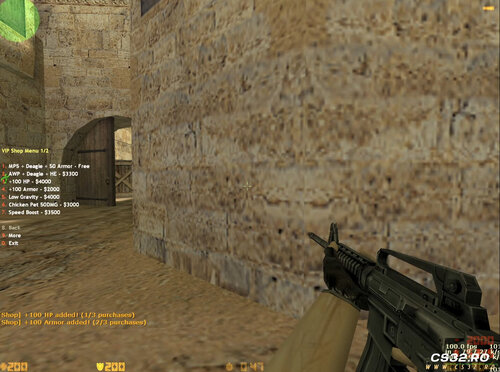 VIP Shop Menu – CS 1.6 (AMX Mod X)
VIP Shop Menu is a powerful and fun VIP-exclusive in-game shop for Counter-Strike 1.6.
It allows VIP players to purchase special weapons and abilities that enhance gameplay while maintaining balance.
The shop can be easily enabled or disabled using a server cvar.
Configuration
CVAR:
amx_vipshop 1 // Enable VIP Shop amx_vipshop 0 // Disable VIP Shop Features
Weapon Packages
Free Package: MP5 + Deagle + 50 Armor
AWP Package: AWP + Deagle + HE Grenade
Only 1 primary weapon allowed per round
Player Upgrades
HP & Armor Boost
Extra health and armor
Maximum limit: 200 HP / 200 Armor
Low Gravity
Reduced gravity for higher jumps
Speed Boost
Increased movement speed (400 units)
Double Jump
Jump again while in mid-air
Fun Abilities
Chicken Pet
Summons a chicken that attacks enemies
Deals 50 damage per hit
VIP-Only Access
Only players with ADMIN_LEVEL_H flag can access the shop
Open the menu using chat commands:
/vipshop /vshop Purchase Limits & Balance
Maximum 3 purchases per round (prevents abuse)
All upgrades reset at the start of each round
Armor is preserved
Designed to stay balanced for competitive and Zombie servers
Tested On
Counter-Strike 1.6
AMX Mod X
Public, VIP, and Zombie servers
By Leg00 0 -
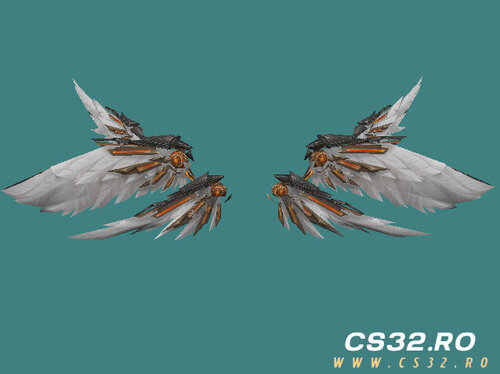 Admin Wings Parachute Model – CS 1.6
Admin Wings Parachute is a custom parachute replacement model for Counter-Strike 1.6, designed to give Admins or VIP players a unique and futuristic appearance.
It replaces the default parachute with mechanical angel wings attached to the player’s back, creating a striking visual effect during jumps and flights.
Features
Fully rigged, skinned, and animated for CS 1.6
Automatic wing deployment when the parachute is activated
Optimized polygon count and clean UV mapping for smooth performance
Designed specifically for Admin/VIP players
Perfect for Zombie Plague, jump, fly, and parachute-based mods
Tested and actively used on the ZM Meat server by the SP Team
Included Files
sp_parachute_meat_admins.mdl
In-game screenshots for preview and reference
Usage Notes
Simply replace your existing parachute model with the provided .mdl file
Compatible with most CS 1.6 parachute plugins
Intended for Admin or VIP-exclusive gameplay features
Credits
Model & Animation: SP Team
Test Server: ZM Meat
Feedback
Feedback, suggestions, and improvement ideas are always welcome!
Links & Community
YouTube:
https://www.youtube.com/@sp-team21
Discord:
https://discord.gg/FvrYUbNhdm
By Leg00 0 -
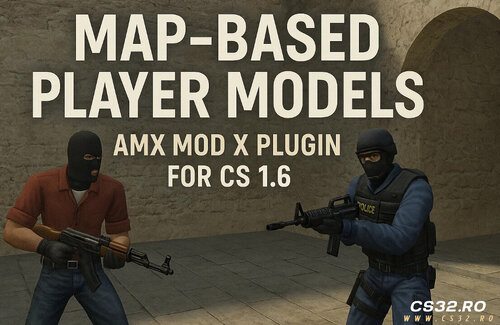 Map-Based Player Models Plugin
AMX Mod X – Counter-Strike 1.6 / Condition Zero
Latest Update — Version 3.1
This update focuses on stability, realism, and performance, ensuring player models remain consistent across rounds while adding support for HD models, Assassination (as_) maps, and Condition Zero.
Changes & Improvements
Optimization
Persistent Models Per Player
Player models now persist across rounds.
Models are only re-randomized when a player changes teams, not on every spawn.
Adjustments
Team Switch Detection
Models are properly reset and reassigned when a player switches teams.
VIP Model Support (Assassination Maps)
Maps prefixed with as_ (e.g. as_oilrig) now support VIP-specific model overrides via the INI configuration.
New Features
HD Model Support
Attempts to load models from cstrike_hd first.
Automatically falls back to classic cstrike paths if HD models are not found.
Admin Command: amx_listmodels
Displays all connected players with:
Player name
Team
Currently assigned model
Output is sent directly to the server console for live monitoring.
Bug Fixes
Fixed models resetting on every spawn regardless of team change.
Fixed models not resetting when switching teams, causing incorrect appearances.
Fixed players occasionally reusing outdated models after reconnecting.
Fixed missing file errors when HD models are not present.
Internal Improvements
Refactored team and model tracking using dedicated arrays for improved reliability.
Cleaned up client disconnect and spawn handling logic.
Improved INI parser to handle:
Comments
Bad formatting
Invalid or missing entries
Compatibility & Support
Counter-Strike 1.6
Condition Zero (newly supported)
Classic & HD models
Assassination (VIP) maps
Fully backward-compatible INI configurations
Maps not listed in the INI will safely fall back to default models.
Plugin Overview
The Map-Based Player Models Plugin allows server administrators to dynamically assign custom player models per map using a simple .ini configuration file.
Key Features
Assign different models for Terrorists and Counter-Terrorists
Support for up to 4 randomized models per team per map
Only required models are precached to avoid the 512 model engine limit
Persistent model assignments for realism
Live configuration reloading
Safe fallbacks for missing or misconfigured models
Lightweight, stable, and performance-friendly
Files
Latest Release:
update_30-_map-based-playermdl.zip
Previous Versions
v3.0 – VIP Model Support & Improvements
v2.2b – Hotfix
v2.1a – Hotfix
v2.0 – Initial Major Release
Future Plans
This update lays the groundwork for upcoming features, including:
SteamID-based model overrides
Admin-based model permissions
Optional downloadable model support
By Leg00 0 -
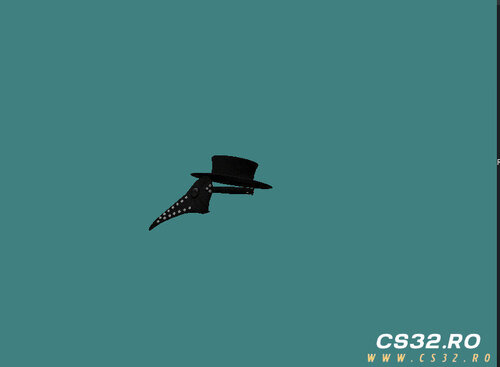 Plague Doctor’s Shield Hat
Plague Doctor’s Shield Hat is a custom-made cosmetic model for Counter-Strike 1.6, created by sp_saad.
It features a dark, mysterious plague-doctor aesthetic, making it a perfect fit for Zombie Plague, Zombie Escape, and other themed servers.
Features
Fully bone-rigged (Bip01 compatible)
Designed specifically for head attachment
Seamless compatibility with Zombie Plague and similar mods
Optimized model with a minimal file size
High-quality, atmospheric design for immersive gameplay
Installation Instructions
Copy the .mdl file into your server’s models/ directory.
Edit your hat plugin or item configuration and set the model path to:
models/sp_hatss/sp_hats_doctors.mdl Restart the server or change the map to apply the changes.
Credits
Model & Design: sp_saad
Theme Inspiration: Classic plague doctor aesthetics
Feedback
Suggestions, feedback, and improvement ideas are always welcome.
Feel free to leave a comment and share your thoughts!
Support & More Information
For updates, support, official groups, and all related links, visit my centralized page:
👉 https://guns.lol/sp_saad_rubio
By Leg00 0 -
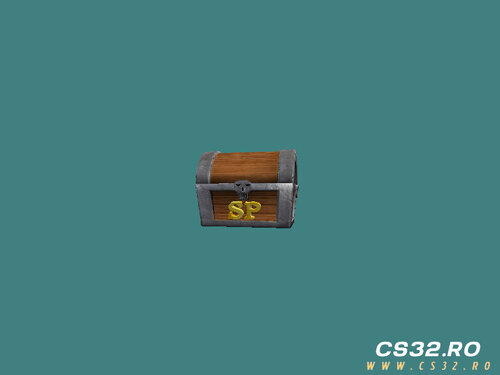 Pirate Bonus Box – Custom 3D Model for CS 1.6
A custom pirate-style bonus box model designed to enhance Counter-Strike 1.6 servers and popular mods such as Zombie Plague and DeathMatch.
Perfect as a mystery reward crate or an immersive decorative prop.
This model adds a subtle treasure-hunt atmosphere that increases player engagement without impacting performance.
Model Features
High-quality textures with realistic wood and gold materials
Optimized low-poly design for smooth performance and zero FPS loss
Ideal for reward crates, mystery boxes, or bonus items
Easy integration with plugins, scripts, and map editors
Fully compatible with most CS 1.6 mods
Polished and lightweight for long-term server use
Included File
models/sp_bonus_box/sp_bonus_box.mdl Ready to use in custom maps, plugins, or gameplay scripts.
Recommended Uses
Zombie Plague / Zombie Plague Deathmatch
DeathMatch reward systems
Custom mods and events
Treasure or loot mechanics
Decorative props for themed maps
Credits
Model Author: sp_saad
Design Inspiration: Pirate treasure and classic loot crates
Feedback & Suggestions
Comments, suggestions, and improvement ideas are always welcome.
Please read the included README file for:
Installation instructions
Usage guidelines
Design and optimization notes
Following the README ensures proper setup and the best in-game experience.
Support & More Information
For updates, support, official groups, and all related content, visit:
👉 https://guns.lol/sp_saad_rubio
Usage Notice
Free to use on servers and in mods.
Please credit the author when redistributing or showcasing this model.
By Leg00 0 -
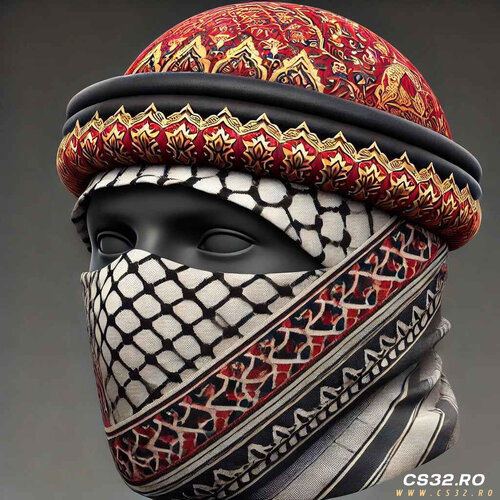 Arabic Headwrap (Keffiyeh / Turban) – Hat Model for CS 1.6
A lightweight traditional Arabic headwrap model inspired by classic keffiyeh and turban styles, optimized specifically for Counter-Strike 1.6 hat menus and player cosmetics.
Designed to be performance-friendly while maintaining authentic cultural detail.
Model Overview
Type: Player hat / headwear cosmetic
Style: Traditional Arabic keffiyeh & turban
Game: Counter-Strike 1.6
Compatibility: Most default and custom CS 1.6 player models
Features
Low-poly optimized model (ideal for servers with many players)
Traditional keffiyeh patterns with embroidered details
Perfect fit for hat menu systems
Easy integration with existing cosmetic plugins
Modeled and finalized using Blender
Model Path
models/sp_hats_arabic/sp_hats_arabic.mdl Ideal Use Cases
Custom hat menu systems
Zombie Plague / Zombie Plague Deathmatch servers
Roleplay servers
Player cosmetic customization
Themed or cultural player models
Included Files
sp_hats_arabic.mdl — ready-to-use model
README.txt — installation instructions, usage notes, and technical details
Credits
Model Author: sp_saad
Design Inspiration: Traditional Arabic headwear aesthetics
Tools Used: Blender (modeling, texturing, optimization)
Feedback & Suggestions
Feedback and improvement suggestions are always welcome.
Please review the included README.txt for important installation steps and best practices.
Support & More Content
For updates, support, official groups, and additional models:
👉 https://guns.lol/sp_saad_rubio
Usage Notice
Free to use on servers and in mods.
Please give proper credit to the author when redistributing or showcasing this model.
By Leg01 0 -
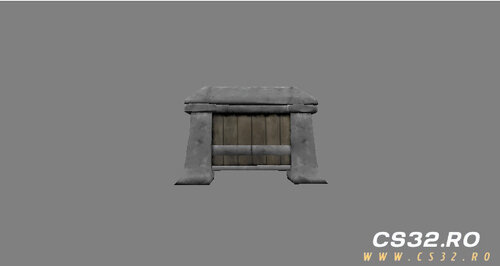 Custom Weapon Surprise Box Model – CS 1.6
A high-quality custom weapon box model for Counter-Strike 1.6, featuring a glowing green Half-Life logo.
Designed as a surprise weapon container, this model fits perfectly into custom gameplay modes and themed maps.
Model Overview
Purpose: Weapon surprise box / decorative crate
Theme: Half-Life–inspired design with glowing green logo
Compatible With: Counter-Strike 1.6
The box is designed to visually represent a container holding various CS weapons, such as:
AK-47
M4A1
MP5
C4
And other standard CS weapons
Use Cases
Zombie Plague / Zombie Plague Deathmatch
Custom mods and scripts
Gun game or reward-based systems
Decorative prop for custom maps
Replacement model for existing crates or weapon boxes
Model Information
Model File: sp_box_weapone_new.mdl
Author: sp-saad
License: Free to use (credit required)
Installation & Usage
Please refer to the included README file for:
Proper installation steps
Model replacement instructions
Usage recommendations
Design notes and limitations
Following the README ensures correct rendering and compatibility in-game.
Feedback & Contributions
Suggestions, improvements, and feedback are always welcome.
Feel free to leave comments or share ideas for future updates.
Support & More Content
For updates, support, official groups, and additional models by the author, visit:
👉 https://guns.lol/sp_saad_rubio
Credits
If you use this model in your map, mod, or server, please credit the author.
By Leg02 0 -
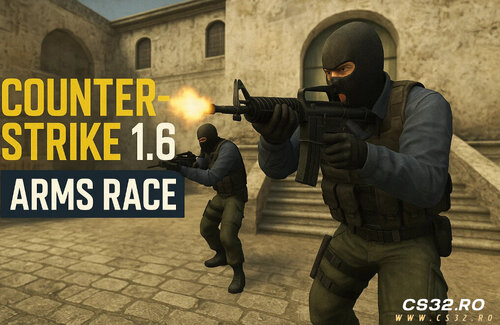 CS:GO Arms Race – AMX Mod X Remake
A full-featured CS:GO Arms Race (Gun Game) remake for Counter-Strike 1.6, built for AMX Mod X.
Includes level-based weapon progression, knife-only final round, demotion mechanics, full bot support, and HUD feedback—faithful to the original CS:GO mode.
Core Gameplay
Weapon Progression System
Players advance through a fixed weapon list by earning kills.
Each weapon level requires 2 kills by default
(configurable via KILLS_PER_LEVEL define).
Progression ends with a knife-only final level.
Final Level Victory
The match can only be won with a knife kill on the final level.
Firearms are completely disabled at this stage.
Knife Demotion Mechanic
Knifing a player who is on a higher level:
Demotes them one level
Resets their kill progress for that level
Team Weapon Logic
Team-Specific Progression (Default)
Terrorists and Counter-Terrorists each have their own weapon trees.
Mirrors CS:GO Arms Race behavior.
Unified Progression (Optional)
Enable a shared weapon pool for all players:
armsrace_allweapons 1 HUD & Visual Feedback
📊 Live progression HUD
🎯 Dynamic kill counter per weapon
🛡 Spawn protection timer bar
Clear visual cues for level changes and protection status
Spawn Protection
Temporary invincibility on spawn
Visual HUD indicator while protection is active
Includes armor and damage immunity
Prevents spawn camping on small maps
Bot Support
ZBot (Official CS Bots)
Full support
Proper weapon assignment
Knife-only behavior on final level
Level progression works correctly
PodBot / YaPB
Compatible
Weapon progression supported
Knife behavior may be less optimal compared to ZBot
Economy & Fair Play
Buy zones completely disabled
Players cannot purchase weapons or equipment
Ensures progression-based gameplay only
Map Whitelist System
Arms Race only activates on approved maps to prevent conflicts with other game modes.
Whitelist File
addons/amxmodx/configs/armsrace_maps.ini Example
fy_pool_day aim_ak_colt gg_simpsons Map names only (no .bsp)
Plugin auto-disables on non-whitelisted maps
Configuration
Cvars
armsrace_allweapons 0 Value Description 0 Team-specific weapon progression 1 Unified weapon progression Installation
Compile
Compile csgo_armsrace.sma
Install Plugin
Place csgo_armsrace.amxx in:
addons/amxmodx/plugins/ Enable Plugin
Add to plugins.ini:
csgo_armsrace.amxx Configure Map Whitelist
Edit:
addons/amxmodx/configs/armsrace_maps.ini Recommended Maps
fy_ maps
aim_ maps
Gun Game–style custom maps
Best suited for:
Small to medium layouts
Open combat areas
Fast respawn gameplay
By Leg00 0 -
 /12 Weapons Plugin for CS 1.6
Quickly equip yourself with a full set of powerful weapons using a single chat command!
Weapons Given:
AK-47
Desert Eagle (Deagle)
HE Grenade
Glock
M3 Shotgun (Terrorist)
XM1014 Shotgun (Terrorist)
How to Install
Upload the plugin file to your server:
addons/amxmodx/plugins/onetwo.amxx Enable the plugin by adding it to plugins.ini:
addons/amxmodx/configs/plugins.ini Add the line: onetwo.amxx
Restart your server
How to Use
While alive in-game, type the chat command:
/12 You will instantly receive all the weapons listed above
Features
Fast and easy weapon loadout
Works for Terrorist side only
Lightweight and simple plugin with no extra dependencies
By Leg03 0
-
New Counter-Strike 1.6
-
Blogs
-

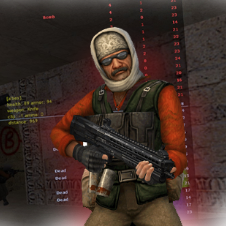 Latest Entry
Download CS 1.6 ESWC

Download CS 1.6 ESWC Edition — Competitive Counter-Strike 1.6 for PC
The Electronic Sports World Cup experience: optimized models, improved textures, and low-ping config — free for Windows 10 & 11.
🛡️ Antivirus Scanned ✅ Trusted & Verified 🔒 100% Safe 🚫 No Malware ⚡ Clean Build🛡️ ANTIVIRUS SCANNED & TRUSTED — 100% SAFE
⚠️ Note: The CS 1.6 ESWC Edition has been fully tested and scanned with the latest antivirus technology. During installation, you may encounter a Windows SmartScreen prompt — this is a standard Windows notification for less common files and can be safely ignored.
Below is a step-by-step installation tutorial:
What is CS 1.6 ESWC Edition?
CS 1.6 ESWC is a special edition of the legendary Counter-Strike 1.6, built for players who want to experience the atmosphere of professional ESWC (Electronic Sports World Cup) competitions. This version keeps the original gameplay mechanics intact while adding visual and performance improvements that make it ideal for both practice and serious matches.
Compared to the classic release, CS 1.6 ESWC includes optimized player models, improved textures for weapons and maps, and a modernized GUI that follows competitive standards. The default configuration is also tuned for low ping and stable FPS, giving you a clear edge in online battles.
Why Download CS 1.6 ESWC?
🎯 ESWC Competitive GUI
Modernized interface following international tournament standards.
🧍 Optimized Player Models
Refined Terrorist and CT skins for maximum visibility.
🔫 Improved Textures
Higher quality weapon & map visuals without sacrificing FPS.
📡 Low-Ping Config
Pre-tuned rate, cl_cmdrate and cl_updaterate values.
⚡ Stable FPS
Optimized for 100+ FPS on widescreen (16:9, 16:10).
🛡️ Anti-Slowhack
Full read-only protection against rogue server scripts.
🤖 Integrated zBots
Practice offline against AI bots with adjustable difficulty.
🌐 Working Masterserver
Browse thousands of ESWC-style servers worldwide.
Download CS 1.6 ESWC
Choose your preferred download method
Build: ESWC Competitive Edition · Size: ~260 MB · 100% Virus-Free
Technical Specifications
Gallery — CS 1.6 ESWC in Action
Authentic gameplay screenshots showing the ESWC red/blue player models, competitive maps, and modernized interface:
ESWC-style red and blue player models optimized for competitive visibility.
Classic competitive gameplay with ESWC optimized textures.
Modernized ESWC GUI following international competitive standards.
ESWC vs. Classic CS 1.6
System Requirements
Recommended Console Commands
For optimal hit registration on ESWC-style servers, open the console (
~) and apply:rate 100000 cl_cmdrate 105 cl_updaterate 102 ex_interp 0.01 fps_max 99.5 m_rawinput 1 cl_crosshair_size "medium" cl_crosshair_color "0 255 0"
How to Install CS 1.6 ESWC — Step by Step
- Download: Click the Direct Download (.exe) or the Torrent Download (.torrent) link.
- Run Setup: Open the downloaded file to launch the setup wizard.
-
Choose Path: Select your preferred folder (e.g.,
C:\Games\CS16_ESWC). - Desktop Shortcut: Keep the checkbox checked for fast access.
- Play: Launch the game, set your resolution under Options > Video, and join your favorite ESWC servers.
Frequently Asked Questions
Is CS 1.6 ESWC free to download?
Yes, this release is 100% free to download, install, and play both online and offline.
What makes ESWC different from classic CS 1.6?
The ESWC Edition includes optimized player models, improved textures, a modernized GUI, and a competitive low-ping configuration — all while keeping the original gameplay mechanics intact.
Can I play on regular CS 1.6 servers?
Yes! The client supports Dual Protocol 47/48, so you can connect to both ESWC-style and standard public servers.
Is this version safe from malware?
Absolutely. The client is clean, virus-checked, and fortified with read-only file protection against malicious server scripts.
Ready to Play CS 1.6 ESWC?
Download now and experience the tournament atmosphere.
- Read more...
- 0 comments
-