



Counter-Strike 1.6
Explore top Counter-Strike 1.6 resources: plugins, addons, maps, mods, skins, models and more. Download clean, optimized CS 1.6 files to upgrade your server and gameplay.
-
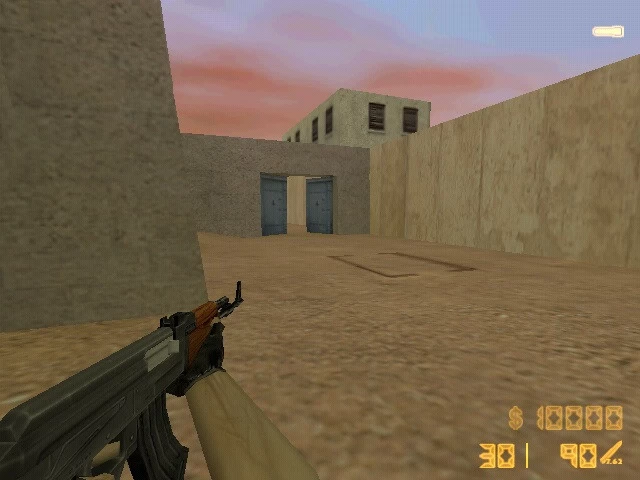 Enhance your scoped weapon experience with COD Weapon Zoom Plugin Cs 1.6. This mod adds zoom functionality similar to Call of Duty games, giving players a smoother and well-animated scoped view on specific weapons.
Features:
Scoped weapon zoom effect
Works with supported weapons
Installation Instructions:
Add the plugin to addons/amxmodx/plugins, include it in plugins.ini, and restart the server.
Changelog:
v1.0 — Zoom feature implemented
By Leg00 0 -
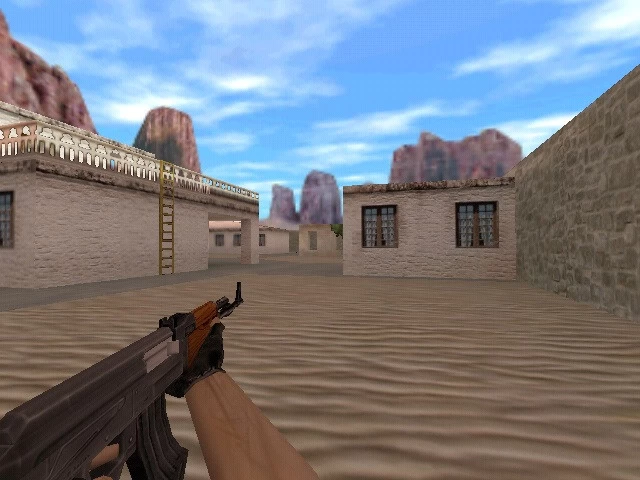 Give your server a clean interface with Hide HUD Plugin Cs 1.6, which allows admins or players to hide HUD elements such as health, ammo, and radar for cinematic modes or event play.
Features:
Toggle HUD elements
Health, ammo, and radar customizable visibility
Installation Instructions:
Upload the plugin to addons/amxmodx/plugins, add the plugin name to plugins.ini, and restart the server.
Changelog:
v1.0 — HUD toggle introduced
By Leg00 0 -
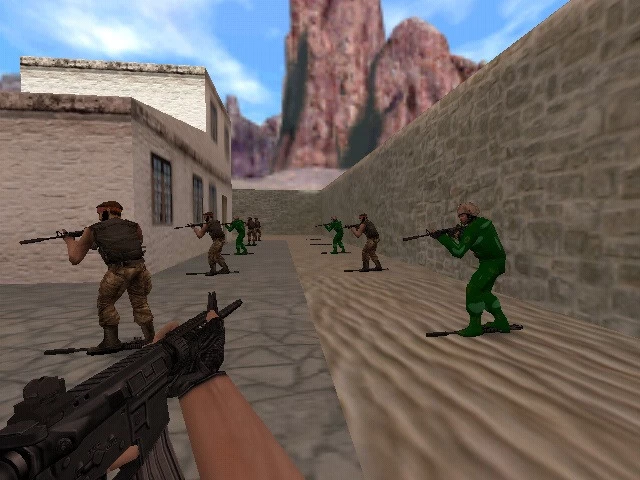 Add a covert look to players with undercovered agent Plugin Cs 1.6. This mod includes new undercover agent character models and optional animations, perfect for espionage or themed servers.
Features:
New undercover agent player models
Optional animation support
Adds stylistic flair
Installation Instructions:
Place models in cstrike/models, insert the plugin into addons/amxmodx/plugins, register it in plugins.ini, and restart your server.
Changelog:
v1.0 — Undercovered agent models added
By Leg00 0 -
 Fix map compatibility with BSP Compat Plugin Cs 1.6, designed to resolve BSP format issues on older or custom maps. This plugin helps servers run a wider range of community maps without crashes or rendering glitches.
Features:
BSP format compatibility fixes
Improves custom map support
Installation Instructions:
Add the plugin file to addons/amxmodx/plugins, add its name to plugins.ini, and restart the server.
Changelog:
v1.0 — BSP compatibility fixes
By Leg00 0 -
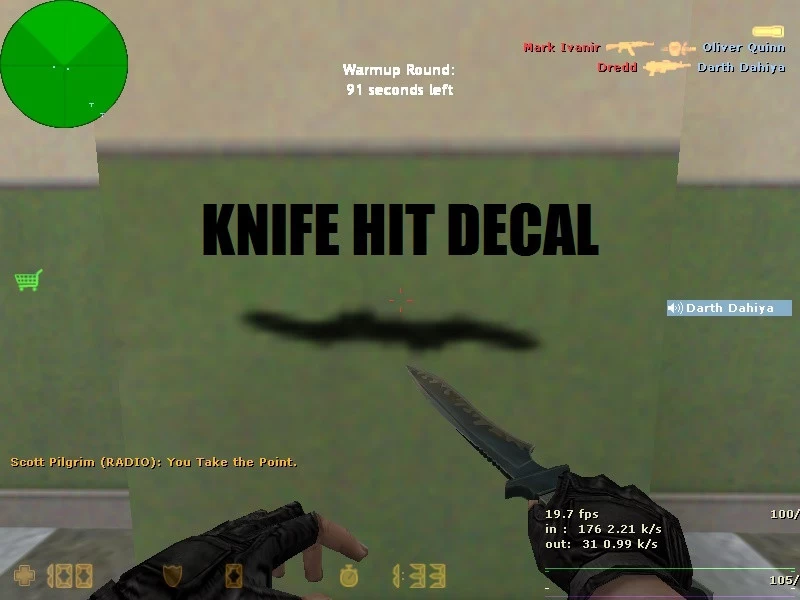 Improve melee feedback with [AMXX] Knife Hit Decal Plugin Cs 1.6. When a knife strike lands, this plugin displays custom decals such as blood splatters or effects on surfaces, adding visual polish to close combat.
Features:
Custom decals on knife hits
Works with vanilla knives and custom knife plugins
Enhances visual feedback
Installation Instructions:
Place the plugin in addons/amxmodx/plugins, include it in plugins.ini, and restart your server.
Changelog:
v1.0 — Knife decal support added
By Leg00 0 -
 Add UAV-style units to your CS 1.6 server with military drones Plugin Cs 1.6. This mod introduces aerial drones that can perform reconnaissance or combat actions depending on map support, enriching gameplay for objective or roleplay servers.
Features:
Drone entities with movement AI
Optional attack or recon functions
Can be integrated into custom maps
Installation Instructions:
Upload the plugin to your AMX Mod X plugins directory, tweak any settings or behavior in its configuration file, add it to plugins.ini, and restart your server.
Changelog:
v1.0 — Drone entity support added
By Leg00 0 -
 Show weapon models on a player’s back with BackWeapons 3 Plugin Cs 1.6, version 0.0.6, supporting both Counter-Strike (CS) and Condition Zero (CZ) weapon models. This visual enhancement displays the player’s equipped weapons visually on their back model when not in use, giving servers a polished and immersive look.
Features:
Back weapon model display
Supports CS + CZ models
Works with multiple weapon systems
Installation Instructions:
Place the plugin and its model assets into your server folders, configure supported weapon lists in the plugin’s config, add it to plugins.ini, and restart.
Changelog:
v0.0.6 — Expanded CS + CZ support
By Leg01 0 -
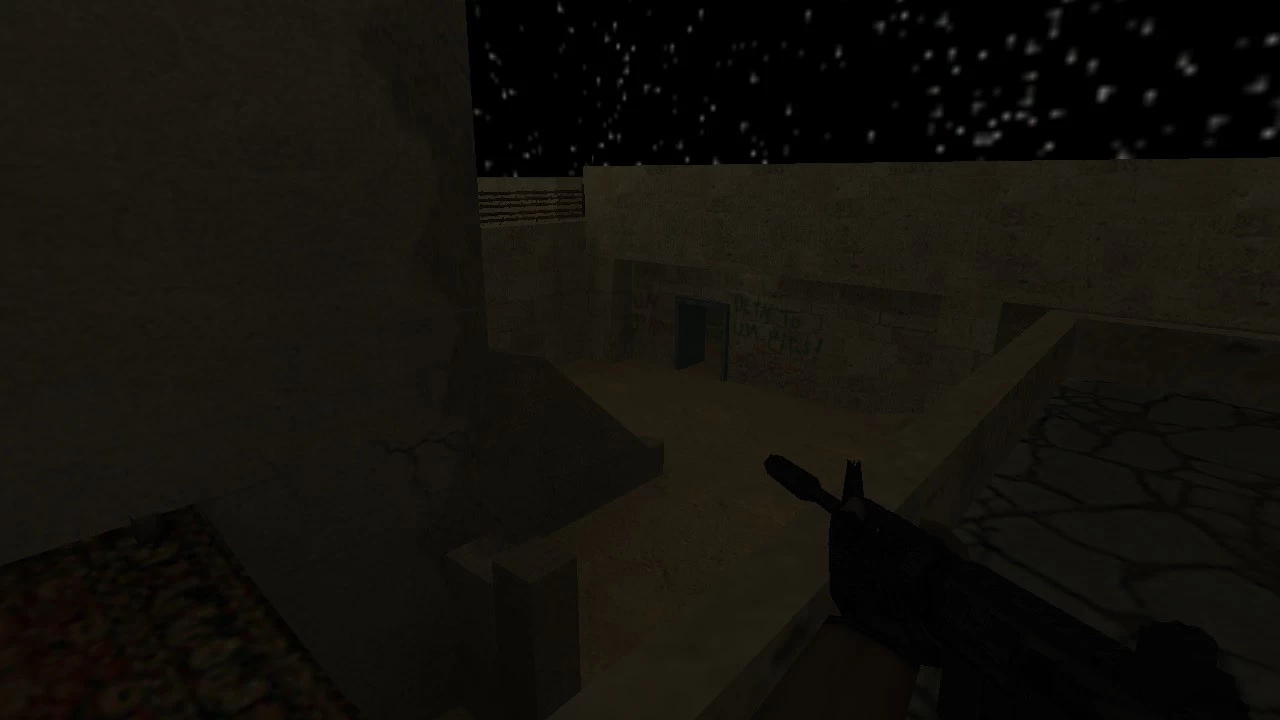 Create dynamic time cycles with Day/Night Effect Plugin Cs 1.6. This mod alters lighting and sky textures to simulate day and night transitions, adding visual variety and atmosphere to your Counter-Strike 1.6 maps.
Features:
Day and night lighting transitions
Texture and ambient changes
Works with compatible maps
Installation Instructions:
Extract and place plugin files in the appropriate AMX Mod X directories, add it to plugins.ini, and restart your server.
Changelog:
v1.0 — Day/Night cycle support introduced
By Leg01 0 -
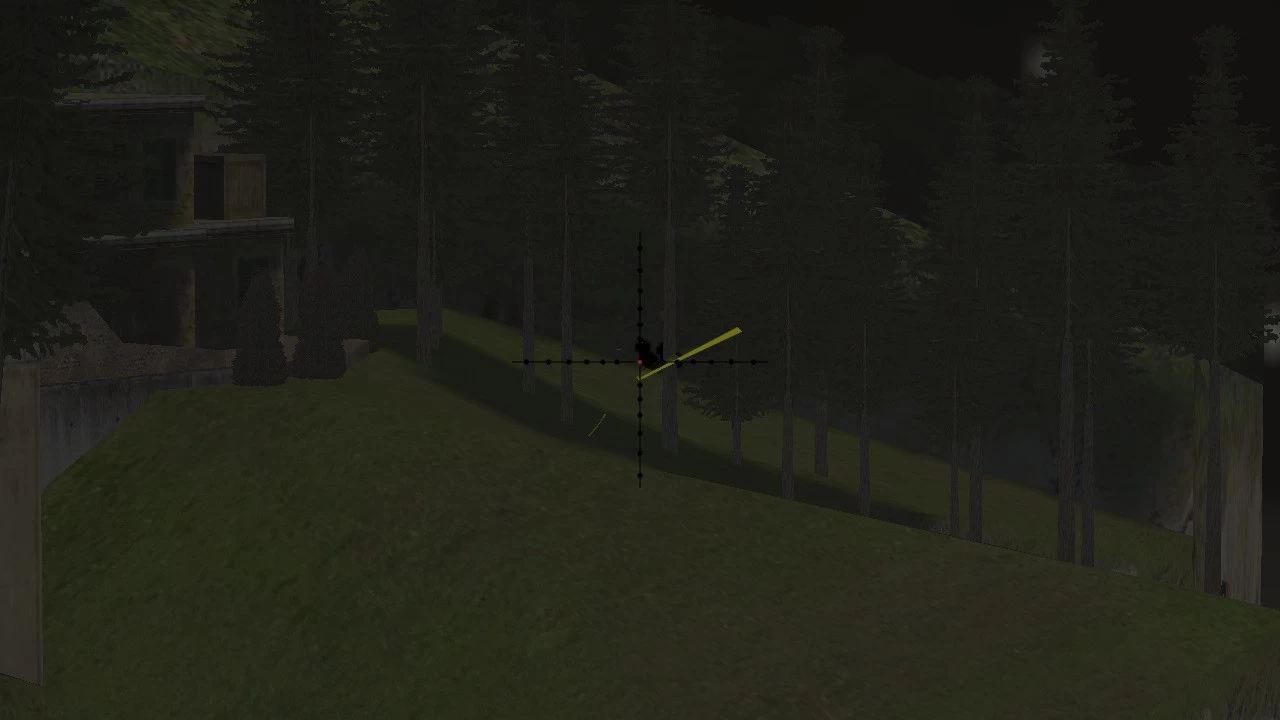 Introduce wind dynamics to your CS 1.6 server with winds effect Plugin Cs 1.6. This mod simulates environmental wind conditions that can impact sound and subtle movement, enhancing atmospheric immersion — especially on outdoor or custom maps.
Features:
Wind sound ambiance
Optional player movement influence
Configurable intensity levels
Installation Instructions:
Add the plugin to addons/amxmodx/plugins, configure effects in the plugin’s config file if available, then restart your server.
Changelog:
v1.0 — Wind effect system added
By Leg00 0 -
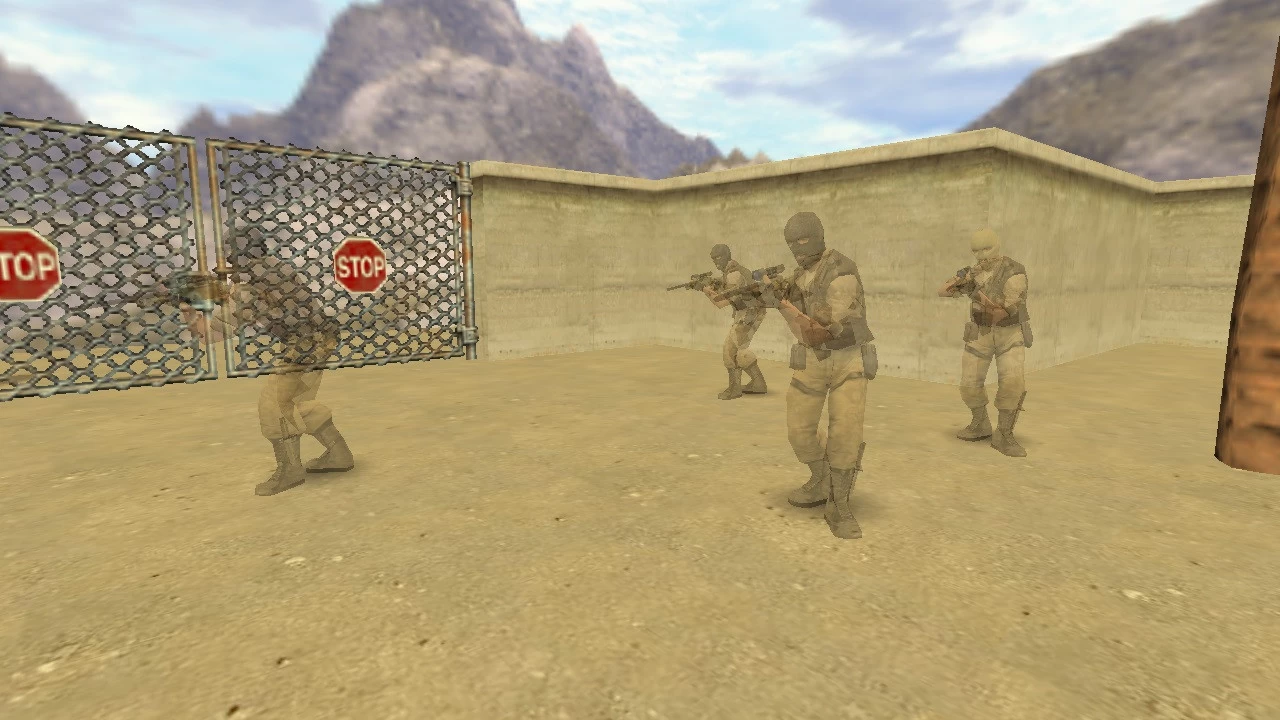 Make your long-range gameplay more tactical with Stealthy Snipers Plugin Cs 1.6. This mod gives snipers enhanced stealth behavior — such as reduced noise when scoped and movement effects — while keeping balance for fair competitive play. Ideal for sniper-focused servers or custom objective modes.
Features:
Reduced firing sound for sniper rifles
Optional stealth movement perks
Works with most CS 1.6 sniper models
Installation Instructions:
Place the plugin in addons/amxmodx/plugins, add the plugin filename to plugins.ini, and restart your server.
Changelog:
v1.0 — Added stealth sniper mechanics
By Leg00 0 -
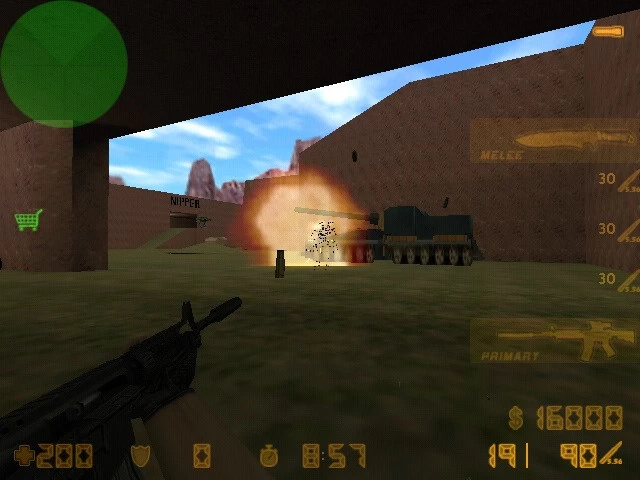 Add an extra layer of environmental interaction to Counter-Strike 1.6 with Destructible Cars API Plugin Cs 1.6. This mod lets map makers and server owners incorporate vehicles that can take damage and break apart, enriching custom maps with dynamic environments. Users can trigger car damage through explosions or player actions, making ruined vehicles part of the battlefield scenery.
Features:
API support for destructible car entities
Works with custom maps and scripted triggers
Adds realistic damage effects for enhanced immersion
Installation Instructions:
Upload the plugin file to addons/amxmodx/plugins, include it in the plugins.ini file, and restart your server to enable support for destructible vehicles.
Changelog:
v1.0 — Initial release with destructible car support
By Leg00 0 -
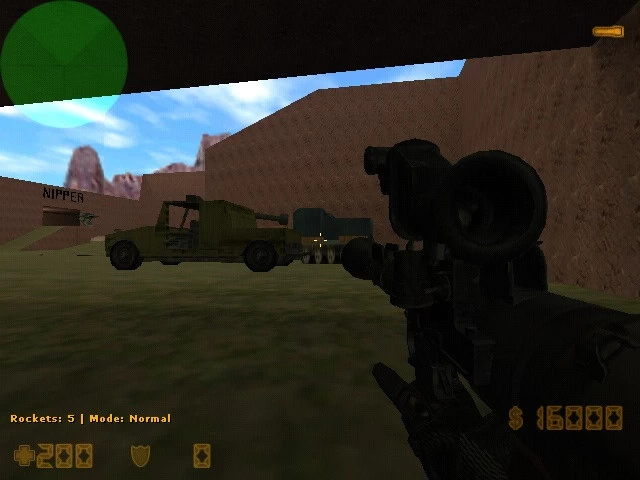 Add high-power explosive fun to your server with Anti-Tanks Bazooka Plugin Cs 1.6, enabling a bazooka weapon that can be assigned to weapon slots 1 and 3 for strategic combat and chaotic gameplay.
Features:
Bazooka weapon support
Explosion effects
Configurable slots
Installation Instructions:
Upload models and plugin files, add plugin to AMX Mod X and plugins.ini, then restart server.
Changelog:
v1.0 — Bazooka weapon implementation
By Leg00 0 -
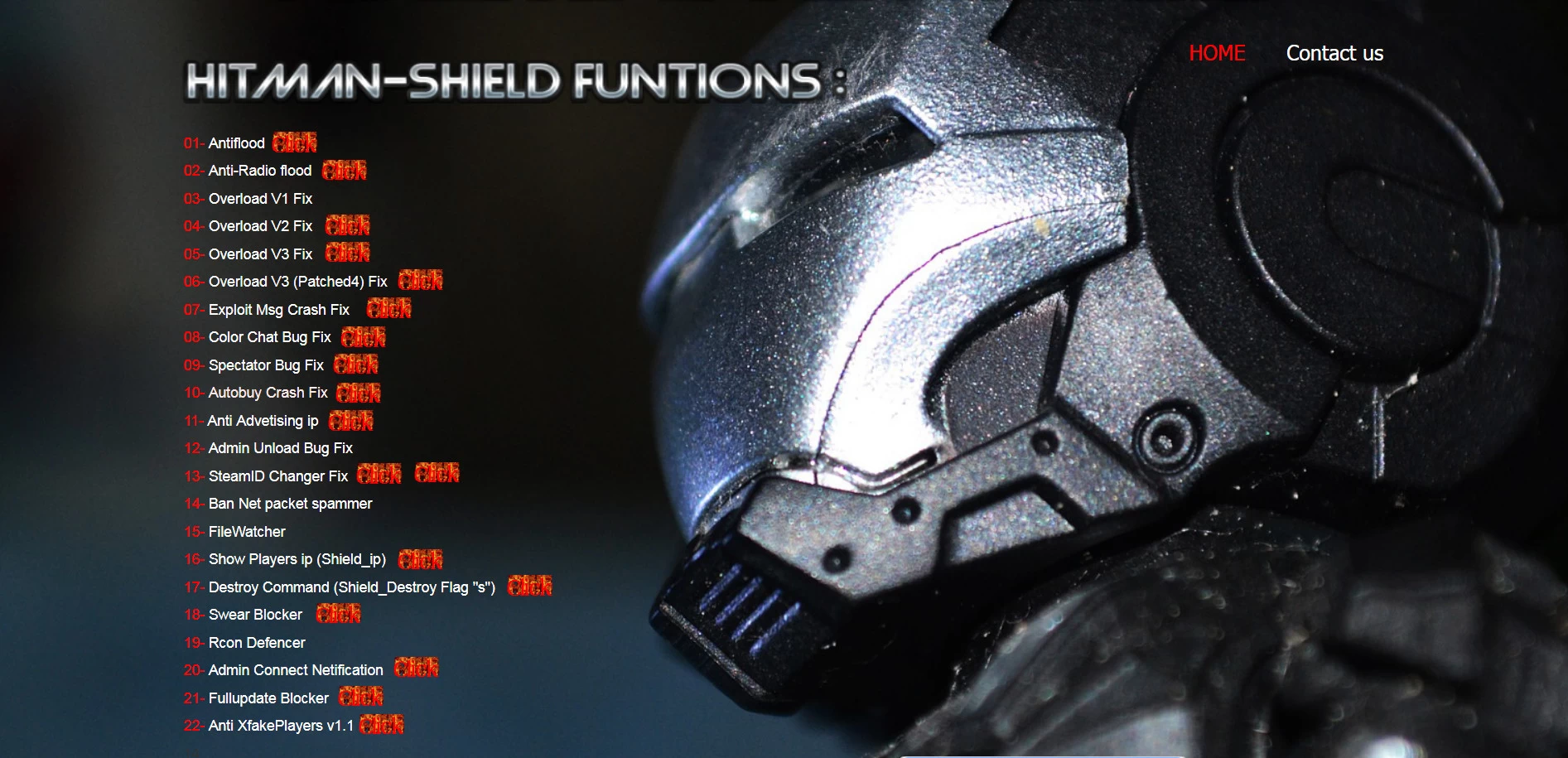 Protect your Counter-Strike 1.6 server with the Hitman-ShielD AMXX Server Security Plugin Cs 1.6, which adds enhanced administrative protections and checks to guard against common exploits and unauthorized actions.
Features:
Server exploit protection
Admin safeguards
Works with existing AMXX configs
Installation Instructions:
Add the plugin to addons/amxmodx/plugins, configure security options in the INI, register in plugins.ini, and restart your server.
Changelog:
v1.0 — Security system established
By Leg01 0 -
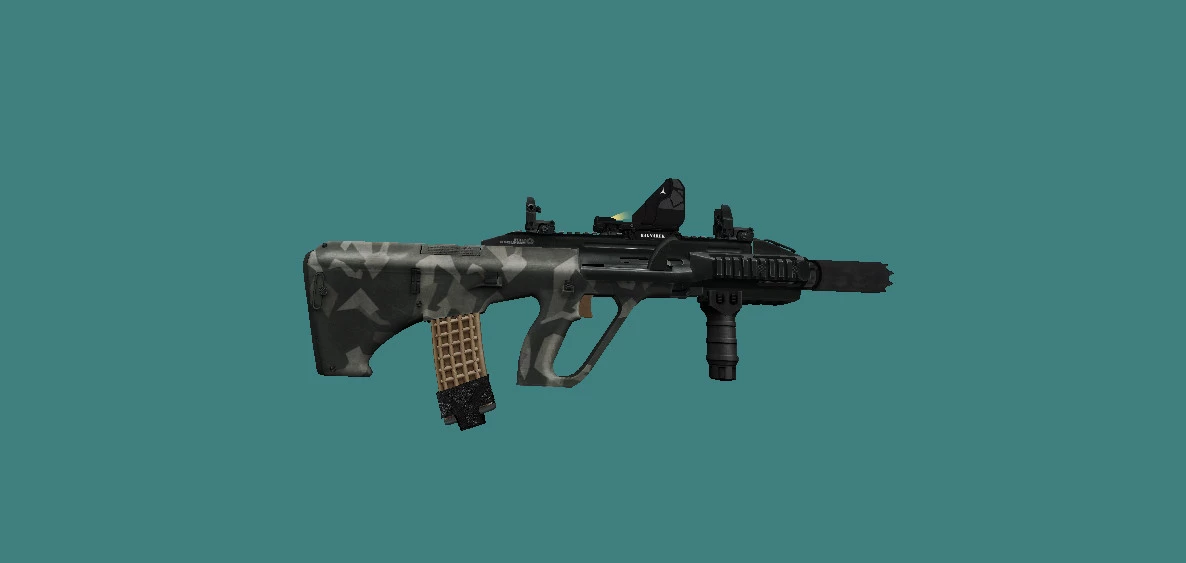 The AUG A3 Plugin Cs 1.6 introduces the classic AUG rifle from newer Counter-Strike titles into CS 1.6 with high-quality models and sound effects. Balanced for traditional CS play, this weapon brings tactical versatility to your server arsenal.
Features:
Custom AUG A3 model
Balanced fire mechanics
Designed for CS 1.6 gameplay
Installation Instructions:
Place models and sounds in the appropriate cstrike directories, add plugin to AMX Mod X, include in plugins.ini, and restart server.
Changelog:
v1.0 — AUG A3 weapon added
By Leg00 0 -
 Enhance the immersion of CS 1.6 with Realistic Reload Mechanic Plugin Cs 1.6. This mod introduces timed reloads with smoother audio and animation responsiveness, making combat feel more tactical and less disruptive.
Features:
Timed, realistic weapon reloads
Improved sound and feedback
Supports many weapons
Installation Instructions:
Place the plugin in addons/amxmodx/plugins, enable it in plugins.ini, and restart your server.
Changelog:
v1.0 — First release with realistic reload behavior
By Leg02 0 -
 Improve weapon reliability on your CS 1.6 server with Bug and Exploit Fixes for Weapons Plugin Cs 1.6. This plugin addresses frequent weapon bugs and balance exploits to ensure smoother, fairer gameplay without altering core mechanics.
Features:
Fixes common weapon bugs
Reduces exploit behavior
Compatible with many mod setups
Installation Instructions:
Upload to addons/amxmodx/plugins, add to plugins.ini, and restart your server.
Changelog:
v1.0 — Initial fixes for weapon behavior
By Leg00 0 -
 Add flair to Counter-Strike 1.6 with the Desert Eagle Ohara Mari Plugin Cs 1.6, giving the iconic Deagle a unique custom texture and sound set inspired by thematic art. Players enjoy a refreshed look while maintaining the weapon’s balanced gameplay.
Features:
Custom Desert Eagle skin and sound
Balances with existing weapon stats
Enhanced visual appeal
Installation Instructions:
Place the model files in cstrike/models, sound files in cstrike/sound, add the plugin to AMX Mod X, include it in plugins.ini, and restart your server.
Changelog:
v1.0 — Deagle Ohara Mari texture and sound
By Leg00 0 -
 CSWS Base Code — Complete Annotated Version Plugin Cs 1.6 is a developer resource for mod authors looking to build new weapons and integrate custom weapon balances for Counter-Strike 1.6. This annotated base offers commented code, templates, and examples to help streamline weapon plugin creation.
Features:
Full annotated base code for custom weapons
Helpful templates for plugin development
Enhances modding workflow
Installation Instructions:
Integrate the included code and documentation into your AMX Mod X plugin project and follow the instructions to compile your custom weapons.
Changelog:
v1.0 — Full annotated base code released
By Leg00 0 -
 The Fall Damage Editor Plugin Cs 1.6 gives server admins control over how fall damage works in Counter-Strike 1.6. Adjust, reduce, or completely disable fall damage to suit your server modes — ideal for parkour, surf, and fun servers where standard fall damage can interrupt gameplay flow.
Features:
Tunable fall damage values
Works with all CS 1.6 modes
Simple config adjustments
Installation Instructions:
Add the plugin to addons/amxmodx/plugins, register it in plugins.ini, adjust fall damage values in the config if desired, and restart your CS 1.6 server.
Changelog:
v1.0 — Adjustable fall damage support
By Leg00 0 -
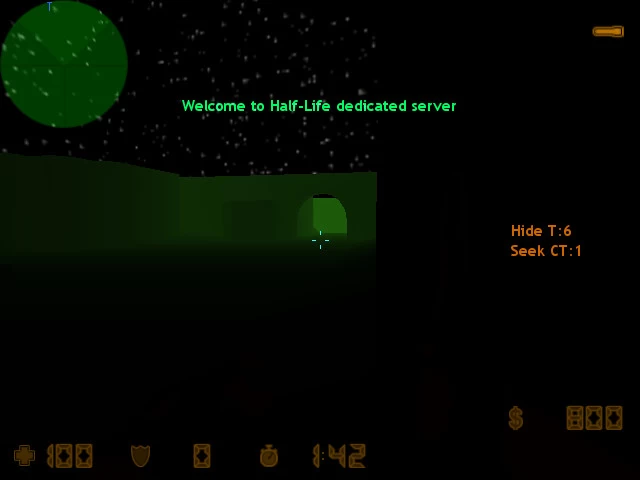 Introducing the HideNSeek (Cache-Cache) Plugin Cs 1.6 — a social and strategic game mode where players take on roles as hiders and seekers, adding fun and suspense to your Counter-Strike 1.6 server. This mod leverages community creativity to bring classic hide-and-seek mechanics into the FPS world, letting players search for opponents in custom maps and modes. GameBanana is a long-running mod hub for CS 1.6 content, including custom gameplay mods like this.
Features:
Unique hider vs seeker game mode
Custom spawn rules and settings
Works with many CS 1.6 maps
Installation Instructions:
Place the plugin file in addons/amxmodx/plugins, add the plugin name to addons/amxmodx/configs/plugins.ini, and restart your server to activate HideNSeek mode.
Changelog:
v1.0 — Initial HideNSeek gameplay implementation
By Leg00 0 -
 Build strategic strongholds with Base Builder v7.2 | Full Version Plugin Cs 1.6, a complete base construction and defense mod that allows players to create custom bases, place defenses, and cooperate to survive waves.
Features:
• Advanced base building systems
• Defense placement and upgrades
• Multiplayer cooperative mechanics
Installation:
Upload to addons/amxmodx/plugins and follow the included install guide.
Configure build settings in BaseBuilder.ini.
Restart your server.
Changelog:
• v7.2 — Full version release with balanced base features
By Leg00 0 -
 Play the complete Zombie Escape Full Version Plugin Cs 1.6, a fully featured escape game mode where humans must outrun or outsmart zombie hordes to survive and complete objectives. Great for custom zombie servers.
Features:
• Full Zombie Escape gameplay
• Map and objective mechanics
• Balanced for co-op play
Installation:
Add plugin and data to addons/amxmodx.
Enable in plugins.ini.
Restart server.
Changelog:
• v1.0 — Full mode implementation
By Leg02 0 -
 Fix and polish the classic Zombie Escape mode with Zombie Escape Full Version’s fix Plugin Cs 1.6, resolving common bugs and ensuring smoother escape mechanics on full maps.
Features:
• Bug fixes for Zombie Escape mode
• Improved round flow
• Balanced zombie/human interactions
Installation:
Upload plugin and configs to server.
Enable in plugins.ini.
Restart.
Changelog:
• v1.0 — Full Version bug fixes
By Leg02 0 -
 Expand map interaction with Vehicle Mod 1.1 Plugin Cs 1.6, enabling driveable or interactive vehicle entities on compatible maps for unique gameplay twists. Suitable for RPG or chaos-based servers.
Features:
• Vehicle entity support
• Interaction controls (drive/ride)
• Custom handling options
Installation:
Add plugin to addons/amxmodx/plugins.
Configure vehicle behavior in the INI.
Restart server.
Changelog:
• v1.1 — Improved vehicle control
By Leg00 0 -
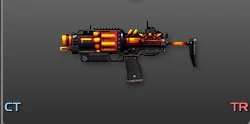 Equip players with an elite weapon mod using [AMXX/CSO] Newcomen Expert Plugin Cs 1.6 — a high-precision firearm modeled for CS Online-style servers with tailored stats for skill-based gameplay.
Features:
• Expert weapon model
• Balanced accuracy and damage
• Works with CSO weapon pools
Installation:
Place assets into cstrike/models and cstrike/sound.
Add plugin to AMXX.
Restart.
Changelog:
• v1.0 — Expert weapon release
By Leg00 0
-
New Counter-Strike 1.6
-
Blogs
-

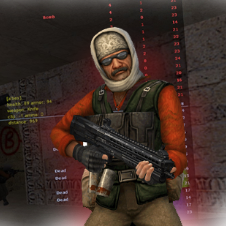 Latest Entry
Download CS 1.6 ESWC

Download CS 1.6 ESWC Edition — Competitive Counter-Strike 1.6 for PC
The Electronic Sports World Cup experience: optimized models, improved textures, and low-ping config — free for Windows 10 & 11.
🛡️ Antivirus Scanned ✅ Trusted & Verified 🔒 100% Safe 🚫 No Malware ⚡ Clean Build🛡️ ANTIVIRUS SCANNED & TRUSTED — 100% SAFE
⚠️ Note: The CS 1.6 ESWC Edition has been fully tested and scanned with the latest antivirus technology. During installation, you may encounter a Windows SmartScreen prompt — this is a standard Windows notification for less common files and can be safely ignored.
Below is a step-by-step installation tutorial:
What is CS 1.6 ESWC Edition?
CS 1.6 ESWC is a special edition of the legendary Counter-Strike 1.6, built for players who want to experience the atmosphere of professional ESWC (Electronic Sports World Cup) competitions. This version keeps the original gameplay mechanics intact while adding visual and performance improvements that make it ideal for both practice and serious matches.
Compared to the classic release, CS 1.6 ESWC includes optimized player models, improved textures for weapons and maps, and a modernized GUI that follows competitive standards. The default configuration is also tuned for low ping and stable FPS, giving you a clear edge in online battles.
Why Download CS 1.6 ESWC?
🎯 ESWC Competitive GUI
Modernized interface following international tournament standards.
🧍 Optimized Player Models
Refined Terrorist and CT skins for maximum visibility.
🔫 Improved Textures
Higher quality weapon & map visuals without sacrificing FPS.
📡 Low-Ping Config
Pre-tuned rate, cl_cmdrate and cl_updaterate values.
⚡ Stable FPS
Optimized for 100+ FPS on widescreen (16:9, 16:10).
🛡️ Anti-Slowhack
Full read-only protection against rogue server scripts.
🤖 Integrated zBots
Practice offline against AI bots with adjustable difficulty.
🌐 Working Masterserver
Browse thousands of ESWC-style servers worldwide.
Download CS 1.6 ESWC
Choose your preferred download method
Build: ESWC Competitive Edition · Size: ~260 MB · 100% Virus-Free
Technical Specifications
Gallery — CS 1.6 ESWC in Action
Authentic gameplay screenshots showing the ESWC red/blue player models, competitive maps, and modernized interface:
ESWC-style red and blue player models optimized for competitive visibility.
Classic competitive gameplay with ESWC optimized textures.
Modernized ESWC GUI following international competitive standards.
ESWC vs. Classic CS 1.6
System Requirements
Recommended Console Commands
For optimal hit registration on ESWC-style servers, open the console (
~) and apply:rate 100000 cl_cmdrate 105 cl_updaterate 102 ex_interp 0.01 fps_max 99.5 m_rawinput 1 cl_crosshair_size "medium" cl_crosshair_color "0 255 0"
How to Install CS 1.6 ESWC — Step by Step
- Download: Click the Direct Download (.exe) or the Torrent Download (.torrent) link.
- Run Setup: Open the downloaded file to launch the setup wizard.
-
Choose Path: Select your preferred folder (e.g.,
C:\Games\CS16_ESWC). - Desktop Shortcut: Keep the checkbox checked for fast access.
- Play: Launch the game, set your resolution under Options > Video, and join your favorite ESWC servers.
Frequently Asked Questions
Is CS 1.6 ESWC free to download?
Yes, this release is 100% free to download, install, and play both online and offline.
What makes ESWC different from classic CS 1.6?
The ESWC Edition includes optimized player models, improved textures, a modernized GUI, and a competitive low-ping configuration — all while keeping the original gameplay mechanics intact.
Can I play on regular CS 1.6 servers?
Yes! The client supports Dual Protocol 47/48, so you can connect to both ESWC-style and standard public servers.
Is this version safe from malware?
Absolutely. The client is clean, virus-checked, and fortified with read-only file protection against malicious server scripts.
Ready to Play CS 1.6 ESWC?
Download now and experience the tournament atmosphere.
- Read more...
- 0 comments
-