



Counter-Strike 1.6
Explore top Counter-Strike 1.6 resources: plugins, addons, maps, mods, skins, models and more. Download clean, optimized CS 1.6 files to upgrade your server and gameplay.
-
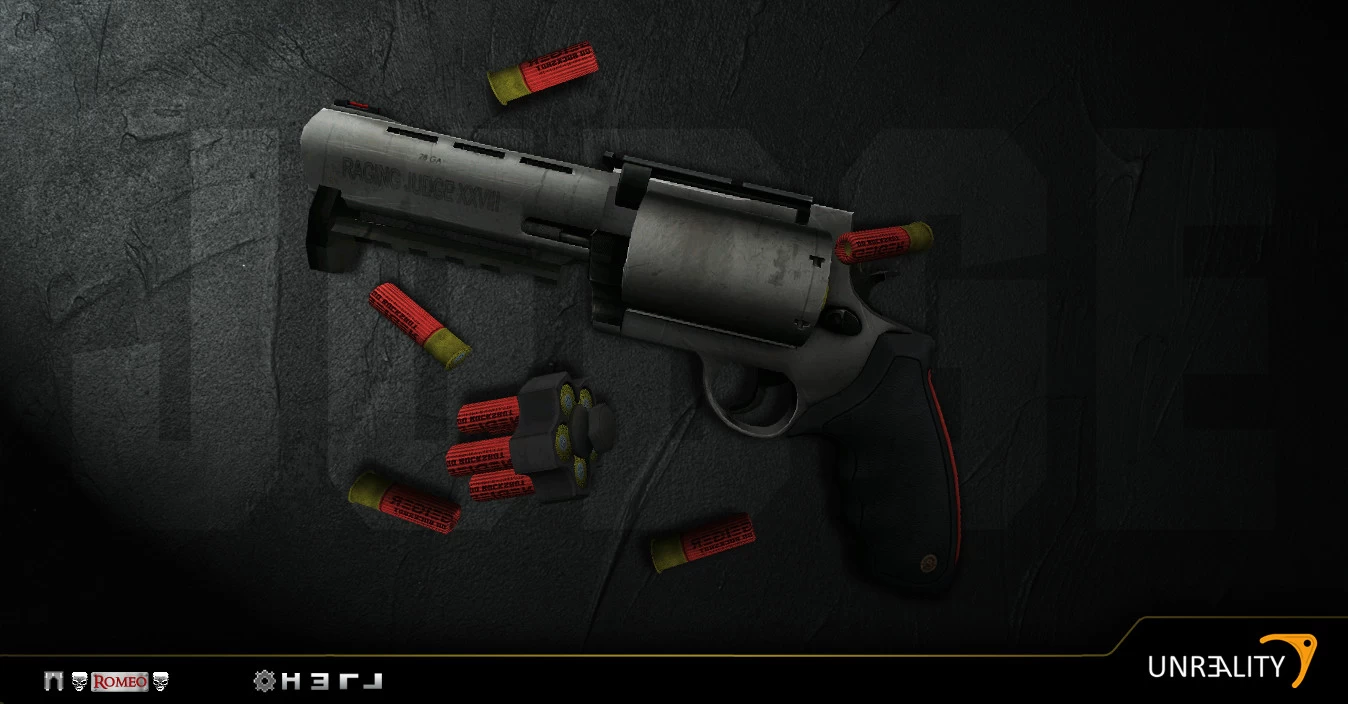 Introduce a powerful revolver with [AMXX] Raging Judge Plugin Cs 1.6, a custom weapon mod featuring a tough visual theme and strong stats for sidearms, ideal for close encounters.
Features:
• Custom Judge revolver model
• Distinct firing sound
• Enhanced recoil/balance
Installation:
Add weapon models/sounds to cstrike.
Place plugin in addons/amxmodx/plugins.
Add to plugins.ini and restart.
Changelog:
• v1.0 — Raging Judge introduced
By Leg00 0 -
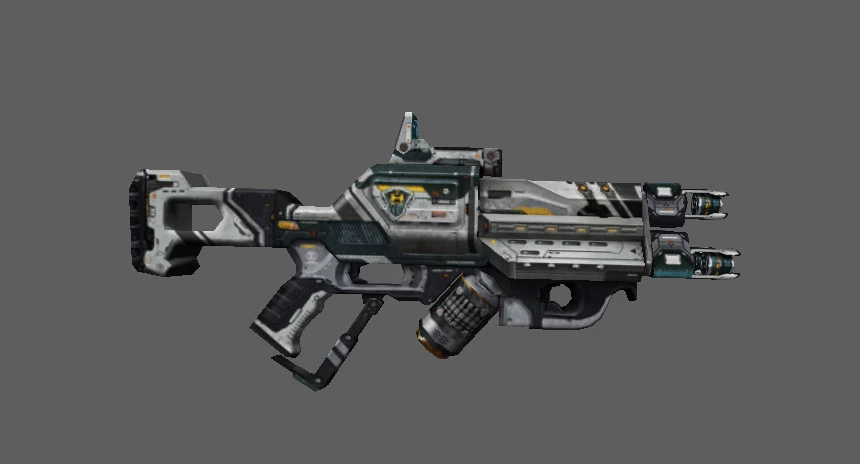 Add chaotic environmental effects with [AMXX/CSO] Tornado Plugin Cs 1.6, a mod that generates wind and dust storms in maps, altering gameplay tension and offering atmospheric depth.
Features:
• Dynamic tornado effects on maps
• Audio and visual enhancements
• Optional gameplay modifiers
Installation:
Place plugin in addons/amxmodx/plugins.
Enable in plugins.ini.
Restart and configure storm triggers.
Changelog:
• v1.0 — Tornado environmental system
By Leg00 0 -
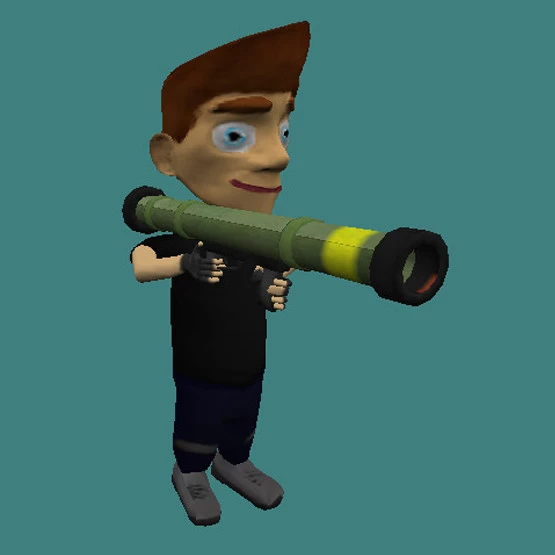 Turn your server into a blast-zone with RPG-BOY (AMXX Plugin) Plugin Cs 1.6 — a fun RPG launcher add-on that lets players fire rockets with satisfying effects and balanced cooldowns.
Features:
• RPG launcher weapon support
• Explosion effects and sound cues
• Balanced for server play
Installation:
Add plugin to addons/amxmodx/plugins.
Register it in plugins.ini.
Restart server.
Changelog:
• v1.0 — Initial RPG gameplay implementation
By Leg00 0 -
 Add heavy machine gun firepower with [AMXX] M249 Phoenix Plugin Cs 1.6 — a custom M249 model with balanced rate of fire and sound effects tailored for CS 1.6. Perfect for support roles or arcade-style servers.
Features:
• Custom M249 Phoenix weapon model
• Balanced damage and spread
• Unique firing sound
Installation:
Upload models to cstrike/models.
Add sounds to cstrike/sound.
Enable plugin in AMXX and restart.
Changelog:
• v1.0 — Phoenix M249 integration
By Leg00 0 -
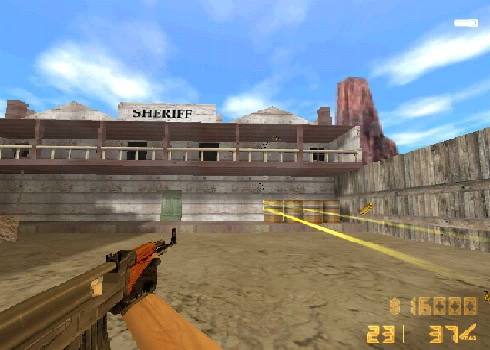 Enhance combat feedback with Realistic Bullets Tracer Plugin Cs 1.6, a mod that adds realistic bullet tracers for most weapons, improving visibility and immersion during firefights.
Features:
• Realistic tracer effects for gunfire
• Configurable tracer intensity
• Supports most CS 1.6 weapons
Installation:
Place plugin in addons/amxmodx/plugins.
Configure tracer settings in its INI.
Add to plugins.ini and restart.
Changelog:
• v1.0 — Realistic tracer system added
By Leg01 0 -
 Stay updated with the AMX Mod X 1.8.3 Dev Build git-5151 Full (Windows) Plugin Cs 1.6, a full development build of AMX Mod X with the latest experimental features, fixes, and enhancements for plugin developers and server admins.
Features:
• Cutting-edge AMXX core improvements
• Bug fixes and optimizations
• Full Windows build ready for CS 1.6 servers
Installation:
Replace the existing amxmodx folder with the build.
Ensure dependencies in addons are updated.
Restart server.
Changelog:
• git-5151 — Latest development updates and fixes
By Leg01 0 -
 Bring heavy-hitting chaos to your CS 1.6 server with [CSO/AMXX] Rock Breaker Plugin Cs 1.6. This mod introduces a powerful melee weapon modeled after the iconic Rock Breaker with unique sound effects and balanced stats for close-quarters combat.
Features:
• Custom Rock Breaker weapon model and textures
• Enhanced impact sound and animations
• Balanced damage for competitive play
Installation:
Extract the archive and place models in cstrike/models.
Add sounds to cstrike/sound.
Put the plugin in addons/amxmodx/plugins.
Add plugin to plugins.ini and restart.
Changelog:
• v1.0 — Initial weapon release
By Leg00 0 -
 Bring a classic Python revolver with enhanced style to CS 1.6 using [CSO/AMXX] Python Desperado Plugin Cs 1.6, perfect for servers seeking nostalgic or CS Online-flavored weapon mods.
Features:
• Traditional Python revolver model
• Clean sound and animations
• Balanced performance
Installation:
Add models/sounds to cstrike.
Place plugin in AMXX.
Restart.
Changelog:
• v1.0 — Python Desperado weapon introduced
By Leg00 0 -
 Add a rugged shotgun with [CSO/AMXX] M3 Black Dragon Plugin Cs 1.6, featuring custom visuals and recoil patterns that breathe new life into classic close-quarters gameplay.
Features:
• Black Dragon shotgun model
• Enhanced sound/visual feedback
Installation:
Upload assets to appropriate folders.
Register plugin.
Restart.
Changelog:
• v1.0 — M3 Black Dragon added
By Leg01 0 -
 Introduce a unique magnum weapon variant with [CSO/AMXX] Magnum Drill Chimera Plugin Cs 1.6, combining classic magnum power with new effects or stats for fun custom gameplay.
Features:
• Magnum Drill Chimera weapon
• Custom stats and audio
• Fits CSO-inspired servers
Installation:
Place models and sounds.
Add plugin.
Restart.
Changelog:
• v1.0 — Initial weapon release
By Leg00 0 -
 Add an empowered Python pistol with [CSO/AMXX] Python Desperado +6 Plugin Cs 1.6, giving players a high-impact sidearm with bonus rounds or enhanced stats that fit CS Online-style gameplay.
Features:
• Python weapon with +6 features
• Custom damage and recoil
• Unique sound set
Installation:
Extract weapon model files to cstrike.
Add plugin to AMXX.
Restart.
Changelog:
• v1.0 — Python Desperado enhanced
By Leg00 0 -
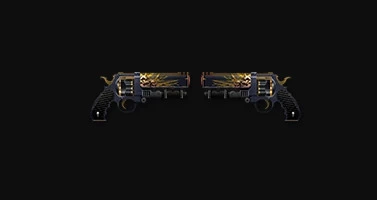 Replace icons, HUD elements, or add skull-themed cosmetic enhancements with [AMXX] Skull2 Plugin Cs 1.6, a visual tweak plugin that refreshes the look of your server’s UI elements for a more intense theme.
Features:
• Custom skull graphics
• HUD/Icon replacements
Installation:
Add plugin to addons/amxmodx/plugins.
Configure paths in config.
Restart.
Changelog:
• v1.0 — Skull visuals added
By Leg00 0 -
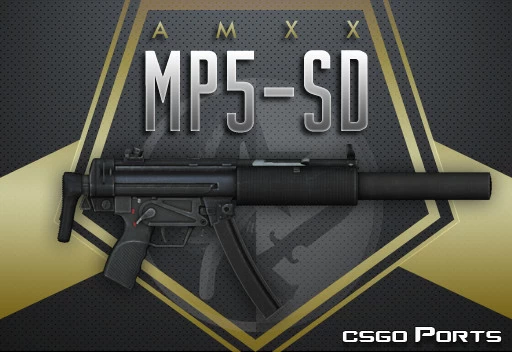 Bring a stealthy weapon to your server with [AMXX] CS:GO MP5-SD Plugin Cs 1.6, introducing the silenced MP5-SD from CS:GO with custom sounds, animations, and balanced stats tailored for CS 1.6 gameplay.
Features:
• CS:GO MP5-SD weapon integration
• Custom models/sounds
• Balanced damage & recoil
Installation:
Place models in cstrike/models and sounds in cstrike/sound.
Add plugin to AMXX.
Restart server.
Changelog:
• v1.0 — MP5-SD added
By Leg00 0 -
 Adjust first-person weapon view models with [MH] Modify the plugin of V model FOV Plugin Cs 1.6, letting you fine-tune the Field of View (FOV) on viewmodels for a better visual experience or server-wide consistency.
Features:
• Customizable viewmodel FOV
• Works with many weapon model plugins
• Visual balance for competitive servers
Installation:
Upload the .amxx file to addons/amxmodx/plugins.
Register it in plugins.ini.
Adjust FOV settings in config.
Restart.
Changelog:
• v1.0 — Initial FOV modification support
By Leg00 0 -
 Fix common entity attachment and bone position retrieval issues on AMXX servers with EngFunc_GetAttachment And GetBonePosition FIX Plugin Cs 1.6 — essential for plugins that depend on accurate model attachment points or bone data. Ideal for developers or servers running custom animation mods.
Features:
• Fixes GetAttachment glitches
• Corrects GetBonePosition return values
• Improves compatibility with model-dependent plugins
Installation:
Place plugin .amxx into addons/amxmodx/plugins.
Add to plugins.ini.
Restart server.
Changelog:
• v1.0 — Bone and attachment fixes
By Leg00 0 -
 Improve pickup match organization with GATHER SYSTEM PUG MOD Plugin Cs 1.6, a server mod that manages player gathering, team balancing, and ready-check systems for pick-up games (PUGs). Works with various AMXX configs for competitive servers.
Features:
• Player gather calls with automatic readiness
• Team balancing modules
• Chat and UI integration
• Supports competitive pickup workflows
Installation:
Upload the mod’s .amxx plugin to addons/amxmodx/plugins.
Add it to plugins.ini.
Restart your server and use in PUG matches.
Changelog:
• v1.0 — First PUG gather release
By Leg00 0 -
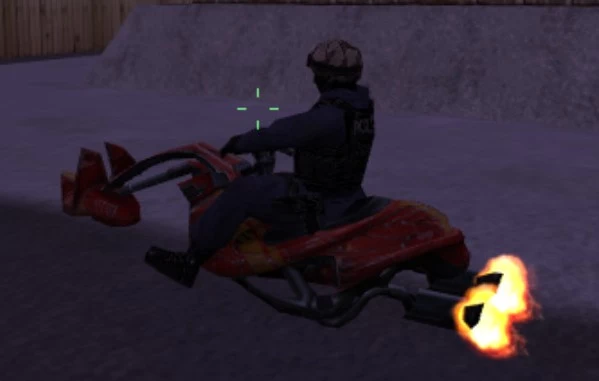 Turn static func_vehicles into interactive rideable vehicles with the AMXX Custom Vehicle System (Basic Edition) Plugin Cs 1.6, adding driving mechanics, vehicle spawning, and player control schemes that extend CS 1.6 map possibilities.
Features:
• Makes vehicles rideable in custom maps
• Player controls for acceleration/braking
• Simple configuration system
Installation:
Add plugin to addons/amxmodx/plugins.
Enable in plugins.ini.
Configure vehicle behavior in its INI file.
Restart server.
Changelog:
• v1.0 — Initial basic vehicle control features
By Leg01 0 -
 Secure your server’s MOTD output with MOTD Authenticator Plugin Cs 1.6, a plugin that ensures only authorized sources can trigger Message of the Day displays, preventing spam or unauthorized MOTD flooding.
Features:
• Authenticates MOTD requests
• Prevents MOTD spam
• Works with custom AMXX server messages
Installation:
Upload the AMXX .amxx file to addons/amxmodx/plugins.
Register it in addons/amxmodx/configs/plugins.ini.
Restart your server to enforce MOTD authentication.
Changelog:
• v1.0 — Basic MOTD authentication implementation
By Leg00 0 -
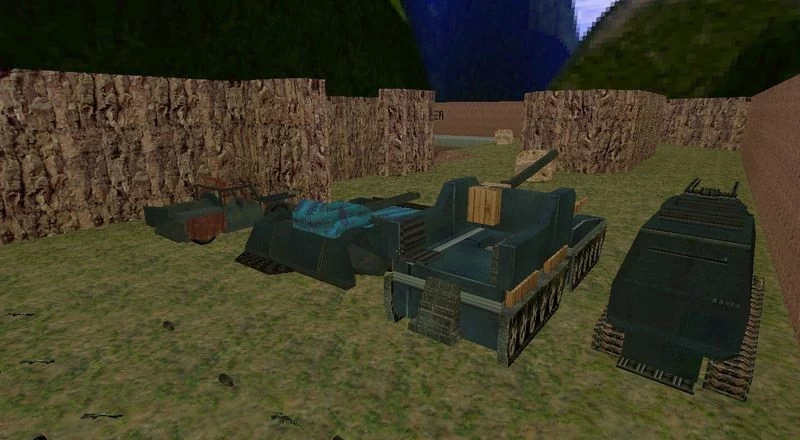 Enhance vehicle interactions on your CS 1.6 server with the func_vehicle modifier (knockback + damage control) Plugin Cs 1.6, a utility that allows custom control over vehicle entity knockback and damage parameters. Perfect for custom maps with vehicles or roleplay servers using advanced environments.
Features:
• Adjust vehicle knockback effects
• Control damage inflicted by vehicles
• Works with classic CS 1.6 func_vehicle entities
• Adds tactical depth to custom maps
Installation:
Place the plugin .amxx file into addons/amxmodx/plugins.
Add the plugin name to addons/amxmodx/configs/plugins.ini.
Restart your server to activate the functionality.
Changelog:
• v1.0 — Initial release with knockback and damage tuning support
By Leg00 0 -
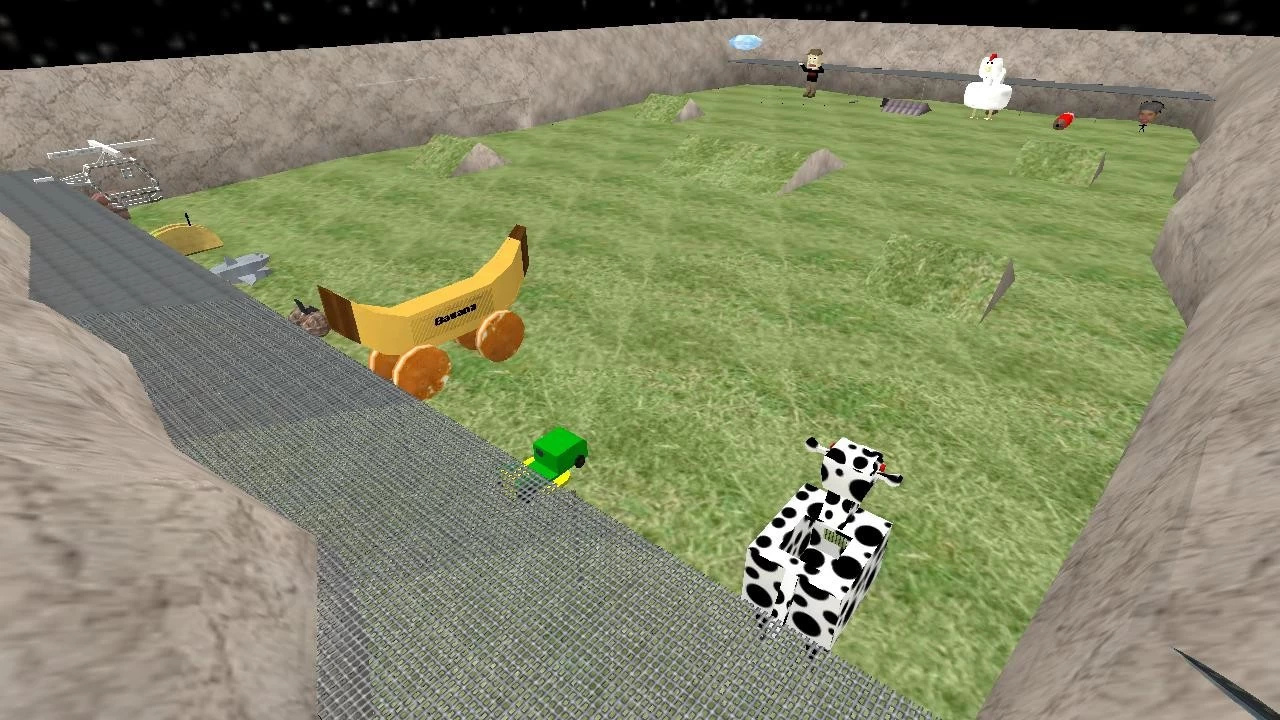 Add vehicle interaction permission control with func_vehicle privilege Plugin Cs 1.6 — used in custom maps that contain vehicle entities, granting specific players the right to operate them for roleplay, mission, or cinematic modes.
Features:
• Privilege system for vehicle use
• Works in custom vehicle maps
• Enhances roleplay experiences
Installation:
Upload plugin to addons/amxmodx/plugins.
Add to plugins.ini.
Restart to enable.
Changelog:
• v1.0 — Vehicle privilege system
By Leg02 0 -
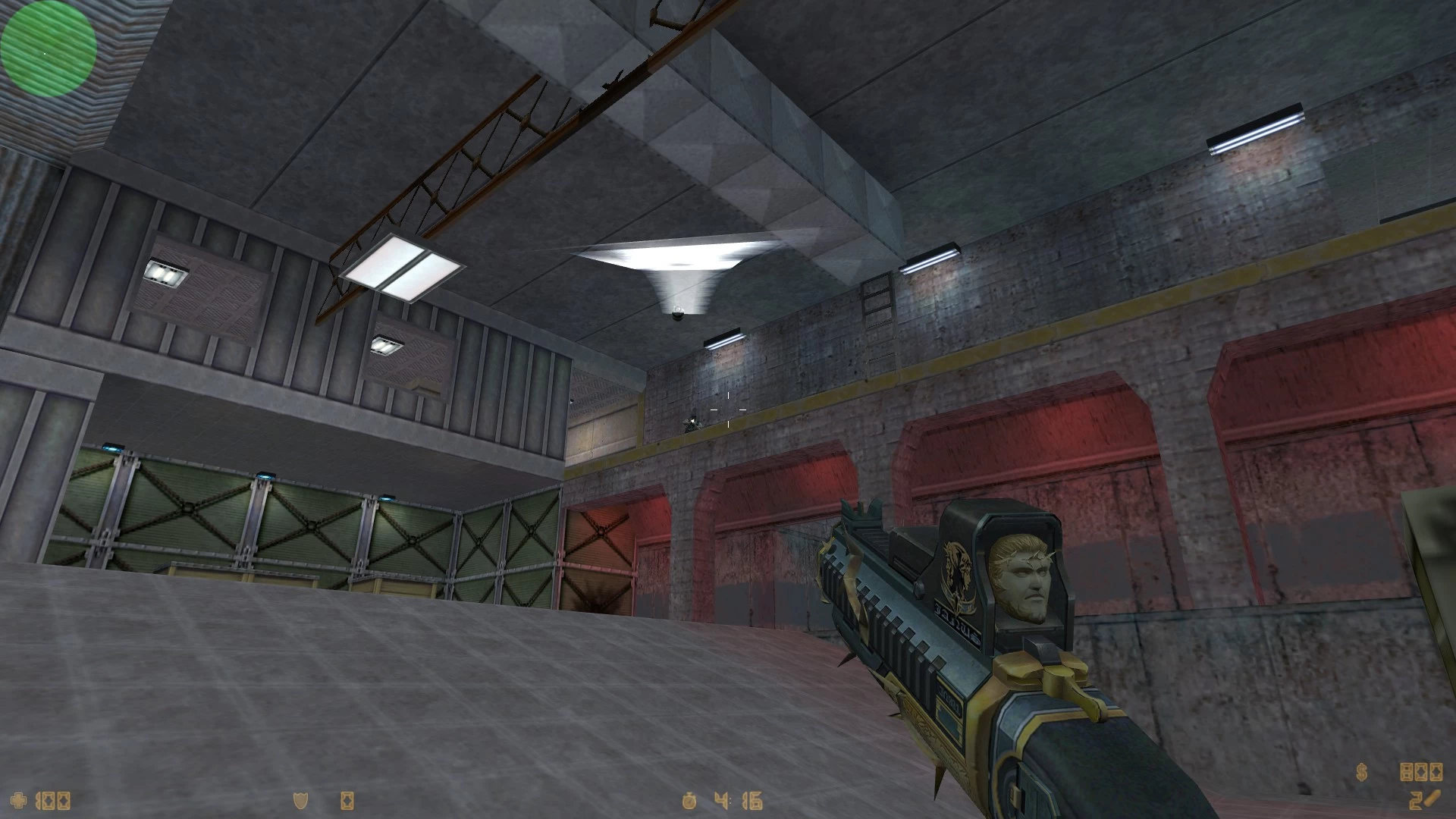 Fine-tune weapon behavior with Counter-Strike Weapon Mod (1.7.1) Plugin Cs 1.6 — custom weapon balance, recoil, and firing tweaks to enhance realism and weapon handling. Great for competitive and realism-focused servers.
Features:
• Custom weapon stats
• Recoil and accuracy tweaks
• Version 1.7.1 improvements
Installation:
Place plugin in addons/amxmodx/plugins.
Configure parameters.
Add to plugins.ini and restart.
Changelog:
• v1.7.1 — Balance updates & fixes
By Leg00 0 -
 Improve player aim and training with Ranges CS:GO Plugin Cs 1.6, bringing range training maps, targets, and drills inspired by CS:GO practices into CS 1.6 for competitive warm-ups and skill refinement.
Features:
• Practice range features
• Scoring and timing systems
• Ideal for aim improvement
Installation:
Upload range maps and plugin.
Add to maps.ini and plugins.ini.
Restart server.
Changelog:
• v1.0 — Range environment support
By Leg01 0 -
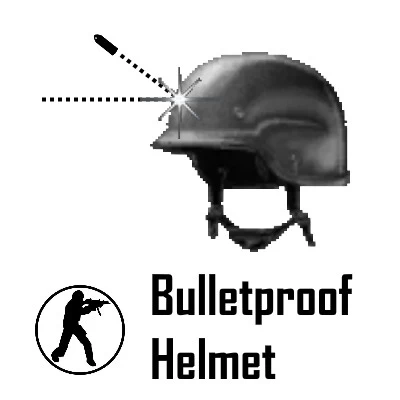 Boost survivability with Bulletproof Helmet Plugin Cs 1.6, a gear mod that gives players extra head protection, reducing headshot damage and changing hit reactions, adding tactical gear options to your server.
Features:
• Reduced headshot damage when equipped
• Configurable protection values
• Works with armor systems
Installation:
Upload plugin and assets to server.
Add to plugins.ini.
Restart server.
Changelog:
• v1.0 — Helmet damage reduction support
By Leg00 0 -
Add variety to melee combat with Knife Models [XP System & Skills Support] Plugin Cs 1.6 — lets players choose different knife skins and integrates with XP systems to unlock abilities and visual upgrades.
Features:
• Knife selection menu (/knife)
• XP and level-based unlocks
• Works with Basic Knife Skills add-on
Installation:
Place plugin in addons/amxmodx/plugins.
Add to plugins.ini.
Restart server to begin using.
Changelog:
• v1.x — Knife menu & XP integration
By Leg00 0 -
 Control server commands with Command Restrictions Plugin Cs 1.6 — restrict usage of specific commands based on rank, role, or player group, preventing spam and ensuring only authorized users can execute powerful operations.
Features:
• Block or allow commands per user group
• Integrates with rank and admin systems
• Configurable via plugin INI
Installation:
Place plugin in addons/amxmodx/plugins.
Add restrictions in config.
Register in plugins.ini and restart.
Changelog:
• v1.0 — Core restriction rules
By Leg00 0
-
New Counter-Strike 1.6
-
Blogs
-

 Latest Entry
Download CS 1.6 ESWC

Download CS 1.6 ESWC Edition — Competitive Counter-Strike 1.6 for PC
The Electronic Sports World Cup experience: optimized models, improved textures, and low-ping config — free for Windows 10 & 11.
🛡️ Antivirus Scanned ✅ Trusted & Verified 🔒 100% Safe 🚫 No Malware ⚡ Clean Build🛡️ ANTIVIRUS SCANNED & TRUSTED — 100% SAFE
⚠️ Note: The CS 1.6 ESWC Edition has been fully tested and scanned with the latest antivirus technology. During installation, you may encounter a Windows SmartScreen prompt — this is a standard Windows notification for less common files and can be safely ignored.
Below is a step-by-step installation tutorial:
What is CS 1.6 ESWC Edition?
CS 1.6 ESWC is a special edition of the legendary Counter-Strike 1.6, built for players who want to experience the atmosphere of professional ESWC (Electronic Sports World Cup) competitions. This version keeps the original gameplay mechanics intact while adding visual and performance improvements that make it ideal for both practice and serious matches.
Compared to the classic release, CS 1.6 ESWC includes optimized player models, improved textures for weapons and maps, and a modernized GUI that follows competitive standards. The default configuration is also tuned for low ping and stable FPS, giving you a clear edge in online battles.
Why Download CS 1.6 ESWC?
🎯 ESWC Competitive GUI
Modernized interface following international tournament standards.
🧍 Optimized Player Models
Refined Terrorist and CT skins for maximum visibility.
🔫 Improved Textures
Higher quality weapon & map visuals without sacrificing FPS.
📡 Low-Ping Config
Pre-tuned rate, cl_cmdrate and cl_updaterate values.
⚡ Stable FPS
Optimized for 100+ FPS on widescreen (16:9, 16:10).
🛡️ Anti-Slowhack
Full read-only protection against rogue server scripts.
🤖 Integrated zBots
Practice offline against AI bots with adjustable difficulty.
🌐 Working Masterserver
Browse thousands of ESWC-style servers worldwide.
Download CS 1.6 ESWC
Choose your preferred download method
Build: ESWC Competitive Edition · Size: ~260 MB · 100% Virus-Free
Technical Specifications
Gallery — CS 1.6 ESWC in Action
Authentic gameplay screenshots showing the ESWC red/blue player models, competitive maps, and modernized interface:
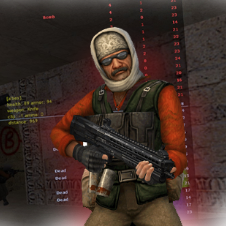
ESWC-style red and blue player models optimized for competitive visibility.
Classic competitive gameplay with ESWC optimized textures.
Modernized ESWC GUI following international competitive standards.
ESWC vs. Classic CS 1.6
System Requirements
Recommended Console Commands
For optimal hit registration on ESWC-style servers, open the console (
~) and apply:rate 100000 cl_cmdrate 105 cl_updaterate 102 ex_interp 0.01 fps_max 99.5 m_rawinput 1 cl_crosshair_size "medium" cl_crosshair_color "0 255 0"
How to Install CS 1.6 ESWC — Step by Step
- Download: Click the Direct Download (.exe) or the Torrent Download (.torrent) link.
- Run Setup: Open the downloaded file to launch the setup wizard.
-
Choose Path: Select your preferred folder (e.g.,
C:\Games\CS16_ESWC). - Desktop Shortcut: Keep the checkbox checked for fast access.
- Play: Launch the game, set your resolution under Options > Video, and join your favorite ESWC servers.
Frequently Asked Questions
Is CS 1.6 ESWC free to download?
Yes, this release is 100% free to download, install, and play both online and offline.
What makes ESWC different from classic CS 1.6?
The ESWC Edition includes optimized player models, improved textures, a modernized GUI, and a competitive low-ping configuration — all while keeping the original gameplay mechanics intact.
Can I play on regular CS 1.6 servers?
Yes! The client supports Dual Protocol 47/48, so you can connect to both ESWC-style and standard public servers.
Is this version safe from malware?
Absolutely. The client is clean, virus-checked, and fortified with read-only file protection against malicious server scripts.
Ready to Play CS 1.6 ESWC?
Download now and experience the tournament atmosphere.
- Read more...
- 0 comments
-