
Counter-Strike 1.6
Explore top Counter-Strike 1.6 resources: plugins, addons, maps, mods, skins, models and more. Download clean, optimized CS 1.6 files to upgrade your server and gameplay.
-
 VIP Welcome HUD Message
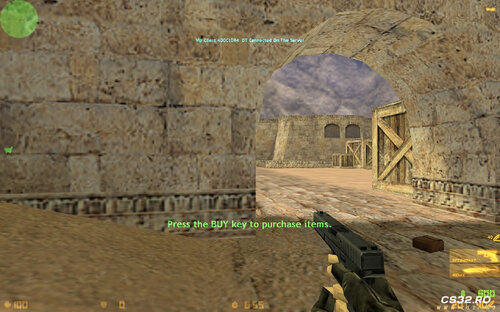
When a VIP player joins the server, a HUD message is displayed on the screen for all players, announcing that the VIP has connected.
The message includes the VIP player’s name, making their arrival noticeable and special.
By Leg00 0 -
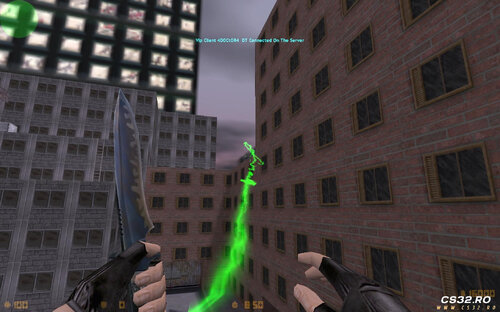 New Hook v3.0 – Fly Like Spiderman
Want to add a hook system to your server and fly like Spiderman?
New Hook v3.0 lets players use a grappling hook to swing and move freely across the map, just like Spiderman.
Features
Smooth and fast hook movement
Easy to use
Fun and dynamic gameplay
Works on any server that supports AMX Mod X
Perfect for fun servers, mods, or custom game modes.
By Leg00 0 -
PluginCs1.6.thumb.jpg.bf68ce85e80010b3e0570640faaf3357.jpg) SZ-BOT (SUPER Z-BOT)
SZ-BOT (SUPER Z-BOT)
Update 2.0 — 2023-07-15
Changes & Fixes
Bug Fix:
Fixed an issue where, when an SZ-BOT attacked a player using a tactical shield, firing would become ineffective if the shield was opened, while the shielded player could still counterattack.
Other minor bug fixes
Files
szbot_f5f8e.zip
About SZ-BOT
SZ-BOT (SUPER Z-BOT) is an enhanced bot system for Counter-Strike: Condition Zero.
SZ-BOT can also be used in Tour of Duty (ToD) mode by calling the bot files with an additional exec command.
Usage Instructions
After installing and configuring SZ-BOT:
Create and edit the SZ-BOT configuration file.
Open the game console and use the following commands:
bot_add_god_ct — Add an SZ-BOT to the Counter-Terrorist team
bot_add_god_t — Add an SZ-BOT to the Terrorist team
Repeat the command until you have the desired number of bots.
Custom Bots
You can define custom SZ-BOT profiles in the configuration file.
Bot names are randomly selected from:
botprofile/
botcampingprofile/ (Tour of Duty mode only)
These folders are located in the cstrike or czero directory.
Tip: Place the strongest bots at the top of the file.
Important Note
To avoid potential bugs, make sure to install the CSCZ Z-BOT plugin first, as SZ-BOT depends on it.
By Leg00 0 -
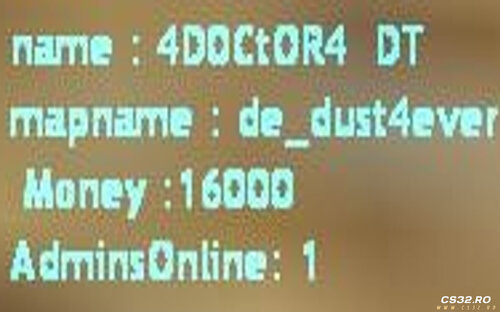 Mod Information Display
This mod displays useful information to the player, including:
Player Name
Current Map Name
Player Money
Admins Online
All information is shown in real time during gameplay.
Requirements
Dependencies & Prerequisites
AMX Mod X (required)
By Leg00 0 -
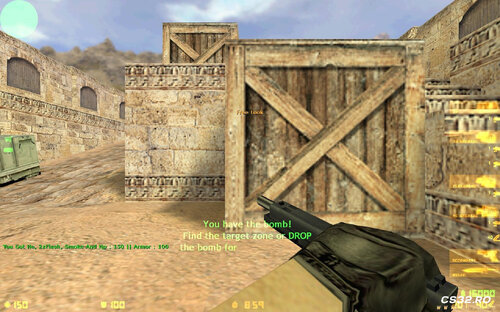 VIP Privileges
Players with VIP access (flag: ADMIN_LEVEL_H) receive the following benefits:
Health: 150 HP
Armor: 100 AP
Grenades:
1× HE Grenade
2× Flashbangs
1× Smoke Grenade
These bonuses are automatically given to players who have the VIP flag.
By Leg00 0 -
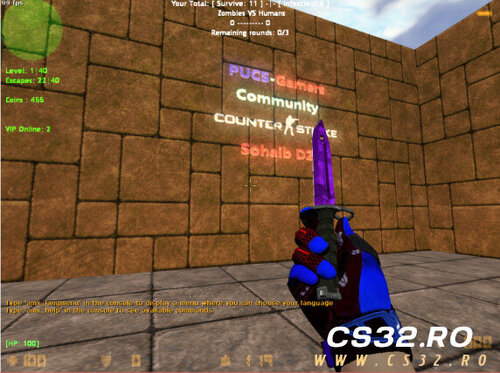 Today, I’ve decided to release the Zombie Unique Mod for free to everyone.
You can download it and play offline with bots or host a server to play with your friends.
I’d also like to take a moment to thank myself for all the effort and dedication I put into developing this mod.
Download Link
Zombie Unique – The Last Mehraja
https://www.mediafire.com/file/ssgjfka8dsf9ou6/Zombie_UniQue_The_Last_Mehraja_By_Sohaib_DZ.rar/file
Note
This file is 100% clean
Installation:
Install AMX Mod X
Then install the mod
By Leg00 0 -
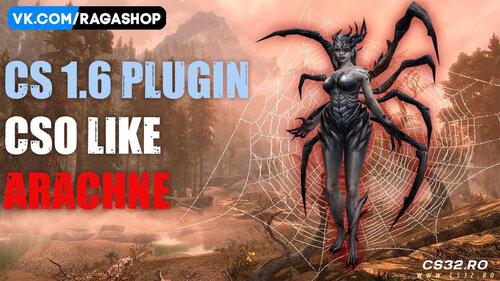 This Zombie Class, known as Arachne Zombie, cannot be found anywhere on the internet. I am sharing it with you for free, and all required files are included.
This class is designed specifically for Zombie Plague mode, and it is only compatible with Zombie Escape.
RAR Password: Arachne.Prof
By Leg00 0 -
 About
About
New BaseBuilder is a custom mod designed to enhance the building experience with advanced tools, performance improvements, and administrative controls.
Features of the Mod
Block Copying – Easily duplicate existing blocks
Block Rotation – Rotate blocks for precise placement
Anti-Reconnect System – Prevents players from abusing reconnects
Anti-AFK System – Automatically handles inactive players
Jetpack – Allows players to fly while building
Admin Menu, including:
God Mode
Noclip
Build Mode
God + Build Mode (20 seconds)
Stop Building Time
And more
Player Transfer System – Admins can grab and move players freely
Requirements
HLDS installed
AMX Mod X v1.8.2 or v1.9
Installation
Download the latest stable version from the Releases section.
Extract the cstrike folder into the root directory of your HLDS server.
Verify that all plugins are running and loaded in the correct order using:
amxx list Updating
Upload the new plugin and language files:
plugins/*.amxx
data/lang/*.txt
into the amxmodx/ folder on your HLDS server.
Restart the server (restart command or change the map).
Confirm that all plugins are updated using:
amxx list Downloads
Download Mod
Additional Information
Features: See above
TODO: Planned features and improvements
YouTube: Official Channel
By Leg00 0 -
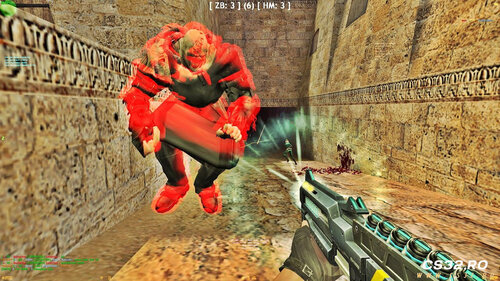 Nemesis Kill Sound (AMXX/SMA)
In Nemesis Mod, when a player kills the Nemesis, a special sound is played for all players.
This sound can be a voice line such as “Die, bitch!”, “Crazy!”, or any custom audio you choose. The purpose is to make killing the Nemesis feel more impactful and rewarding.
By Leg00 0 -
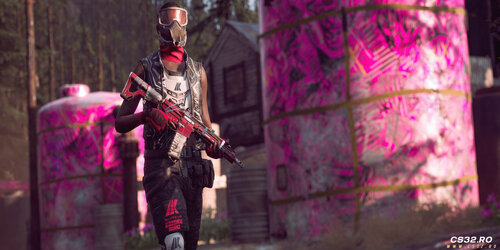 This mod has been actively developed for several months and delivers more features and deeper functionality than most existing mods. It includes both core systems and unique additions that noticeably enhance gameplay and visual experience.
Included Plugins & Features
Paintball system
VIP system
VIP-exclusive weapons
Custom ground weapon view models
Admin management tools
Infinite ammo
Parachute system
Map voting system
Bomb countdown timer
Weapon market
Multiple custom skins for weapons, knives, and more
This mod is designed for servers that want more control, better visuals, and a richer gameplay experience without relying on dozens of separate plugins.
How to Get the Mod
Telegram: @proa35
Email: poroa35@gmail.com
Created by: Dark Passenger
Language: Persian
PERSIAN (نسخه بهبود یافته)
این مود طی چندین ماه توسعه داده شده و از نظر امکانات و جزئیات، از بسیاری از مودهای مشابه قویتر و کاملتر است. علاوه بر سیستمهای پایه، ویژگیهای جدید و چشمگیری به آن اضافه شده که تجربه بازی و ظاهر سرور را بهطور محسوسی ارتقا میدهد.
پلاگینها و امکانات
سیستم Paintball
سیستم VIP
اسلحههای اختصاصی VIP
تغییر نمای تفنگ روی زمین
ابزارهای مدیریت ادمین
مهمات بینهایت
چتر نجات
سیستم رأیگیری مپ
شمارش معکوس بمب
بازار خرید اسلحه
اسکینهای متنوع برای اسلحهها، چاقو و موارد دیگر
این مود برای سرورهایی طراحی شده که به دنبال کنترل بیشتر، ظاهر حرفهایتر و گیمپلی غنیتر هستند، بدون نیاز به نصب دهها پلاگین جداگانه.
راههای دریافت مود
تلگرام: @proa35
ایمیل: poroa35@gmail.com
ساخته شده توسط: Dark Passenger
By Leg00 0 -
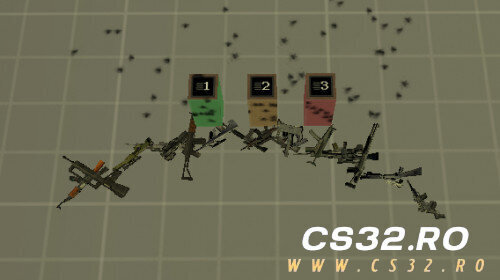 As most of you already know, on the majority of CS 1.6 servers, buttons cannot be activated by shooting them — players must walk up and press E.
However, in some mods such as JailBreak, certain builds already include a feature that allows button activation by gunfire, but this functionality is inconsistent and heavily dependent on the specific mod or server setup.
If you want shoot-to-activate buttons on a standard public server, without relying on any specific mod, this plugin does exactly that.
It enables buttons to be triggered by shooting them, improving map interaction speed and overall gameplay flow.
⚠️ Note: This plugin may cause issues or unexpected behavior on some mods, especially Zombie-based mods. Testing before production use is strongly recommended.
By Leg00 0 -
 Reset Score Command
Players can use /rs, /resetscore, or rs in chat to instantly reset their kills, deaths, and score without reconnecting or affecting gameplay.
By Leg00 0 -
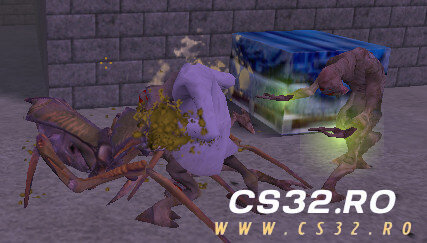 This mod is an AMXX plugin originally developed by a Chinese author over two years ago. It introduces a third-person, ability-based PvP gameplay system inspired by Half-Life–style factions.
Terrorists play as Antlions
Counter-Terrorists play as Vortigaunts
The gameplay focuses on skills, movement patterns, and team balance, rather than traditional CS gunplay.
Core Gameplay Mechanics
Perspective & Controls
The game is designed primarily for third-person gameplay.
No first-person weapon (V-model) exists, and the original author does not plan to create one.
The flashlight (F key) is replaced with a character highlight effect.
Target Lock System
Press Q to lock onto the enemy closest to the center of your view.
While locked, your camera will automatically track the target.
Press Q again to cancel the lock.
This feature can be enabled or disabled via server settings.
Menus & Interaction
R or M opens the main game menu:
Switch between first-person / third-person views
Purchase characters/classes
Choose teams
Access other gameplay options
Right mouse button opens the character/class purchase menu directly.
Skills & Combat System
Skills are executed by performing specific movement input patterns (W / A / S / D), followed by left mouse click.
Abilities include:
Vanishing
Flying
Electrocution
Special attacks and mobility skills
This system rewards practice and timing, not random button mashing.
Faction Differences
Antlions
Strong in close-combat
Easier to learn and more beginner-friendly
Recommended for new players
Vortigaunts
Excel at long-range combat, field control, and counterattacks
More complex skill usage
Higher learning curve
If you’re new, start with Antlions. Vortigaunts will punish sloppy play.
Water & Drowning Mechanics
When a player falls into water:
The model is forced into a swimming animation
Skill usage is disabled
To prevent skill abuse in water, a quick-drowning system is implemented:
Players will drown rapidly after falling into water
This feature can be turned on or off via server command
Game Rules & Win Conditions
Objective: Eliminate all hostile players
Game mode combines Deathmatch and Annihilation rules:
Before round timer reaches 0:
Players respawn after death (deathmatch)
After timer reaches 0:
Dead players no longer respawn (annihilation)
Comeback Mechanic (Boss System)
The team with fewer kills becomes the disadvantaged camp
The disadvantaged team spawns a Boss unit:
Antlion Team → Antlion Guardian
Vortigaunt Team → Super Vortigaunt
Bosses have:
Stronger abilities
Higher impact
Team-oriented mechanics to help turn the match around
This prevents one-sided steamrolling and rewards coordination.
BOT Configuration (Highly Recommended)
Bots can be overwhelming for new players. Use these console commands to control their behavior:
// Enable intelligent skill usage (0 = off, 1 = on) avv_bot_optposekey 1 // Delay between BOT skill usage (seconds) // Higher values = more beginner-friendly avv_bot_optdelay 0.5 // Allow BOTs to buy characters/classes (0 = off, 1 = on) avv_bot_selectclass 1 Tip:
Set avv_bot_optdelay to 2.0 for rookie-level BOT behavior.
Additional Server Commands
// Enable quick drowning in water avv_drowning 1 // Respawn delay after death (seconds) avv_respawn_time 8.0 // Enable Q-key target lock avv_auto_aim 1 // Auto-aim alignment interval when locked // 0.0 = continuous alignment avv_auto_aim_delay 0.0 Language Support
Since most in-game hints were originally in Chinese:
An English-translated move list is provided
English-translated .sma source files are included
You can compile the English version yourself if needed
This avoids confusion and makes the mod playable for non-Chinese speakers.
Requirements
Run the following command only if players are not assigned as Antlions or Vortigaunts:
sv_restart 1By Leg01 0 -
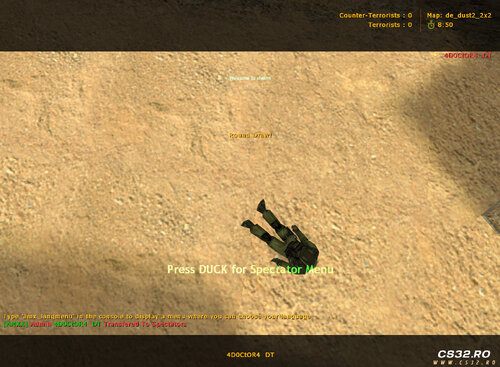 Admin Spectator Command
Admins with flag c can use the /spec command to instantly move to the Spectator team.
Allows admins to watch players without interfering in gameplay
Useful for monitoring behavior or suspected rule violations
Requires admin flag c
By Leg00 0 -
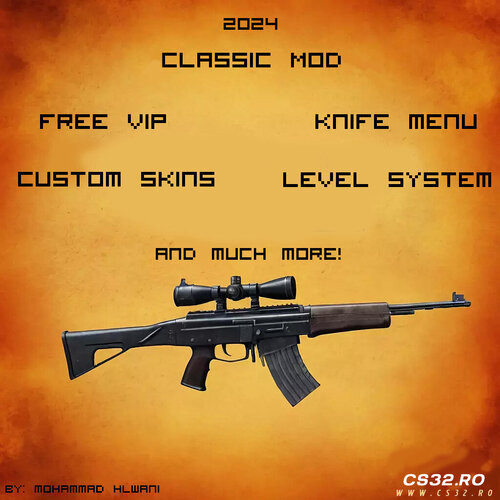 Fun Plugin Pack (AMXX)
This mod is a collection of fun and gameplay-enhancing AMXX plugins, including:
VIP System
Custom player skins
Knife menu
And many additional features
Designed to add variety and enjoyment to Counter-Strike 1.6 servers.
Tested on: Warzone version
Installation Instructions
Step 1
Open the mod folder and merge its contents with your cstrike directory.
Step 2
Navigate to:
cstrike/addons/metamod/plugins.ini
Remove the semicolon ( ; ) before:
amxmodx_mm.dll If this file or line does not exist, you must install AMX Mod X first, then repeat Step 1.
Step 3
Restart the game or server.
Your mod is now installed and active.
Important Security Notice
Change your RCON password immediately.
Running a public server without doing this is careless and risky.
VIP Menu & AWP Maps
The VIP Menu is disabled by default on AWP maps
You can re-enable it by editing the amxx.cfg configuration file
If you add a new AWP map:
Choose one of the following:
Map includes Deagles
Rename the map by removing the underscore after awp
Example:
awpxxx_...
Map does NOT include Deagles
Keep the underscore
Example:
awp_xxx_...
Included Maps
de_bank
cs_1337_assault
cs_assault_upc
de_dust2_night
de_dust2_suncsm
de_rats
de_westwood
awp_india
awp_india2
awplego_2
35hp
35hp_2
fy_snow
Requirements
To run this mod, you must have:
Counter-Strike 1.6
AMX Mod X
By Leg00 0 -
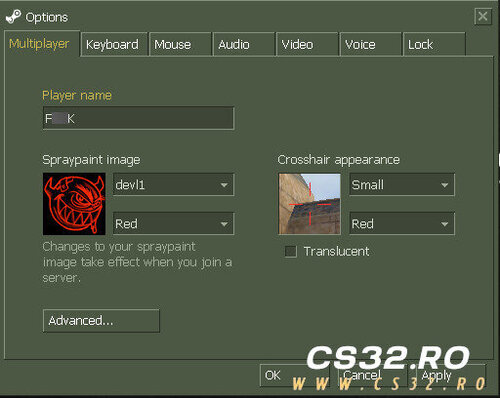 Bad Name Filter Mod
This mod automatically detects player names containing sexual, offensive, or inappropriate words and replaces them with a default name.
Default replacement name: BadName
The replacement name is fully configurable
You can set any custom name in the config file
Helps keep servers clean and community-friendly
No admin action required, changes apply automatically
By Leg00 0 -
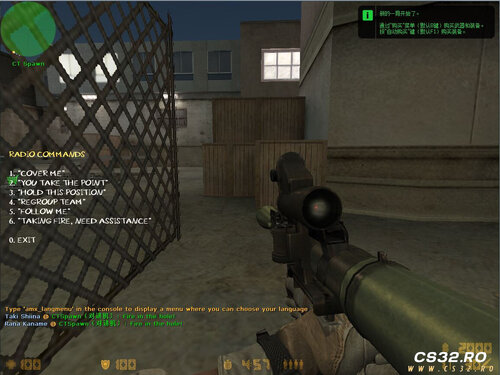 RPG-7 Weapon Mod (CS 1.6 / CSCZ)
This is an RPG-7 weapon mod originally created for CoD: MW3, now fully ported to CS 1.6 and CS:CZ.
The weapon costs $10,000 in-game and features:
High explosive damage
Right-click melee attack for close combat
High risk–high reward gameplay
While extremely powerful, the RPG-7 is also dangerous to use. Firing at close range can easily:
Damage or kill yourself
Team-kill nearby teammates
This makes it a true double-edged weapon that rewards smart positioning and timing rather than reckless use.
Additional Notes
Purchase tips and in-game text are written in Chinese
The package includes the .sma source file
You can translate the text to English and recompile the plugin if needed
See the mod files for detailed configuration and behavior
Honest Take
This is not a beginner-friendly weapon.
Used correctly, it’s devastating. Used poorly, it will wipe your own team.
If your server likes powerful but punishing weapons, this mod fits perfectly.
By Leg00 0 -
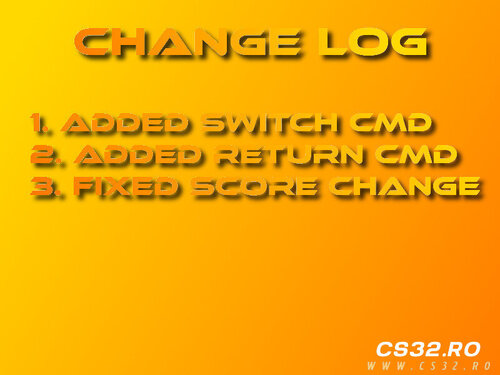 Spectator v4 Changelog
Added /switch command for quick team switching
Added /return command to return to previous team
Fixed score inconsistencies caused by switch and spectator commands
By Leg00 0 -
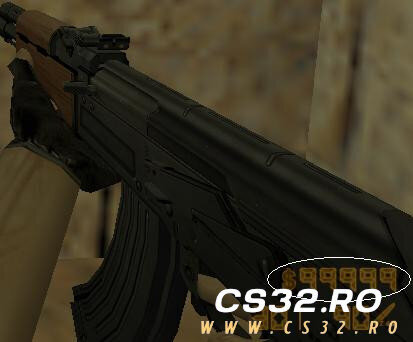 Plugin Base Information
This plugin pack is based on “More Money Than 16000 2.0” and uses it as the core system.
Several features and behaviors have been modified and extended by me to better integrate with this VIP pack and to add custom functionality beyond the original version.
By Leg00 0 -
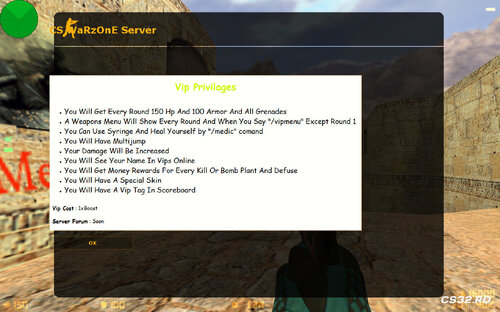 Credits
This plugin was fully developed by me.
It took a significant amount of time and effort, and required learning multiple aspects of AMXX plugin development.
Note: The VIP tag feature was not originally created by me.
Requirements
Lela Stocks
Included inside the package under the Include folder.
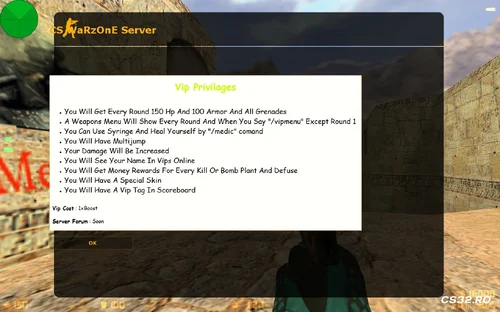
Ultimate VIP Features
VIP Menu
Automatically opens every round (except Round 1)
Can be opened manually by typing /vipmenu
Selecting any item automatically drops your current weapons
Two separate menus:
CT Menu: Includes a defuse kit with every item
T Menu: Standard items without defuse kit
VIP Skins
VIP players receive a custom skin on every spawn
VIP Tag
Displays a VIP tag on the scoreboard
Tag visibility may vary and is not always shown
VIPs Online List
Type /vips to see all online VIP players
Names are printed in both chat and console
If no VIPs are online, it displays:
“No VIPs Online”
Increased VIP Damage
VIP players deal increased damage to other players
Damage multiplier is fully configurable via CVAR
VIP Info (MOTD)
Type /vipinfo to open a MOTD showing VIP privileges
You can customize:
Forum name or link
Currently set as “Server Forum: Soon”
VIP Starting Privileges
Each round, VIP players receive:
150 HP
100 Armor
All grenades
All values can be adjusted via CVARs.
VIP Multi-Jump
Enables multi-jump for VIP players
Maximum number of jumps is configurable via CVAR
VIP Medic
Type /medic to heal yourself
Heals 35 HP by default
Plays syringe animation, then automatically returns to your weapon
Healing rules:
Will not heal if current HP exceeds the allowed limit
Maximum HP and heal amount are configurable via CVARs
VIP Rewards
VIP players receive bonus money for actions:
$1500 per kill
$700 for bomb plant or defuse
All reward values can be customized via CVARs.
By Leg00 0 -
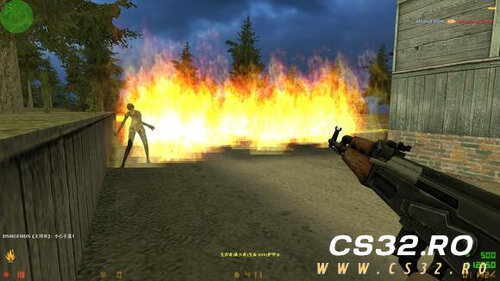 This AMXX plugin brings a Zombie Riot–style Versus mode to Counter-Strike 1.6, inspired by modes seen in Counter-Strike: Source and Left 4 Dead / Left 4 Dead 2.
Players are divided into two human-controlled teams:
Terrorists: Zombies
Counter-Terrorists: Humans
There are no bots controlling factions. Every role is played by real players.
Human Team (Counter-Terrorists)
Objective: Survive until the round timer reaches zero
Humans earn money by killing zombies
Money is used to buy better weapons and upgrades
Features a career tree system with multiple professions
Each profession has unique strengths and weaknesses
Victory depends on teamwork, role synergy, and coordination
If at least one human survives, the human team wins
Zombie Team (Terrorists)
Objective: Eliminate all humans before time runs out
Zombies must work together to hunt and overwhelm survivors
Multiple zombie classes are available
Zombie classes must be unlocked with in-game money
Each zombie type has different abilities and playstyles
Coordination and timing are critical for victory
Additional Notes
The original plugin is fully written in Chinese
An English-translated version of the source file is included
You will need to compile the plugin yourself
Ideal for servers looking for a co-op vs PvP hybrid experience
By Leg00 0 -
 MetaHook / MetaDrawer Module Installation Guide
System Requirements
Resolution: 1024×768 (Hardcoded Requirement)
AMX Mod X: Version 1.8.2 (Exact Version Required)
Game: Counter-Strike 1.6
Operating System: Windows
Core Components
1. MetaHook Module
Purpose: Extends Half-Life engine capabilities for advanced rendering and hooking
Key Features:
DirectX/OpenGL hooking
Custom sprite/model rendering
Extended player info manipulation
Memory patching capabilities
File Structure:
text addons/metahook/ ├── plugins/ # Metahook plugins (.dll) ├── configs/ # Configuration files └── docs/ # Documentation 2. MetaDrawer Module
Purpose: Advanced drawing overlay system
Key Features:
Custom HUD elements
Vector/text rendering
Texture management
Font system support
Installation Steps
Step 1: AMX Mod X 1.8.2 Installation
Download AMX Mod X 1.8.2 (exact version)
Extract to cstrike/addons/amxmodx/
Verify installation:
amxmodx/configs/modules.ini should exist
amxmodx/dlls/amxmodx_mm.dll present
Step 2: MetaHook Installation
Download MetaHook package
Extract to cstrike/addons/metahook/
Edit cstrike/liblist.gam:
plaintext gamedll "addons/metahook/metahook.dll" Create cstrike/metahook.cfg:
cfg bind "F1" "mh_dump" mh_showinfo "1" mh_fpsmax "100" Step 3: MetaDrawer Integration
Copy MetaDrawer files to addons/amxmodx/modules/
Enable in amxmodx/configs/modules.ini:
ini metadrawer.amxx Configure in amxmodx/configs/amxx.cfg:
cfg md_version "1.0" md_debug "0" Step 4: Resolution Configuration
Must set exactly 1024×768:
Create cstrike/valve.rc:
rc unlimitall viewport_scale "2" gl_vsync "0" Launch options:
text -width 1024 -height 768 -32bpp -console Auto-execute script (cstrike/autoexec.cfg😞
cfg gl_mode "6" vid_config_x "1024" vid_config_y "768" vid_d3d "0" Configuration Files
AMX Mod X Configuration
amxmodx/configs/amxx.cfg:
cfg // MetaDrawer Settings md_enable "1" md_cache "1" md_maxsprites "512" // Execution Priority amxx_module_priority "metadrawer" "high" MetaHook Plugins
addons/metahook/configs/plugins.txt:
txt btexture.dll gsprite.dll hud.dll vmodel.dll Troubleshooting
Common Issues & Solutions
Resolution Not 1024×768
cfg // Add to cstrike/userconfig.cfg _set vid_mode "6" _set screen.width "1024" _set screen.height "768" AMX Mod X Version Mismatch
Verify version: amxx version in console
Download exact 1.8.2 from official sources
MetaHook Not Loading
Check metahook.log in cstrike/logs/
Verify liblist.gam permissions
Disable conflicting plugins
Drawing Performance Issues
cfg gl_texturemode "GL_LINEAR_MIPMAP_LINEAR" fps_max "100" fps_modem "0" Debug Commands
Command Purpose Console mh_info MetaHook status HL/CS amxx modules AMXX modules AMXX md_stats MetaDrawer stats AMXX vid_mode Display mode HL/CS Developer Information
API Access
cpp // MetaHook native example #include <metahook> // MetaDrawer natives native md_drawtext(x, y, text[], color); native md_loadsprite(path[]); Module Dependencies
text MetaDrawer → MetaHook → Half-Life Engine ↘ AMX Mod X 1.8.2 File Verification Checklist
addons/metahook/metahook.dll exists
addons/amxmodx/modules/metadrawer.amxx present
liblist.gam modified correctly
Resolution set to 1024×768 in configs
AMXX version shows 1.8.2
Performance Notes
1024×768 resolution is mandatory for proper rendering
Disable vsync for better drawing performance
Sprite count limited to 512 by default
Use texture compression with MetaHook plugins
Support
AMX Mod X Forums: Module development
MetaHook GitHub: Engine extensions
Issue Reporting: Include metahook.log and errorlogs/
By Leg00 0 -
 Complete & Enhanced Mod Description
Mod Name: CS 1.6 Zombie Shelter (based on CSO/CSNZ)
This is a comprehensive survival-horror conversion for Counter-Strike 1.6 that faithfully recreates the "Zombie Shelter" mode from CS Online and CS Nexon Zombies. It features unique gameplay, deep customization, and addresses a core engine limitation with a dedicated plugin.
Core Gameplay & Features
Objective: Survive against escalating waves of zombies. Win by either radioing for help or killing the scenario's boss zombies.
Progression System: Difficulty increases over time ("days"). Zombies gain more health (HP), and special zombies spawn more frequently.
Player Commands:
/blind – Opens the building construction menu (for shelters, towers, etc.).
/skills – Opens the skills and perks menu.
Enhanced Mechanics:
Communication Tower: Used to call in airdrops for supplies.
Water Tower: Collects rainwater for drinking or hygiene.
Survival Items: Utilize Zombie Bile, First Aid Kits, Bulletproof Vests, and more to endure.
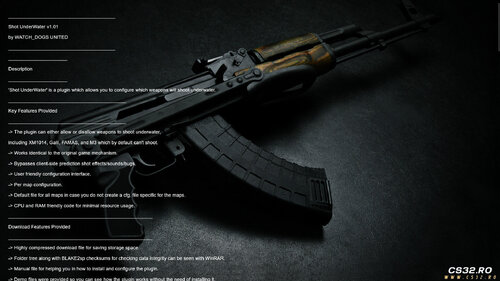
Critical Underwater Fix & Configuration (Shot UnderWater v1.01)
A key part of this mod is the included Shot UnderWater plugin, which is essential for maps with water areas.
What it Solves: By default, many weapons in CS 1.6 cannot fire underwater (e.g., XM1014, Galil, FAMAS, M3). This plugin allows full control over this behavior.
Key Features of the Plugin:
Configurable Per Weapon: You can specify exactly which weapons can or cannot shoot underwater.
Per-Map Configuration: Create specific rules for individual maps (e.g., fy_pool.ini).
Seamless Integration: Works identically to the original game's mechanism, avoiding visual or audio bugs.
Efficient: Lightweight code with minimal impact on server performance.
How it Works:
The plugin uses a simple .ini configuration file.
A value of 1 allows the weapon to fire underwater; 0 disables it.
A default file (shot_underwater.ini) governs all maps unless a specific map file is created.
Example Config Line:
text ak47 1 # AK-47 CAN fire underwater m3 0 # M3 shotgun CANNOT fire underwater Requirement: This plugin needs AMX Mod X v1.9 or newer to run, which is a standard requirement for most CS 1.6 mods.
Customization & Flexibility
Weapons: Add custom weapons by modifying the mod's source files.
Maps: Fully supports custom maps. By editing the provided INI files (which define supply points and zombie spawn coordinates), you can port the mod to any map.
Gameplay Rules: Fine-tune weapon behavior (like underwater firing) via the included plugin's configuration files.
Summary & Notes
This mod package delivers a complete survival experience by combining:
The main Zombie Shelter gameplay mod with building, skills, and survival mechanics.
The essential Shot UnderWater plugin, which fixes a major engine limitation and allows for tailored gameplay on aquatic maps.
Support: If you encounter bugs or issues, the author requests feedback to be passed on to the original developer for fixes.
In essence, this is a polished, feature-rich, and highly customizable survival mod that successfully brings a popular CSO mode to CS 1.6 while thoughtfully addressing technical constraints.
By Leg00 0 -
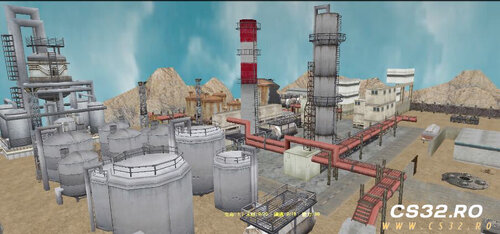 Mod Overview
Name/Concept: A CS 1.6 mod that replicates the "Zombie Shelter" survival mode.
Uniqueness: It is presented as the first and only successful attempt to recreate this specific game mode within the CS 1.6 engine.
Origin: Originally shared on Chinese Baidu forums and now ported for wider accessibility.
Core Gameplay
Objective: Survive against endless waves of zombies. The ultimate victory conditions are to radio for help or kill the scenario's boss zombies.
Progression: Difficulty increases dynamically. As in-game "days" pass:
Zombie health (HP) increases.
The spawn rate of special zombies rises.
Player Commands:
Press ~ to open the console.
Type /blind to open the building construction menu.
Type /skills to open the skills/perks menu.
Enhanced & Modified Features
The mod expands upon the original with new building functions and survival elements:
Communication Tower: No longer just for victory. Can now be used to call in airdrops for supply replenishment.
Water Tower: Collects rainwater, which can be used for drinking or bathing.
Survival Items: Includes Zombie Bile (likely for stealth/distraction), First Aid Kits (FAK), Bulletproof Vests, and other objects to improve longevity.
Customization & Flexibility
Weapons: Users can add their favorite custom weapons by modifying the mod's source files.
Maps: Fully supports custom maps. By editing provided INI configuration files (which contain data for supply points and zombie spawn coordinates), players can adapt the mod to work with virtually any CS 1.6 map.
Final Notes & Support
The author hopes players enjoy the unique survival experience.
Feedback Channel: If players encounter any bugs, errors, or issues running the mod, they are encouraged to report them. These reports will be forwarded to the original author for fixes.
By Leg00 0 -
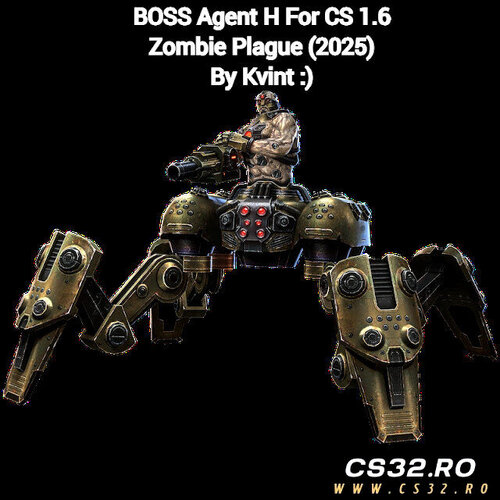 Zombie Plague Boss Plugin
Enhance your Zombie Plague server with this exciting Boss event plugin! Add a new challenge for players and make your server gameplay more dynamic and fun.
Features
Introduces a unique boss event in Zombie Plague mode
Fully compatible with standard Zombie Plague setups
Easy to install and configure
More Plugins & Mods
Check out more custom plugins and mods for CS 1.6 on our website:
https://csnostalgia.blogspot.com/
Contact & Socials
Discord: zgd.dll
Steam: https://steamcommunity.com/id/oficialzgd
YouTube Demo: Watch here
By Leg01 0