

Counter-Strike 1.6
Explore top Counter-Strike 1.6 resources: plugins, addons, maps, mods, skins, models and more. Download clean, optimized CS 1.6 files to upgrade your server and gameplay.
-
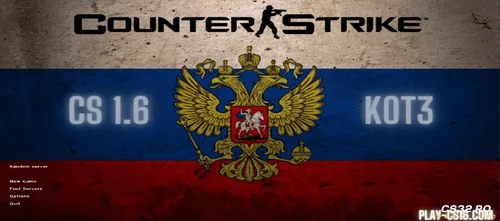 Download CS 1.6 KOT3 Edition – Legend Pro Setup & Config Files
Want the secret setup of a true CS 1.6 legend? Download CS 1.6 KOT3 Edition now and get the exact game files used by one of the most feared players ever. This is not a myth. This is the real, complete Counter-Strike 1.6 build KOT3 played with – his personal config, binds, visuals, and optimizations all included.
Inside This Exclusive Download:
✅ KOT3’s Pro Config – The exact autoexec.cfg & config.cfg with optimized sensitivity, buy binds, and commands.
✅ High-Performance CS 1.6 Setup – Tweaked for maximum FPS and smooth gameplay on any PC.
✅ Clean Pro HUD & Crosshair – The minimal interface he used for ultimate focus.
✅ Custom Sounds & Models – The weapon skins and audio he preferred for better immersion.
✅ Ready-to-Play – Installs in minutes. No ads, no bloatware.
Who Was KOT3?
KOT3 was a real Counter-Strike 1.6 phenomenon. Professional players knew his name. His playstyle was aggressive, precise, and backed by a perfectly tuned game client. Many tried to copy his settings – now you can use the originals.
Why Download This Version?
If you’re serious about improving in CS 1.6, this download gives you a proven champion’s foundation. Experience the game with a setup refined for competition. Feel the difference in responsiveness, clarity, and performance.
How to Install:
Download Counter-Strike 1.6 KOT3 Edition using the secure link below.
Run the installer (it’s clean and simple).
Launch the game. The legend’s setup is now yours.
Stop searching for the perfect config. Get the one that made history. Download CS 1.6 KOT3 Edition and play with a legend’s tools.
Download Counter-Strike 1.6 KOT3 Edition – Free & Full Version
Do you have issues with downloading and installation? You can find the solution here ↓
By CS326 0 -
 Download CS 1.6 ESWC Edition — Your Direct Path to eSports History
Searching for the authentic CS 1.6 experience? You just found it. The Counter-Strike 1.6 ESWC Edition is not just another download—it's a piece of competitive gaming heritage. This is the official client from the Electronic Sports World Cup, the tournament that defined professional gaming and crowned legends. For years, this exact version was the gold standard—the battlefield where careers were made and million-dollar plays unfolded.
While newer titles come and go, the original CS 1.6 stands untouched as a monument to perfect game design. Its deep tactical gameplay, precise mechanics, and pure focus on skill created a timeless masterpiece. Its thriving community and active servers prove true classics never fade.
Why the ESWC Edition Is the Only Choice for Serious Players
The Official Tournament Standard: This isn't a mod or a fan-made patch. This is the official, unmodified game client used during the ESWC's peak. When you install this, you're getting the exact same environment as the world champions.
Guaranteed Stability & Fairness: Every file is verified and clean. No hidden software, no unwanted add-ons, no performance-killing bloat. Just 100% pure, optimized CS 1.6, engineered for competition.
Plug-and-Play Simplicity: Forget complicated setups or messy configs. Our installer delivers a ready-to-play game in minutes. Join online servers, practice with bots, or set up a local match instantly.
Built for Modern Systems: Fully compatible with Windows 10 and Windows 11. It runs flawlessly on both modern gaming rigs and older PCs, preserving the classic feel without compatibility headaches.
Your Quick-Start Guide to the Arena
Secure Download: Click the button Download to get the complete ESWC Edition package directly from our high-speed server.
Easy Installation: Run the installer—it’s a straightforward, step-by-step process with no tricky options.
Enter the Game: Launch the shortcut, configure your settings, and connect to the world of competitive CS 1.6. Find servers, join communities, and play the game the way it was meant to be played.
Stop sifting through questionable downloads or incomplete versions. The definitive edition of the world's most influential tactical shooter is here. This download is your key to the past, present, and future of competitive Counter-Strike.
Download CS 1.6 ESWC Edition — Free & Full Version
Step into the arena. The legacy awaits.
Attention: The CS 1.6 ESWC version has been fully tested and scanned with the latest antivirus technology to ensure safety. However, during installation, you may encounter a Windows SmartScreen security prompt.
This is a standard Windows notification and can be safely ignored in order to continue the installation.
Below, you will find a step-by-step tutorial on how to complete the installation on your PC
By CS3210 0 -
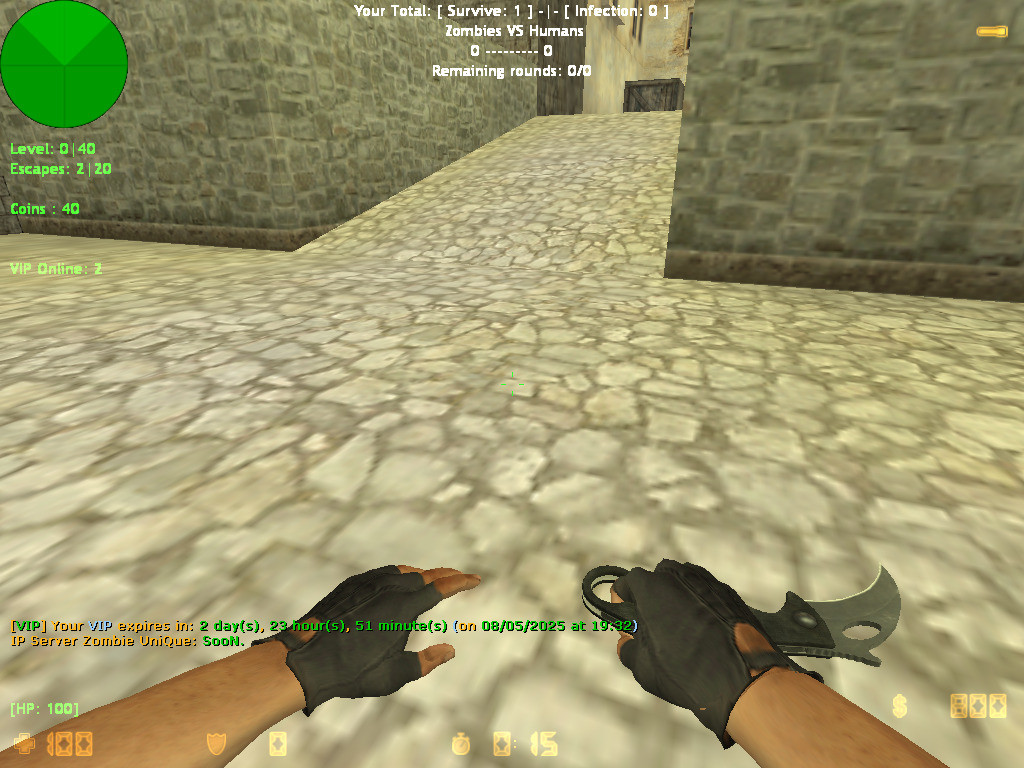 Auto VIP Plugin for CS 1.6 – Reward Players Based on Playtime
Looking to build a loyal community on your Counter-Strike 1.6 server? The Auto VIP Reward Pluginis the ultimate solution. This smart AMX Mod X plugin automatically grants temporary VIP status to players who dedicate their time to your server. No more manual promotions—reward loyalty automatically and watch your player retention soar.
How Does the CS 1.6 Auto VIP Plugin Work?
The system is simple and effective:
Tracks Playtime: It monitors how long each player (by SteamID) is actively connected to your CS 1.6 server.
Rewards Loyalty: Once a player reaches the configured playtime goal (e.g., 25 hours), the plugin automatically grants them VIP status.
Temporary Benefits: The VIP reward is time-based (e.g., 3 days). Players keep their status even after disconnecting, as time is saved using the reliable nVault system.
Seamless Management: When the VIP time expires, the flag is automatically removed. The cycle continues, encouraging players to stay active to earn their next reward.
Key Features of the Playtime VIP System
✅ Automatic Playtime Tracking: Accurately logs minutes played for every SteamID.
✅ Smart VIP Granting: Awards a configurable VIP flag (o by default) once the playtime requirement is met.
✅ Persistent Data: Saves both total playtime and remaining VIP time using nVault, so progress is never lost.
✅ Fully Configurable: Server admins have full control via CVARs and RCON commands.
✅ Player Command: Users can type /viptime in chat to check their current playtime or VIP time remaining.
✅ Colorful Notifications: Uses green (!g), team (!t), and yellow (!y) chat messages to announce VIP rewards and status updates.
✅ Announcement System: Can broadcast motivational messages to non-VIPs about the reward system.
Admin Configuration & Commands
Easily tailor the plugin to your server's needs:
📝 CVARs ( Add to amxx.cfg )
vip_playtime_required – Minutes needed to earn VIP (Default: 1500 = 25 hours).
vip_duration – Minutes of VIP status granted (Default: 4320 = 3 days).
g_vip_flag – The admin flag assigned to VIPs (Default: o).
⚙️ Admin RCON Commands:
amx_setviptime <minutes> – Change the required playtime.
amx_setvipduration <minutes> – Change how long VIP lasts.
amx_setvipflag <flag> – Change the VIP access flag.
Why Your CS 1.6 Server Needs This Plugin
Increase Player Retention: Give players a clear, rewarding goal that keeps them coming back.
Automate Community Management: Remove the burden of manual promotions and focus on other aspects of your server.
Encourage Healthy Competition: Players will actively try to reach the playtime milestone, boosting your server's daily activity.
Fair & Transparent System: Everyone understands the rules: play more, earn VIP rewards. It's a fair way to recognize your most dedicated community members.
Installation Requirements
AMX Mod X 1.8.2 or newer
nVault module enabled in modules.ini
Compatibility: Works on all CS 1.6 mods (Zombie, Deathrun, GunGame, etc.)
Reward loyalty and build a thriving community effortlessly. Install the Auto VIP Reward Plugin on your Counter-Strike 1.6 server today and turn your regular players into dedicated VIPs.
Ready to automate your VIP system? Download the plugin now and configure it in minutes!
By CS320 0 -
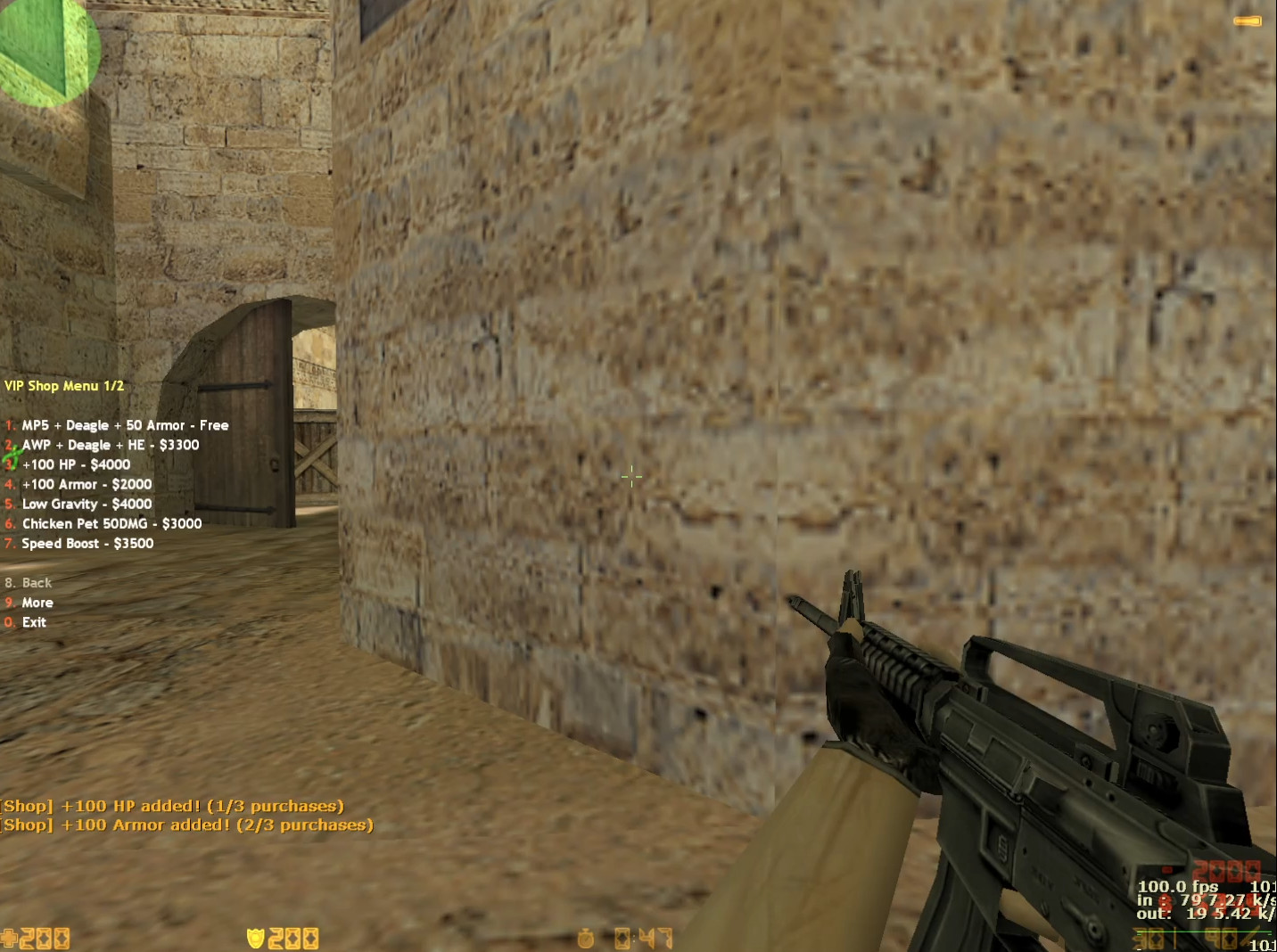 VIP Shop Plugin for CS 1.6 – Exclusive Perks, Weapons & Pets
Looking to enhance your CS 1.6 server with exclusive VIP benefits? This premium VIP Shop pluginadds a custom in-game store where your most loyal players can unlock powerful weapons, unique abilities, and fun upgrades. Designed to reward VIPs without breaking game balance, it’s the perfect addition for any Counter-Strike 1.6 community wanting to offer a special experience.
What is the CS 1.6 VIP Shop Plugin?
This plugin introduces a fully functional, VIP-exclusive shop menu accessible only to players with the proper admin flag (ADMIN_LEVEL_H). VIPs can spend in-game money to purchase temporary boosts, rare weapons, and even summon a combat pet. It’s a proven way to increase server donations, reward active members, and add a fresh layer of strategy to your CS 1.6 gameplay.
Exclusive VIP Features & Upgrades
The shop offers a balanced selection of powerful items:
🎁 Free Starter Pack (For VIPs only, each round)
MP5 + Desert Eagle + 50 Armor
💰 Premium Purchases (Cost in-game $$$)
AWP Sniper Rifle + Deagle + HE Grenade – For dominating long-range.
HP & Armor Boosts – Increase health and armor (capped at 200 HP).
Low Gravity Mode – Jump higher and navigate maps creatively.
Speed Boost – Run at 400 speed for lightning-fast flanks and pushes.
Chicken Pet – Summon an attacking pet that deals 50 damage to enemies.
Double Jump – Jump a second time mid-air for advanced movement and trick jumps.
Smart Balance & Anti-Abuse Systems
To maintain fair gameplay on your CS 1.6 server, the plugin includes built-in limits:
VIP-Only Access: Strictly for players with the ADMIN_LEVEL_H flag.
Purchase Limit: Max 3 items per round to prevent overuse.
Round Reset: All upgrades (except armor) are removed at round start.
Weapon Limit: Players can only hold 1 primary weapon at a time.
Easy Commands & Configuration
Open Shop: VIPs type /vipshop or /vshop in chat.
Enable/Disable: Admins control the plugin via the amx_vipshop CVAR (1 = ON, 0 = OFF).
Simple Installation: Just add the .amxx file to your plugins folder and edit plugins.ini.
Why Install This VIP Shop on Your Server?
Increase Donations/VIP Sales: Offer tangible, fun rewards that players want.
Enhance Gameplay: Adds new tactics and variety without harming core mechanics.
Reward Loyal Players: Give your VIPs a unique, exclusive experience.
Easy to Manage: Plug-and-play setup with configurable options.
Perfect for: Deathrun, Zombie Plague, GunGame, and classic CS 1.6 mods. Boost your server's appeal and give players a reason to support your community.
Ready to install the ultimate VIP system? Download the CS 1.6 VIP Shop plugin today and transform your server into a premium destination.
By CS321 0 -
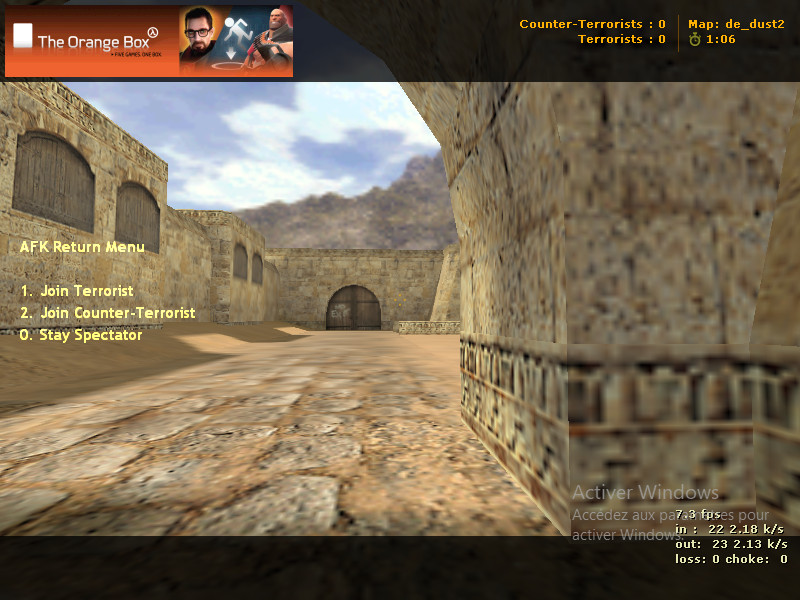 AFK Manager for CS 1.6 – Auto-Spectate & Rejoin Menu Plugin
Tired of AFK players taking up active slots on your CS 1.6 server? This powerful plugin solves the problem automatically. It detects inactive players and moves them to spectator mode, freeing up team slots for active participants. The best part? It includes a smart Rejoin Menu, so AFK players can easily return to the action when they come back.
What This Plugin Does:
Automatically Detects AFK Players: Monitors player movement and aiming. If a player is inactive for a set time (default: 15 seconds), the plugin recognizes them as AFK.
Moves AFK to Spectator: Instantly switches AFK players to the spectator team, keeping the competitive teams free for active combatants.
Provides a Return-to-Game Menu: When an AFK player returns, they get a clear, colorful menu to choose their team: Terrorist, Counter-Terrorist, or Stay as Spectator.
Informs Everyone with Color Messages: The server announces all AFK moves and returns with clear, in-game messages, so everyone knows what’s happening.
Key Features at a Glance:
✅ Smart AFK Detection: Tracks both player movement and view angles for accurate inactivity checks.
✅ Automatic Team Management: Seamlessly moves AFK players to spectator without admin commands.
✅ User-Friendly Rejoin System: Returning players get an intuitive menu to select their preferred team instantly.
✅ Supports All Teams: Works perfectly with Terrorist (T), Counter-Terrorist (CT), and Spectator slots.
✅ Clear Server Notifications: Color-coded messages keep all players informed about AFK status changes.
✅ Fully Configurable: Easily adjust the AFK timer and other settings to match your server's rules.
Why Your CS 1.6 Server Needs This Plugin
An AFK player can ruin a round. They block a team slot, create unfair imbalances, and frustrate active players. This plugin automates server management, ensuring:
Fairer Gameplay: Only active players occupy team slots.
Better Server Performance: Frees up resources and improves the experience for everyone.
Reduced Admin Workload: No need for manual amx_kick or amx_spec commands.
Installation & Commands
Installation is Simple:
Download the compiled Auto-SpectatorSystem.amxx file.
Place it in your addons/amxmodx/plugins/ folder.
Add Auto-SpectatorSystem.amxx to your plugins.ini file.
Restart or change map on your server.
Main Command:
Players can manually open the team selection menu by typing: /afkmenu
Plugin Info:
Current Version: v1.0
Author: ITS_ZAKI
Compatibility: AMX Mod X 1.8.1+ | All CS 1.6 Mods
Keep your CS 1.6 server competitive, fair, and full of active players. Download the AFK Manager plugin today and automate your team management effortlessly.
By CS323 0 -
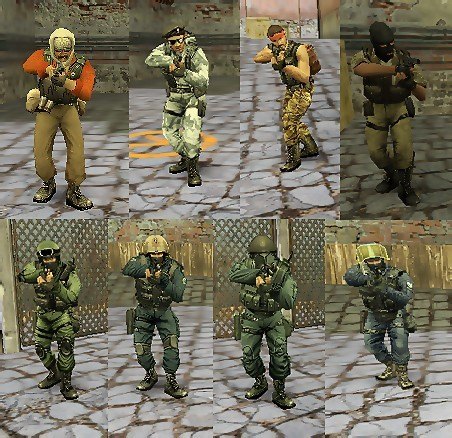 Classic CS 1.6 Player Models: The Official Steam Pack
Tired of custom skins? Want the real, gritty look of the original Counter-Strike? This pack delivers exactly that: the untouched, official player models straight from Valve's Steam version of CS 1.6. These are the characters that defined a genre.
This collection is for purists, classic server admins, and players who value authenticity over flashy edits. Everything is preserved exactly as it was.
Complete List of Original In-Game Teams:
Counter-Terrorists (4 Original Forces):
SEAL Team 6 (United States Navy)
GSG-9 (German Grenzschutzgruppe 9)
SAS (British Special Air Service)
GIGN (French National Gendarmerie Intervention Group)
Terrorists (4 Original Factions):
Phoenix Connexion (Eastern European Terrorists)
Elite Crew (The iconic "Leet" Crew)
Arctic Avengers (Winter Combat Specialists)
Guerilla Warfare (Middle Eastern Militants)
That's the full, correct roster: 4 CT teams and 4 T teams – all eight original factions from the classic game.
Why Choose This Pack?
100% Authentic: Direct files from the Steam version. No modifications.
Complete Collection: Every single default player model for CT and T sides.
Easy Installation: Drag and drop into your cstrike folder.
Restores the Classic Feel: Perfect for servers that want the genuine CS 1.6 experience.
Quick Installation Guide:
Download the ZIP file.
Extract the models folder.
Copy it into your main cstrike directory.
Launch the game. The classic characters are back.
Download the complete, original player models below and restore the true look of Counter-Strike 1.6.
By CS322 0 -
 Skin Pack from the "Dust 2 2021" Collection for CS 1.6
A skin pack from the "Dust 2 2021" collection, released alongside the Operation Riptide on September 22, 2021. No inspect animation.
AK-47 | Gold Arabesque
UMP-45 | Gradient
SSG 08 | Death's Sting
USP-S | Orange Anole
MAC-10 | Case-Hardened
M4A4 | Red Pixel Camo
Galil AR | Amber Gradient
P250 | Black & Tan
Nova | Quicksand
G3SG1 | New Roots
AUG | Ancient Wood
Five-SeveN | Withered Vine
MP9 | Old Roots
M249 | Midnight Palm
SG 553 | Whiteness
MP7 | Sacrifice
Sawed-Off | Drought
P90 | Desert Pixel Camo
Category: Weapons / Weapon Packs
Release Date: 2021
Collection: Ported from CS:GO
Inspect Animation: No
By CS321 0 -
 Plugin Name: Steam Slot Manager
Description: Automatically provides guaranteed server access to players with verified Steam accounts. Simply type /steam in chat to activate your reserved slot.
Author: kidd0x
Version: 1.0
✅ Quick Installation (Plugin Already Compiled)
Download the steam_slot.amxx file
Place the plugin on your server
Copy the steam_slot.amxx file to the directory:
addons/amxmodx/plugins/ Activate the plugin
Open the file:
addons/amxmodx/configs/plugins.ini Add the line:
steam_slot.amxx Restart your server
Restart the server to load the new plugin.
Verify it's working
Join the server and type in chat:
/steam Or use the command in the server console:
amxx plugins Look for:
steam_slot.amxx Running 🎮 How It Works
For Steam Players:
Type /steam in chat to activate your reserved slot. If the server is full, they will receive priority access.
For Non-Steam Players:
Can only join if there are free slots. When the server is full, they will be kicked to make room for players with a valid Steam account.
⚙️ Advanced Configuration
To customize plugin messages:
Create the file steam_slot.txt in:
addons/amxmodx/data/lang/ Add lines like:
[en] STEAM_ACTIVATED = Your Steam slot is now active! STEAM_KICK = A non-Steam player was removed for a Steam user. 📊 Compatibility
✔ Works on any server with AMX Mod X 1.8.1+
✔ Does not interfere with other reserved slot plugins
✔ Supports all CS 1.6 mods (Zombie, Deathrun, etc.)
⚠️ Important Notes
The plugin only recognizes valid Steam accounts (with the format STEAM_0:X:XXXXXX).
Players with IP-based or non-Steam accounts cannot use the /steam command.
No additional compilation or scripting is required.
By CS320 0 -
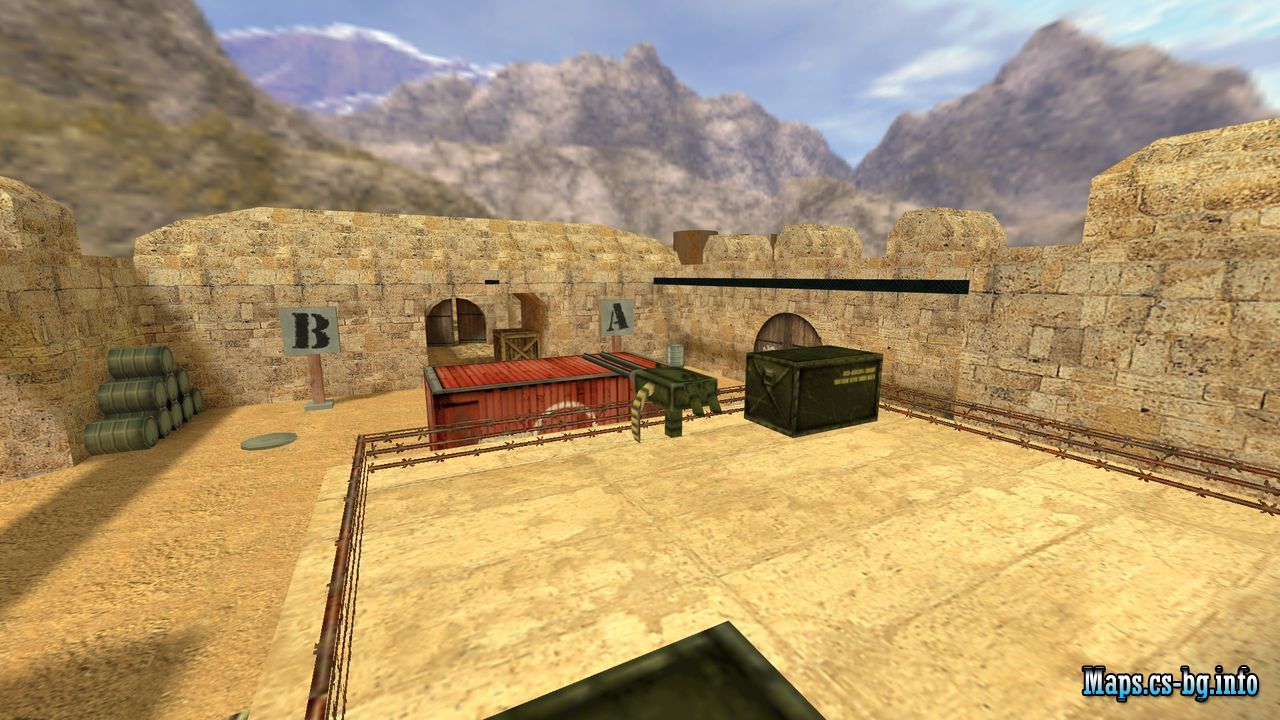 Game: Counter-Strike 1.6
Map Type: de (bomb/defuse)
Slots: 32
Author: sToP !
Size: 2.05 MB
Date uploaded: 29 August 2025, 21:11
Uploader: CS32.RO
By CS320 0 -
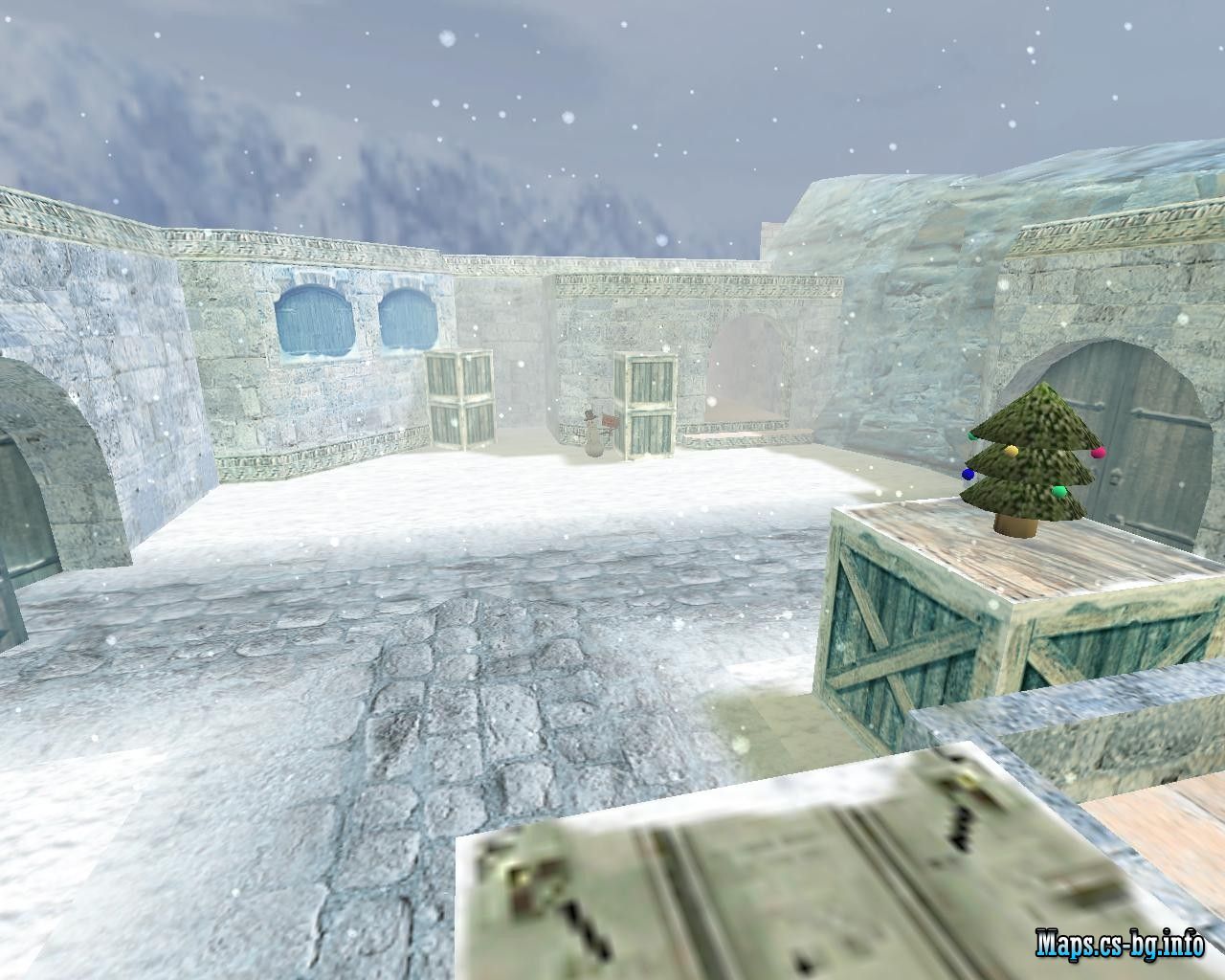 de_dust2_newyear
Game: Counter-Strike 1.6
Map Type: de (bomb/defuse)
Slots: Not specified
Author: XaxaTyH
Size: 2.29 MB
Date uploaded: 25 November 2025, 19:42
Uploader: CS32.RO
By CS321 0 -
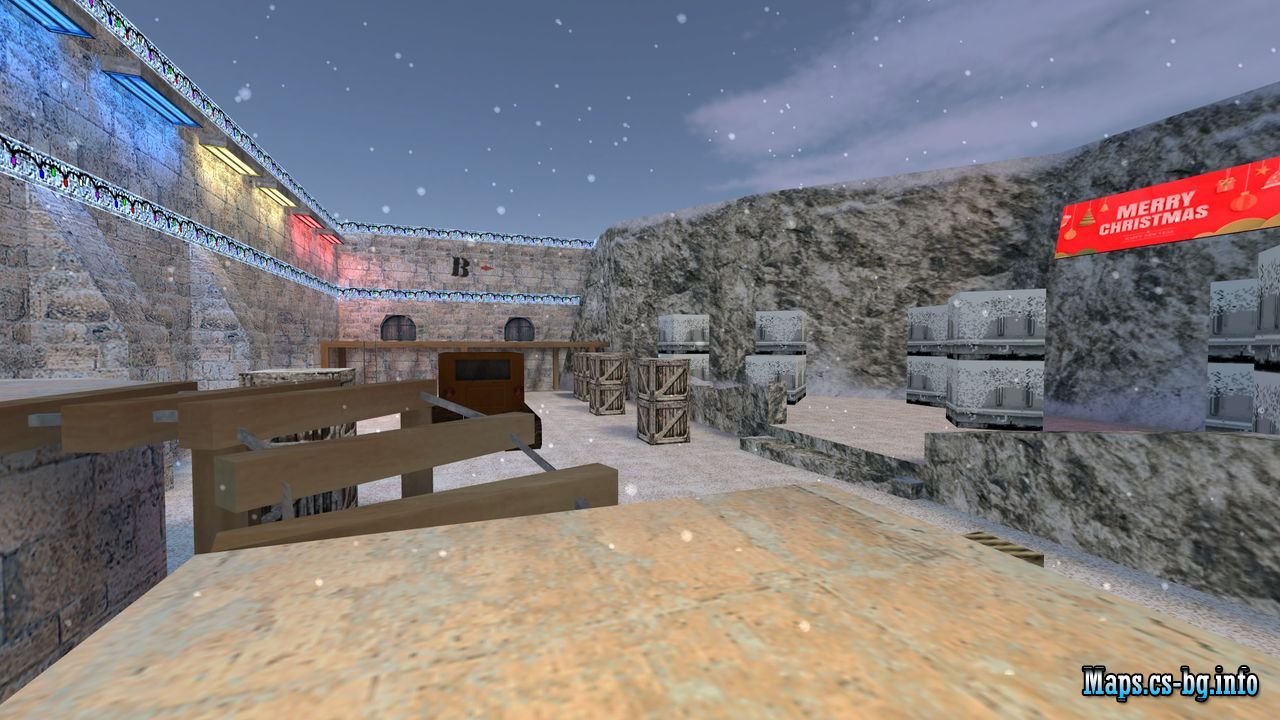 de_xmas2025
Game:
Counter-Strike 1.6
Map Type:
de (bomb/defuse)
Slots:
Not specified
Author:
sToP !
Size:
9.66 MB
Date uploaded:
16 November 2025, 14:46
Uploader:
iVoka
By CS322 0 -
 Accuracy Fix – The Ultimate Precision Upgrade for CS 1.6 Weapons
Plugin Name: Accuracy Fix
Plugin Overview:
The Accuracy Fix plugin solves a critical yet often overlooked bug in Counter-Strike 1.6 related to weapon accuracy. In the default game, weapon precision is determined using timing data from the previous shot rather than the actual delay between shots. This leads to inconsistent bullet spread, unpredictable aim, and frustrating hit registration.
By installing this plugin, weapons behave more realistically—with smoother recoil patterns and far more reliable accuracy, making gunfights fairer and more skill-based.
✅ Core Improvements & Features
Bug Fixes & Corrections
✔ Fixed Bullet-Timing Glitch: No longer uses previous shot data for accuracy calculation.
Weapon Accuracy Upgrades
✔ Smooth Automatic Fire: Removes jittery spread during sustained fire.
✔ FPS-Independent Spread Recovery: Fixes accuracy cooldown issues on low-FPS systems.
✔ Glock Burst-Fire Fix: Improved precision in both moving and stationary burst mode.
✔ Enhanced Static Accuracy: Better precision while standing or crouching.
✔ SG550 Precision Boost: Significant accuracy improvement for this scoped rifle.
✔ Scout Standing Accuracy: More reliable accuracy when firing the Scout without scoping.
🎮 Why Install This Plugin?
✔ Predictable Shooting Mechanics: Bullets land where you aim.
✔ Fair Gameplay: Reduces random inaccuracies during combat.
✔ Smoother Weapon Handling: Improves overall feel and control.
✔ Competitive Advantage: Especially useful for leagues and match servers.
📥 How to Install
Step 1 – Upload the file
Copy the plugin file:
accuracy_fix.amxx to your server folder:
addons/amxmodx/plugins/ Step 2 – Activate the plugin
Open the plugins configuration file:
addons/amxmodx/configs/plugins.ini and add this line:
accuracy_fix.amxx Step 3 – Restart your server
Apply changes by restarting the CS 1.6 server.
Step 4 – Verify activation
In the game console, enter:
amxx plugins Look for the line:
accuracy_fix.amxx Running to confirm successful installation.
📌 Important Note
This plugin does not change weapon recoil patterns. It strictly fixes accuracy and bullet spread calculations, ensuring a consistent and authentic shooting experience.
By CS320 0