


Leg0
-
Posts
231 -
Joined
-
Last visited
Content Type
Profiles
Downloads
Blogs
Everything posted by Leg0
-
0 downloads
Adhan & Prayer Time Plugin for CS 1.6 AMX Mod X (1.10) Developer: sp_saad Purpose: Encourage players in Algeria to pray on time while playing CS 1.6. This plugin automatically plays the Adhan (Islamic call to prayer) and temporarily moves players to Spectator mode during prayer times, allowing them to take a break and perform Salah. The goal is to help players earn Ajar (reward) and Hassanat (good deeds) while enjoying the game responsibly. How It Works Player Location Detection Uses GeoIP2 City to determine if a player is located in Algeria. Prayer Times Reads prayer times from a JSON file updated daily for all Algerian provinces. JSON files are stored in: addons/amxmodx/configs/adhan Utilizes the json.inc library for parsing. Adhan Playback Adhan sounds are automatically played during prayer times. Players are moved to Spectator mode for 15 minutes during the prayer period. AMX Mod X Compatibility Built for AMXX version 1.10. Installation Instructions 1. Configure the JSON Generator Script Copy generate_adhan_time.py to your server. Edit the following line in the script: /home/cs_server/cstrike/addons/amxmodx/configs/adhan Replace it with the full path where the daily adhan-YYYY-MM-DD.json file will be saved. 2. Edit Cron Setup Script Open setup-cron.sh and edit the script path: SCRIPT_PATH="/home/cs_server/scripts/generate_adhan_time.py" Replace it with the actual path to generate_adhan_time.py. 3. Activate Cron Job Give execute permission and run the setup script: chmod +x setup-cron.sh ./setup-cron.sh This schedules the daily update at midnight to generate the latest prayer times. 4. Install the Plugin Copy the cstrike folder into your server directory. Add the plugin to plugins.ini: addons/amxmodx/configs/plugins.ini Add the line: adhan_prayer_time.amxx 5. Restart the Server Restart CS 1.6 to activate the plugin. Notes The plugin is still under development. Feedback, suggestions, and bug reports are welcome. Final Words Baraka Allahou Fikom – May Allah bless you all. -
0 downloads
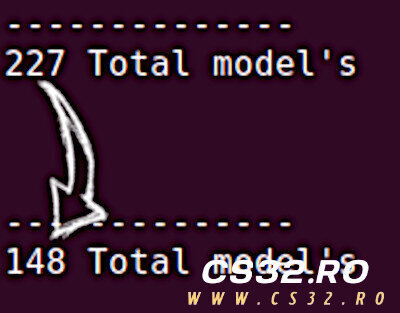
Compressor – Model Replacement Framework for CS 1.6 & HL Compressor is a powerful model replacement framework designed for AMX Mod X servers. It allows server operators to compress multiple model entries into a single file, overcoming the 510 model resource limit while maintaining full functionality. With Compressor, you no longer need to unprecache shields or weapons—servers can now maintain full model functionality while saving precached slots. Key Features Optimized Model Replacement: Automatically replaces models based on a configuration file. Preserves Functionality: Correctly sets body groups, skin groups, and colormaps. Automatic Precaching Management: Prevents original models from being precached. Game Agnostic: Works with any AMX Mod X-supported game if compressed models and configs are provided. Huge Slot Savings: Dramatically increases free precached model slots with minimal setup. How it works: When a configured model is requested: Original model is prevented from precaching Replacement entry is loaded from the config file Body group, skin group, and colormap values are set automatically Compatible Games Half-Life Counter-Strike 1.6 Additional games are supported if modders provide the compressed model files and corresponding configuration entries. Configuration 1. Entities Configuration The compressor_entities_[game].cfg file lists all weapon entities to monitor for p_ model replacements. Example for CS 1.6 (compressor_entities_cstrike.cfg😞 weapon_mp5navy weapon_tmp weapon_p90 weapon_mac10 weapon_ak47 weapon_sg552 weapon_m4a1 ; ... additional weapons Adding non-weapon entities may cause server crashes. Replacements Configuration The compressor_replacements_[game].cfg file maps original models to compressed replacements. Example for CS 1.6 (compressor_replacements_cstrike.cfg😞 "models/shield/p_shield_deagle.mdl" "models/cstrike_compressed_models.mdl" 75 0 0 "models/shield/p_shield_fiveseven.mdl" "models/cstrike_compressed_models.mdl" 77 0 0 "models/p_ak47.mdl" "models/cstrike_compressed_models.mdl" 1 0 0 "models/p_awp.mdl" "models/cstrike_compressed_models.mdl" 3 0 0 ; ... additional entries Format: Original model – Path to the model being replaced Replacement model – Path to the compressed model containing multiple submodels Submodel – Body group index in the compressed model Skingroup – Skin variation Colormap – Color mapping Muzzleflash Configuration (Optional) Some games like CS 1.6 define muzzleflash attachments in p_ models rather than player models. This config maps weapons to muzzleflash models. Example (compressor_muzzleflashes_cstrike.cfg😞 "models/p_ak47.mdl" "models/muzzle_long.mdl" "models/p_aug.mdl" "models/muzzle_short.mdl" "models/p_awp.mdl" "models/muzzle_long.mdl" "models/p_m249.mdl" "models/muzzle_heavy.mdl" Compiler Options The plugin includes compiler directives: // Enable case-insensitive model name processing // Improves compatibility but increases overhead #define CASE_INSENSITIVE true API Reference Forward Callbacks forward Compressor_ModelChanged(const iEntity, const szModel[] = "") forward Compressor_ModelChanged_P(const iEntity, const szModel[] = "") Triggered when Compressor replaces a model or a p_ model Native Functions native Compressor_SetModel(const iEntity, const szModel[] = "") Changes an entity’s model while maintaining Compressor optimization Must be used for model changes to maintain compatibility Incompatibilities BackWeapon Plugins (any version) & SideWeapons by SoulWeaver16 Compressor takes priority and hides back weapons Any plugin changing an entity’s model must use Compressor_SetModel() Simple line replacement usually solves conflicts Example: #if defined _compressor_included Compressor_SetModel(iFlyingCrowbar, szModel); #else engfunc(EngFunc_SetModel, iFlyingCrowbar, szModel); #endif Compressor is a release candidate. Tested in isolated environments, but not fully stress-tested in populated servers. Requirements AMX Mod X 1.9+ Compressed model files and configuration entries -
0 downloads
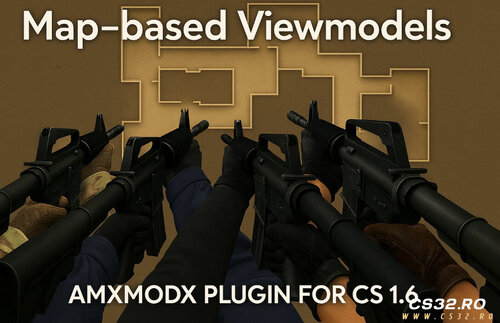
Map Based Viewmodels – AMX Mod X Plugin (CS 1.6) Map Based Viewmodels is a powerful AMX Mod X plugin for Counter-Strike 1.6 that allows server administrators to customize weapon viewmodels (v_ models) based on the current map and player team (T or CT). This system adds a new level of immersion and flexibility, making it ideal for themed servers, mission-based gameplay, and custom mod environments. Features Per-Map Customization Assign different weapon viewmodels for each map Uses a flexible and easy-to-edit .ini configuration file Team-Specific Models Separate viewmodels for Terrorists and Counter-Terrorists Perfect for asymmetric or story-driven gameplay Safe Precache Handling Built-in checks to avoid exceeding the 512 model/sound precache limit Prevents crashes and stability issues Automatic File Validation Detects missing or incorrectly named models Logs errors and safely skips invalid entries Dynamic Team Switching Support Viewmodels update instantly when players change teams No reconnect or map restart required Use Cases Themed or roleplay servers Zombie, mission, or event-based maps Competitive servers with visual differentiation Story-driven or campaign-style gameplay Notes Designed for AMX Mod X Fully compatible with standard CS 1.6 weapon systems Actively tested and maintained -
2 downloads
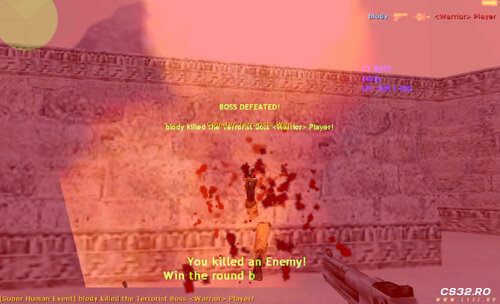
Super Human Event AMX Mod X Plugin for Counter-Strike 1.6 Super Human Event adds a high-impact gameplay twist by introducing powerful boss-style players every few rounds, creating intense and memorable moments for both teams. Plugin Overview When enabled, the plugin triggers a special event every 2 rounds, where: One Terrorist and one Counter-Terrorist are randomly selected Both become Super Humans with enhanced abilities The event lasts for one round only, then resets Activation amx_superhuman on amx_superhuman off Super Human Abilities Each selected player receives: Enhanced Health Base HP: 400 Scales dynamically up to 1000 HP max 200% movement speed Reduced gravity (700) Weapons Desert Eagle Knife only 1.5× damage multiplier Glow Effect Red glow for Terrorists Blue glow for Counter-Terrorists Health Scaling System Boss health adjusts automatically based on enemy team size: Base HP: 400 Bonus: +100 HP for each enemy player above 4 Maximum HP: 1000 Example: 5 enemies → 500 HP 6 enemies → 600 HP 10+ enemies → 1000 HP (cap) HUD & Visual Effects Pre-round countdown HUD announces the event Live HUD display showing both Super Humans’ current HP Clear visual indicators for players during the event Event Rules Event occurs every 2 rounds Super Human effects: Apply for one round only Automatically reset at round end No permanent player modifications Ideal For DeathMatch servers Fun / event-based servers Zombie-style PvP modes Competitive servers seeking occasional chaos Custom gameplay rotations -
0 downloads
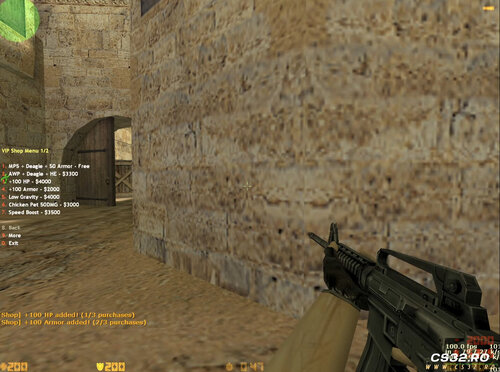
VIP Shop Menu – CS 1.6 (AMX Mod X) VIP Shop Menu is a powerful and fun VIP-exclusive in-game shop for Counter-Strike 1.6. It allows VIP players to purchase special weapons and abilities that enhance gameplay while maintaining balance. The shop can be easily enabled or disabled using a server cvar. Configuration CVAR: amx_vipshop 1 // Enable VIP Shop amx_vipshop 0 // Disable VIP Shop Features Weapon Packages Free Package: MP5 + Deagle + 50 Armor AWP Package: AWP + Deagle + HE Grenade Only 1 primary weapon allowed per round Player Upgrades HP & Armor Boost Extra health and armor Maximum limit: 200 HP / 200 Armor Low Gravity Reduced gravity for higher jumps Speed Boost Increased movement speed (400 units) Double Jump Jump again while in mid-air Fun Abilities Chicken Pet Summons a chicken that attacks enemies Deals 50 damage per hit VIP-Only Access Only players with ADMIN_LEVEL_H flag can access the shop Open the menu using chat commands: /vipshop /vshop Purchase Limits & Balance Maximum 3 purchases per round (prevents abuse) All upgrades reset at the start of each round Armor is preserved Designed to stay balanced for competitive and Zombie servers Tested On Counter-Strike 1.6 AMX Mod X Public, VIP, and Zombie servers -
0 downloads
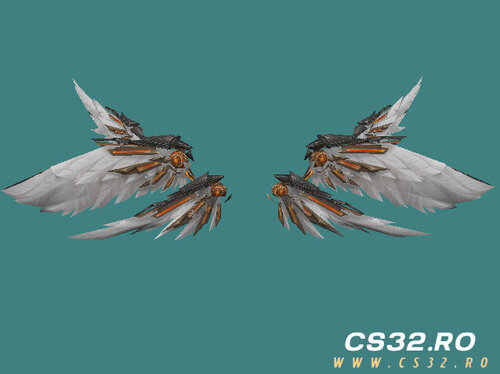
Admin Wings Parachute Model – CS 1.6 Admin Wings Parachute is a custom parachute replacement model for Counter-Strike 1.6, designed to give Admins or VIP players a unique and futuristic appearance. It replaces the default parachute with mechanical angel wings attached to the player’s back, creating a striking visual effect during jumps and flights. Features Fully rigged, skinned, and animated for CS 1.6 Automatic wing deployment when the parachute is activated Optimized polygon count and clean UV mapping for smooth performance Designed specifically for Admin/VIP players Perfect for Zombie Plague, jump, fly, and parachute-based mods Tested and actively used on the ZM Meat server by the SP Team Included Files sp_parachute_meat_admins.mdl In-game screenshots for preview and reference Usage Notes Simply replace your existing parachute model with the provided .mdl file Compatible with most CS 1.6 parachute plugins Intended for Admin or VIP-exclusive gameplay features Credits Model & Animation: SP Team Test Server: ZM Meat Please give proper credit to SP Team when using this model on your server. Feedback Feedback, suggestions, and improvement ideas are always welcome! Links & Community YouTube: https://www.youtube.com/@sp-team21 Discord: https://discord.gg/FvrYUbNhdm -
0 downloads
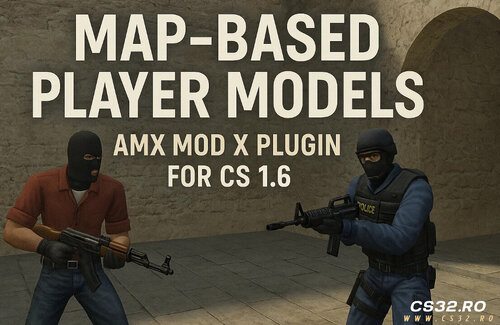
Map-Based Player Models Plugin AMX Mod X – Counter-Strike 1.6 / Condition Zero Latest Update — Version 3.1 This update focuses on stability, realism, and performance, ensuring player models remain consistent across rounds while adding support for HD models, Assassination (as_) maps, and Condition Zero. Changes & Improvements Optimization Persistent Models Per Player Player models now persist across rounds. Models are only re-randomized when a player changes teams, not on every spawn. Adjustments Team Switch Detection Models are properly reset and reassigned when a player switches teams. VIP Model Support (Assassination Maps) Maps prefixed with as_ (e.g. as_oilrig) now support VIP-specific model overrides via the INI configuration. New Features HD Model Support Attempts to load models from cstrike_hd first. Automatically falls back to classic cstrike paths if HD models are not found. Admin Command: amx_listmodels Displays all connected players with: Player name Team Currently assigned model Output is sent directly to the server console for live monitoring. Bug Fixes Fixed models resetting on every spawn regardless of team change. Fixed models not resetting when switching teams, causing incorrect appearances. Fixed players occasionally reusing outdated models after reconnecting. Fixed missing file errors when HD models are not present. Internal Improvements Refactored team and model tracking using dedicated arrays for improved reliability. Cleaned up client disconnect and spawn handling logic. Improved INI parser to handle: Comments Bad formatting Invalid or missing entries Compatibility & Support Counter-Strike 1.6 Condition Zero (newly supported) Classic & HD models Assassination (VIP) maps Fully backward-compatible INI configurations Maps not listed in the INI will safely fall back to default models. Plugin Overview The Map-Based Player Models Plugin allows server administrators to dynamically assign custom player models per map using a simple .ini configuration file. Key Features Assign different models for Terrorists and Counter-Terrorists Support for up to 4 randomized models per team per map Only required models are precached to avoid the 512 model engine limit Persistent model assignments for realism Live configuration reloading Safe fallbacks for missing or misconfigured models Lightweight, stable, and performance-friendly Files Latest Release: update_30-_map-based-playermdl.zip Previous Versions v3.0 – VIP Model Support & Improvements v2.2b – Hotfix v2.1a – Hotfix v2.0 – Initial Major Release Future Plans This update lays the groundwork for upcoming features, including: SteamID-based model overrides Admin-based model permissions Optional downloadable model support -
0 downloads
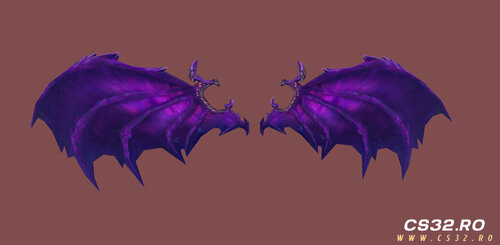
Cosmic Bat Wings – Custom Parachute Model (CS 1.6) Cosmic Bat Wings is a custom parachute model that replaces the default CS 1.6 parachute with a dark, cosmic-themed bat wing design featuring glowing purple galaxy effects. Perfect for Zombie Mods, VIPs, or Admin-only parachutes on AMX Mod X servers. Features High-quality cosmic bat wing parachute model Dark space theme with purple galaxy glow effects Fully compatible with popular CS 1.6 Parachute plugins Optimized for AMX Mod X servers Lightweight and performance-friendly Ideal for Zombie Plague, VIP, or Admin-exclusive gameplay Included Files parachute.mdl (model file only) No plugin included – you must set the model path manually in your parachute plugin. Installation Guide Upload the .mdl file to: cstrike/models/parachute/ Open your parachute plugin .sma file and change the model path to: models/parachute/parachute.mdl Compile the plugin using AMX Mod X Compiler Restart your server or change the map Tested & Compatible With Counter-Strike 1.6 Zombie Plague / Zombie Mods AMX Mod X Parachute Plugins Author Saad [SP] Shadow Punishers Contact, downloads & more content: 👉 https://guns.lol/sp_saad_rubio -
0 downloads
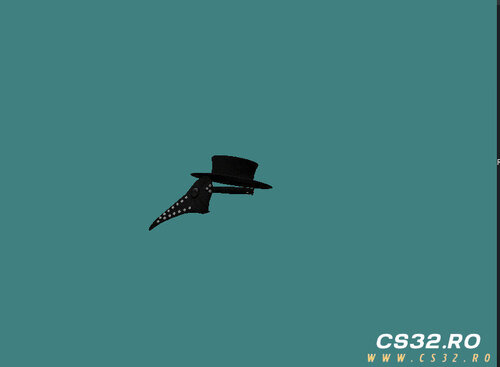
Plague Doctor’s Shield Hat Plague Doctor’s Shield Hat is a custom-made cosmetic model for Counter-Strike 1.6, created by sp_saad. It features a dark, mysterious plague-doctor aesthetic, making it a perfect fit for Zombie Plague, Zombie Escape, and other themed servers. Features Fully bone-rigged (Bip01 compatible) Designed specifically for head attachment Seamless compatibility with Zombie Plague and similar mods Optimized model with a minimal file size High-quality, atmospheric design for immersive gameplay Installation Instructions Copy the .mdl file into your server’s models/ directory. Edit your hat plugin or item configuration and set the model path to: models/sp_hatss/sp_hats_doctors.mdl Restart the server or change the map to apply the changes. ⚠️ Important: Please read the included README file carefully. It contains essential installation steps, usage guidelines, and important information to ensure proper setup and the best in-game experience. Credits Model & Design: sp_saad Theme Inspiration: Classic plague doctor aesthetics Feedback Suggestions, feedback, and improvement ideas are always welcome. Feel free to leave a comment and share your thoughts! Support & More Information For updates, support, official groups, and all related links, visit my centralized page: 👉 https://guns.lol/sp_saad_rubio -
0 downloads
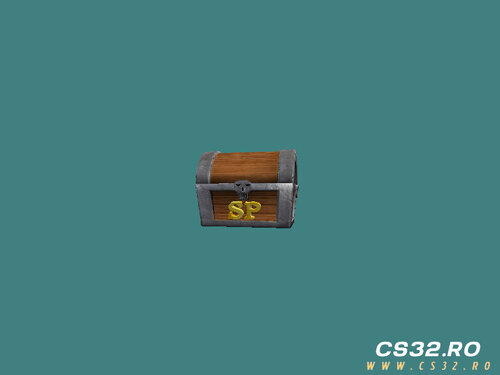
Pirate Bonus Box – Custom 3D Model for CS 1.6 A custom pirate-style bonus box model designed to enhance Counter-Strike 1.6 servers and popular mods such as Zombie Plague and DeathMatch. Perfect as a mystery reward crate or an immersive decorative prop. This model adds a subtle treasure-hunt atmosphere that increases player engagement without impacting performance. Model Features High-quality textures with realistic wood and gold materials Optimized low-poly design for smooth performance and zero FPS loss Ideal for reward crates, mystery boxes, or bonus items Easy integration with plugins, scripts, and map editors Fully compatible with most CS 1.6 mods Polished and lightweight for long-term server use Included File models/sp_bonus_box/sp_bonus_box.mdl Ready to use in custom maps, plugins, or gameplay scripts. Recommended Uses Zombie Plague / Zombie Plague Deathmatch DeathMatch reward systems Custom mods and events Treasure or loot mechanics Decorative props for themed maps Credits Model Author: sp_saad Design Inspiration: Pirate treasure and classic loot crates Feedback & Suggestions Comments, suggestions, and improvement ideas are always welcome. Please read the included README file for: Installation instructions Usage guidelines Design and optimization notes Following the README ensures proper setup and the best in-game experience. Support & More Information For updates, support, official groups, and all related content, visit: 👉 https://guns.lol/sp_saad_rubio Usage Notice Free to use on servers and in mods. Please credit the author when redistributing or showcasing this model. -
1 download
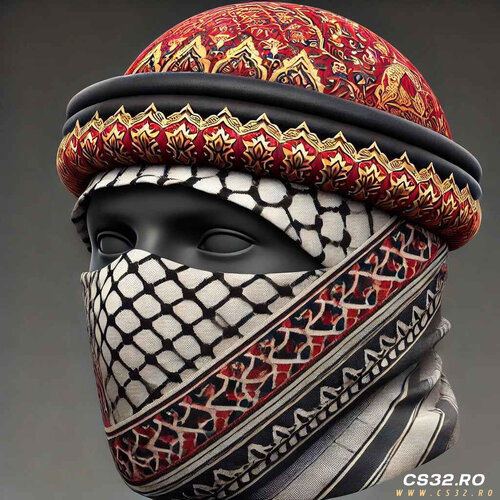
Arabic Headwrap (Keffiyeh / Turban) – Hat Model for CS 1.6 A lightweight traditional Arabic headwrap model inspired by classic keffiyeh and turban styles, optimized specifically for Counter-Strike 1.6 hat menus and player cosmetics. Designed to be performance-friendly while maintaining authentic cultural detail. Model Overview Type: Player hat / headwear cosmetic Style: Traditional Arabic keffiyeh & turban Game: Counter-Strike 1.6 Compatibility: Most default and custom CS 1.6 player models Features Low-poly optimized model (ideal for servers with many players) Traditional keffiyeh patterns with embroidered details Perfect fit for hat menu systems Easy integration with existing cosmetic plugins Modeled and finalized using Blender Model Path models/sp_hats_arabic/sp_hats_arabic.mdl Ideal Use Cases Custom hat menu systems Zombie Plague / Zombie Plague Deathmatch servers Roleplay servers Player cosmetic customization Themed or cultural player models Included Files sp_hats_arabic.mdl — ready-to-use model README.txt — installation instructions, usage notes, and technical details Credits Model Author: sp_saad Design Inspiration: Traditional Arabic headwear aesthetics Tools Used: Blender (modeling, texturing, optimization) Feedback & Suggestions Feedback and improvement suggestions are always welcome. Please review the included README.txt for important installation steps and best practices. Support & More Content For updates, support, official groups, and additional models: 👉 https://guns.lol/sp_saad_rubio Usage Notice Free to use on servers and in mods. Please give proper credit to the author when redistributing or showcasing this model. -
2 downloads
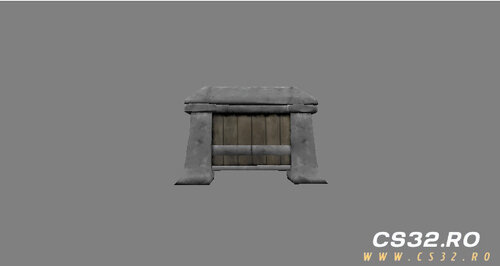
Custom Weapon Surprise Box Model – CS 1.6 A high-quality custom weapon box model for Counter-Strike 1.6, featuring a glowing green Half-Life logo. Designed as a surprise weapon container, this model fits perfectly into custom gameplay modes and themed maps. Model Overview Purpose: Weapon surprise box / decorative crate Theme: Half-Life–inspired design with glowing green logo Compatible With: Counter-Strike 1.6 The box is designed to visually represent a container holding various CS weapons, such as: AK-47 M4A1 MP5 C4 And other standard CS weapons Use Cases Zombie Plague / Zombie Plague Deathmatch Custom mods and scripts Gun game or reward-based systems Decorative prop for custom maps Replacement model for existing crates or weapon boxes Model Information Model File: sp_box_weapone_new.mdl Author: sp-saad License: Free to use (credit required) Installation & Usage Please refer to the included README file for: Proper installation steps Model replacement instructions Usage recommendations Design notes and limitations Following the README ensures correct rendering and compatibility in-game. Feedback & Contributions Suggestions, improvements, and feedback are always welcome. Feel free to leave comments or share ideas for future updates. Support & More Content For updates, support, official groups, and additional models by the author, visit: 👉 https://guns.lol/sp_saad_rubio Credits If you use this model in your map, mod, or server, please credit the author. -
0 downloads
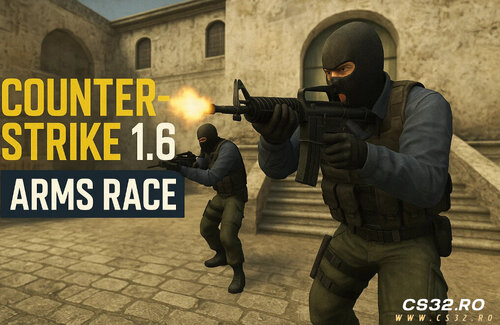
CS:GO Arms Race – AMX Mod X Remake A full-featured CS:GO Arms Race (Gun Game) remake for Counter-Strike 1.6, built for AMX Mod X. Includes level-based weapon progression, knife-only final round, demotion mechanics, full bot support, and HUD feedback—faithful to the original CS:GO mode. Core Gameplay Weapon Progression System Players advance through a fixed weapon list by earning kills. Each weapon level requires 2 kills by default (configurable via KILLS_PER_LEVEL define). Progression ends with a knife-only final level. Final Level Victory The match can only be won with a knife kill on the final level. Firearms are completely disabled at this stage. Knife Demotion Mechanic Knifing a player who is on a higher level: Demotes them one level Resets their kill progress for that level Team Weapon Logic Team-Specific Progression (Default) Terrorists and Counter-Terrorists each have their own weapon trees. Mirrors CS:GO Arms Race behavior. Unified Progression (Optional) Enable a shared weapon pool for all players: armsrace_allweapons 1 HUD & Visual Feedback 📊 Live progression HUD 🎯 Dynamic kill counter per weapon 🛡 Spawn protection timer bar Clear visual cues for level changes and protection status Spawn Protection Temporary invincibility on spawn Visual HUD indicator while protection is active Includes armor and damage immunity Prevents spawn camping on small maps Bot Support ZBot (Official CS Bots) Full support Proper weapon assignment Knife-only behavior on final level Level progression works correctly PodBot / YaPB Compatible Weapon progression supported Knife behavior may be less optimal compared to ZBot Economy & Fair Play Buy zones completely disabled Players cannot purchase weapons or equipment Ensures progression-based gameplay only Map Whitelist System Arms Race only activates on approved maps to prevent conflicts with other game modes. Whitelist File addons/amxmodx/configs/armsrace_maps.ini Example fy_pool_day aim_ak_colt gg_simpsons Map names only (no .bsp) Plugin auto-disables on non-whitelisted maps Configuration Cvars armsrace_allweapons 0 Value Description 0 Team-specific weapon progression 1 Unified weapon progression Installation Compile Compile csgo_armsrace.sma Install Plugin Place csgo_armsrace.amxx in: addons/amxmodx/plugins/ Enable Plugin Add to plugins.ini: csgo_armsrace.amxx Configure Map Whitelist Edit: addons/amxmodx/configs/armsrace_maps.ini Recommended Maps fy_ maps aim_ maps Gun Game–style custom maps Best suited for: Small to medium layouts Open combat areas Fast respawn gameplay -
3 downloads
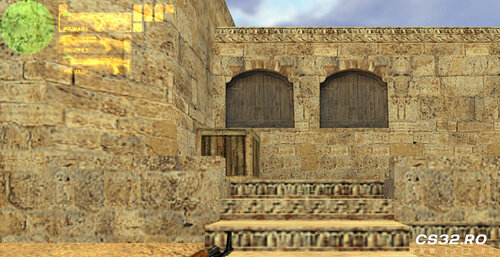
/12 Weapons Plugin for CS 1.6 Quickly equip yourself with a full set of powerful weapons using a single chat command! Weapons Given: AK-47 Desert Eagle (Deagle) HE Grenade Glock M3 Shotgun (Terrorist) XM1014 Shotgun (Terrorist) How to Install Upload the plugin file to your server: addons/amxmodx/plugins/onetwo.amxx Enable the plugin by adding it to plugins.ini: addons/amxmodx/configs/plugins.ini Add the line: onetwo.amxx Restart your server How to Use While alive in-game, type the chat command: /12 You will instantly receive all the weapons listed above Features Fast and easy weapon loadout Works for Terrorist side only Lightweight and simple plugin with no extra dependencies -
2 downloads
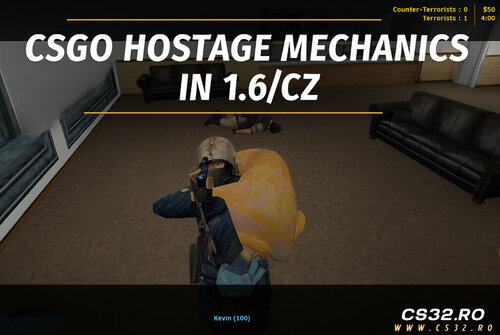
CS:GO Hostage Mode for CS 1.6 / CZ v1.3 Recreate Counter-Strike: Global Offensive’s hostage mechanics inside CS 1.6 and Condition Zero with realistic hostage carrying, rescue, and reward systems. Requirements: AMX Mod X 1.10+ (AMX 1.9 is no longer supported) If compiled with AMX 1.9 → blank compile, no .amxx generated Download AMX Mod X 1.10: AMXX 1.10 Download Major Update v1.3 – Highlights Hostage Back Model Fixed Broken meshes (eyes, head parts) removed in 3rd person view Pickup Cancel Bug Fixed Cancelling hostage pickup now leaves the hostage in place instead of crawling after the player Rescue Zone Cleanup Hostages are fully removed from CT’s back after rescue and rewards are granted Death Handling Improved Hostages are dropped properly if the CT dies Inventory Restore Terrorists regain full weapons, ammo, and armor after hostage rescue round ends Features Hold USE key (E) for 2 seconds to pick up hostages Carried hostages appear visually on CT’s back Movement slows while carrying a hostage Hostage becomes hidden while carried and reappears if dropped or player dies Full drop-and-rescue logic; hostages reusable across rounds CT rewards: $300 per picked-up hostage, $600 for all CTs if all hostages rescued Round win condition based on minimum hostages rescued Bot support: ZBot, PodBot, YaPB automatically carry and rescue hostages Hostages cannot be damaged or killed Progress bar during pickup & HUD icon for carried state Compatible with official hostage maps (hostage_entity + func_hostage_rescue) Installation Place plugin: addons/amxmodx/plugins/csgo_hostage_mode.amxx Enable plugin: addons/amxmodx/configs/plugins.ini Add: csgo_hostage_mode.amxx Place models in: cstrike/models/csgo_hostage/ hostage.mdl p_hostage_back.mdl Restart the server or change map CVARs hostage_save_min "1" → Sets how many hostages need to be rescued to trigger a CT win Compatibility CS 1.6 and Condition Zero Maps with hostage entities and rescue zones (cs_office, cs_italy, etc.) Fully compatible with bots and standard AMXX servers Files csgo_hostage_mode_amxx_d4ca7.zip -
1 download
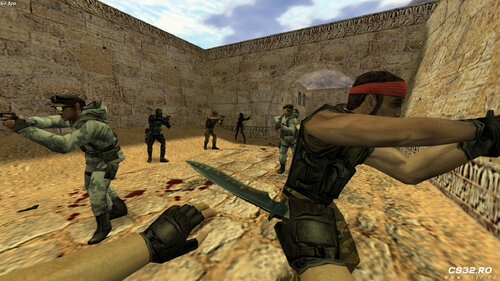
Random Player Models Plugin Description: This plugin automatically randomizes player models every time a player respawns. Each respawn assigns a new random model, adding variety and fun to your server. Installation Place the Plugin Copy the plugin file to your server’s cstrike/addons/amxmodx/plugins/ folder. Enable the Plugin Add the following line to addons/amxmodx/configs/plugins.ini: random_pms.amxx Add Models Place your custom player models in: cstrike/models/player/custom_model/ Example files: custom_ct_model.mdl custom_t_model.mdl Configure Model Paths Edit the configuration files in: addons/amxmodx/configs/random_models/ ct_models.ini – Add paths for Counter-Terrorist models. t_models.ini – Add paths for Terrorist models. Features Randomizes player models on every respawn. Supports custom models for both teams. Easy to configure through .ini files. Tips Ensure all model files are correctly placed to prevent errors. Mix different models to create a fun and unpredictable gameplay experience. -

4 downloads
Aim Realism v2.4.0 For Counter-Strike 1.6 and Condition Zero The #1 Recoil & Accuracy Plugin Overview Aim Realism transforms your Counter-Strike weapons into realistic firearms, providing accurate bullet trajectories and authentic recoil behavior. Designed for both offline and online play, it works under all conditions—running, jumping, in-air, on ladders, in water, and even with sniper rifles without a scope. This plugin also includes a BotProfile system for realistic bot behavior and customizable crosshairs. Key Features Realistic Weapon Behavior Accurate bullets under all conditions. Customizable weapon accuracy and recoil. Shotgun pellets behave realistically. Fixes CS engine’s bad shot registration. Resolves inaccurate shooting for slow internet connections. Fixes the bug requiring weapon switch to reset accuracy. Corrects slow health updates in spectator mode. BotProfile System Includes all CS/CZ bots with 4 skill levels: Easy, Normal, Hard, Expert. Bots act independently without unfair knowledge of player positions. Scaled attack delays for each skill level. Total of 210 bots with static skins preserved from original. Better variation with 42 bots for each CZ player class. Crosshairs & HUD Fully customizable static and dynamic crosshairs. Custom observer crosshairs for spectator mode. Sniper crosshair visibility options. Supports Half-Life crosshair designs via observer.txt and crosshairs.spr. Adjust crosshair for FOV, sniper models, and scope modes. Configurable via CVARs Weapon Accuracy: aim_accuracy, aim_(weapon)_accuracy Recoil Control: aim_recoil, aim_(weapon)_recoil Crosshair Settings: aim__crosshairs, aim__standard_crosshair, aim__static_crosshair, aim__snipers_crosshair Sniper Model Options: aim__sniper_allow_mdls, aim__sniper_cs_<CS/CZ>, aim__sniper_scope_mode FOV Adjustment: aim__fov 💡 Note: Higher accuracy values reduce damage differences over ranges. Higher recoil values make crosshair control harder. BotProfile Characteristics Skill Level Skill Value Attack Delay Description Easy 30 1.1 Beginner bots Normal 50 0.55 Intermediate bots Hard 70 0.275 Advanced bots Expert 90 0.1375 Expert bots Installation Extract the files from the zip package. Place all files in your CS 1.6 / CZ server directories. Ensure AMX Mod X is installed. Configure desired CVARs in plugins.ini or via the server console. Customize crosshairs by editing crosshairs.spr and observer.txt if desired. Additional Notes Accuracy determines bullet direction relative to crosshair. Recoil determines the shake of the weapon and affects crosshair movement. Test with players to confirm real-life bullet placement; GoldSrc engine may occasionally misalign bullet holes. Supports online and offline servers with full CS/CZ compatibility. Included Files aim_realism.sma – Full version with menus and features. aim_realism_v240_accuracy_fix_.zip – Fixed accuracy version for servers where accuracy wasn’t working. Requirements AMX Mod X Fully compatible with Counter-Strike 1.6 and Condition-Zero. -

1 download
Money Manager – v3.17 For Counter-Strike 1.6 & Condition Zero Overview Money Manager is a powerful replacement for the default CS money system, allowing server administrators to customize player earnings and weapon prices. With this plugin, you can control how much money players earn for kills, objectives, and round outcomes, providing flexible and balanced gameplay. The plugin is fully optimized, lag-free, and supports team-based commands for both Terrorists and Counter-Terrorists. Features Kill Rewards: Set money for kills with variables for body/head shots, enemies/teammates, and VIP players. Weapon-Specific Rewards: Assign different values for kills with specific weapons. Round Rewards: Customize money for round wins or losses, optionally giving rewards only to survivors. VIP Rewards: Define money for spawning as VIP and escaping. Bomb Actions: Money for planting, picking up, dropping, or attempting to defuse the bomb. Rewards for exploding the bomb for both teams. Hostage Rewards: Money for killing, rescuing, or interacting with hostages. Starting Money: Configure initial money for the first round and subsequent rounds. Unlimited Money Options: Infinite or constant money with optional maximum limit removal (scu_unlimited_money). Weapon & Item Pricing: Change weapon/item prices (autobuy/rebuy not supported). Purchase Prevention: Block purchases for selected players. VGUI Menu: Buy weapons at custom prices, even below default values. Custom Configurations: Save and load all settings via config file. Optimized Performance: Includes fixes for memory issues, kill money calculation, and client_buy plugin improvements. Team-Based Commands: All commands apply separately to CTs and Ts. Recent Updates (v3.17) Bugfix: Fixed bots buying weapons when first-round money is set. Improvement: Optimized kill money and weapon price systems. Improvement: Client_buy plugin optimized, memory issue fixed. New Feature: VGUI menu allows buying weapons below default prices. Bugfix: Fixed miscellaneous issues and improved overall stability. ⚠ Note: This is not a complete update. A new version will be released soon with more features and more efficient code. Requirements AMX Mod X Fully compatible with CS 1.6 and Condition Zero. Included Files money_manager_v317.zip Config files and command menu for GUI usage Benefits Fully customizable money system Works seamlessly with VIP systems and plugins Prevents unfair money exploits Enhances server gameplay balance Easy-to-use GUI for quick configuration -
0 downloads
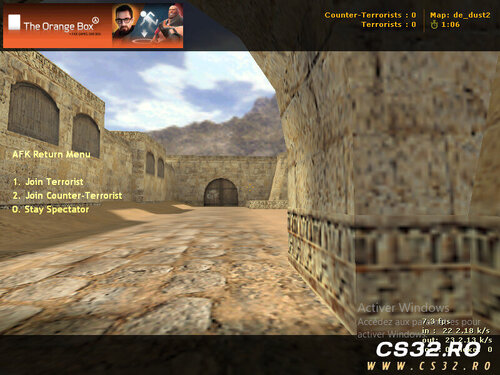
AFK Monitor Plugin – v1.0 Author: ITS_ZAKI Overview The AFK Monitor Plugin helps maintain active gameplay on your server by automatically detecting and managing inactive players. Players who remain idle for a set period are temporarily moved to the Spectator team, ensuring that active players enjoy uninterrupted rounds. The plugin also includes an AFK Return Menu, allowing players to seamlessly rejoin the game when they are ready. Features AFK Detection: Monitors player movement and view angles to identify inactivity. Automatic Spectator Transfer: Moves AFK players to the Spectator team after a configurable timeout (default: 15 seconds). AFK Return Menu: Players can choose to rejoin the Terrorist, Counter-Terrorist, or stay in Spectator mode. Full Team Support: Works with both T and CT teams. Colorful Notifications: Displays clear, informative messages when a player is moved or returns. Configuration AFK Timeout: Default is 15 seconds (can be adjusted). Custom Messages: Supports configurable messages for AFK actions. Benefits Keeps servers active and fair by minimizing idle players. Simple and lightweight, with minimal server performance impact. Enhances gameplay experience for active players. Notes Compatible with AMX Mod X based servers. Works alongside most other team-based plugins. -
0 downloads
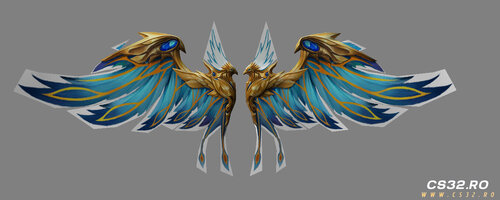
Eagle Wing Parachute Counter-Strike 1.6 Overview Tired of the standard parachute? The Eagle Wing Parachute replaces it with giant, majestic eagle wings, giving players a powerful and mythical descent experience. Ideal for Zombie Escape, Zombie Plague, and fun servers where unique visuals and atmosphere matter. Features Custom eagle-wing parachute model Detailed feather design Smooth, animated descent effect Compatible with popular AMX Mod X parachute plugins Optimized for CS 1.6 performance Adds an epic and mythical feel to gameplay Installation Copy the model file into your: cstrike/models/ Replace your default parachute model with the provided one. Launch the game and enjoy flying like an eagle 🦅 📄 Note: Please read the included README for detailed installation steps, usage notes, and compatibility tips. Included File parachute_eagle.mdl Credits Model Edit & Compile: sp-saad Feedback Suggestions and improvement ideas are always welcome! Support & More Information For updates, support, official groups, and more models: 👉 https://guns.lol/sp_saad_rubio -
0 downloads
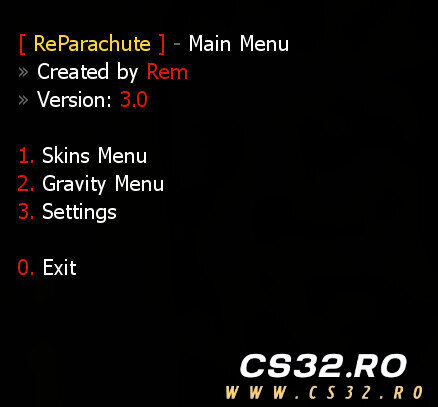
ReParachute – v3.0 Additions Added new CVAR: reparachute_animations (0 / 1) Added parachute animation system Added model validation system Full compatibility with Zombie Plague and other mods Bug Fixes Fixed gravity calculation issues Fixed model loading crashes Fixed menu navigation problems Fixed memory leaks and general stability issues Files reparachute_e0bb5.zip Description ReParachute is a plugin that allows players to use parachutes with custom skins, animations, and gravity settings, offering a smooth and customizable experience for Counter-Strike 1.6 servers. Available Versions reparachute.sma Full-featured version with menus, skins, gravity control, and permissions reparachute_simple.sma Lightweight version with basic parachute functionality Features Multiple parachute models with custom skins Parachute animation support Custom gravity settings (full version only) Admin permission support for premium skins Player settings saved via fvault Team-based usage restrictions Compatible with Zombie Plague and other mods CVARs CVAR Description reparachute_mode Usage mode: 0 Everyone, 1 Admin only, 2 Disabled reparachute_team Allowed team: 0 All, 1 Terrorists, 2 CTs reparachute_animations Enable animations: 0 Off, 1 On reparachute_skins_menu Enable skins menu (full version only) reparachute_gravity_menu Enable gravity menu (full version only) Commands Command Description parachute_menu Opens the main menu say /parachute Opens the parachute menu say_team /parachute Opens the parachute menu parachute Opens the menu via chat Requirements AMX Mod X 1.8.2+ ReAPI CromChat FVault Status Stable Optimized Ready for production servers Compatible with Zombie Plague & more -

2 downloads
Halloween Decoration Pack Counter-Strike 1.6 Overview Celebrate Halloween on your Counter-Strike 1.6 server with this Halloween Decoration Pack, featuring custom-made models designed to add a spooky and festive atmosphere to your maps, events, and game modes. Perfect for Zombie Mod (ZM), Zombie Escape (ZE), or any seasonal event. Included Models Pumpkin (Jack-o’-Lantern style) Candy Bucket with: Ghost Bat Mini pumpkin decorations Empty Halloween Bucket Ideal for map props or plugin-based effects Usage Ideas Decorate maps for Halloween-themed events Use as collectible items in plugins Integrate into Zombie Mod / Zombie Escape modes Enhance custom game modes with a seasonal atmosphere Installation Extract the downloaded files. Place the models into your: cstrike/models/ Reference the models in: Your map (via Hammer / editor) Or your plugin configuration/code Note: Please read the included README file for detailed installation steps, usage guidelines, and design notes. Credits Models & Textures: sp-saad Tools Used: Blender MilkShape3D Jed’s HLMV Feedback Suggestions, feedback, and improvement ideas are always welcome! Support & More Information For updates, support, official groups, and more models: 👉 https://guns.lol/sp_saad_rubio -
2 downloads
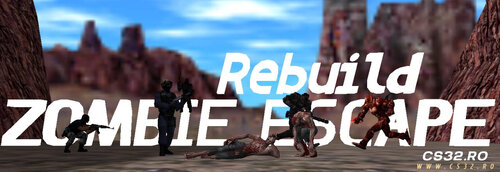
Zombie Escape Rebuild Updates v1.3 (Final Rebuild) Released: 1 month ago Bug fixes Minor improvements and adjustments Final version of the Rebuild branch 📦 File: zombie_escape_rebuild_13.7z v1.2 Released: 4 months ago Are you ready? Remember: COVER / DEFENSE = WIN! Important Notice Mod End-of-Life: Development will officially stop on January 31, 2026. What Is the Escapers-Zone Project? The project was originally started by Raheem (raheem.1) and JaCk Gameplay as a classic Zombie Escape modification inspired by Dias’s Zombie Escape Mod, enhanced with additional features using the ReAPI Module. Development continued until 2020, ending at version 1.6. Later, Zombie Escape Rebuild was created as a highly improved and optimized version, designed to: Deliver better performance Support both Classic (Dias-style) and Modern gameplay (e.g. World War Z) Offer extensive customization via CVARs and INI files Provide a fully integrated platform containing most features servers may need Mod Features Core Features Free & Open Source – Fully accessible and modifiable by the community Easy Customization – Extensive settings via INI & CFG files High Performance – Optimized using the ReAPI Module Built on Escapers-Zone Core – Stable foundation since 2017 Full Compatibility – Supports ReHLDS & ReGameDLL_CS Gameplay Systems Gamemodes Manager Escape Nemesis Swarm Armageddon Full API support Human & Zombie Classes Fully extendable via API Nemesis & Survivor Support Additional classes Survivor disabled by default but fully supported Items Manager Level-based restrictions Per-item and global limits Coins System Supports nVault, SQLite, and MySQL Weapons Menu Custom weapons supported (e.g. CSO weapons) Visuals & Effects Scoreboard enhancements Infection effects Weather system HUD messages and indicators Custom grenades: Frost Fire Flare Enhanced movement: Long Jump (Nemesis / Zombies, API-supported) Fully customizable HUD Rich resource support: Custom sounds Models Visual assets Advanced & API Inspired by Zombie Plague 5.0, modernized Extensive API: Forwards Natives Integration hooks Multilingual support: English (EN) Polish (PL) Turkish (TR) Romanian (RO) Sub Plug-Ins Gameplay Plug-Ins: Over 39 plug-ins and growing Extra Items System: Built from scratch using ReAPI Module Help & Support 🌐 Forum: Escapers-Zone.NET 💬 Discord: Escapers-Zone 📱 Telegram: Escapers-Zone Contributors Special thanks to Raheem and JaCk Gameplay for the original mod and inspiration. Additional contributors: Maaysam, hUnT3r, LeviN, Clau, PunisheR, RaxerZ, Kyle WoodenMan, pm4b, crossDarks, LKING1543, Metro Addict (Death Valley), Kira (nom1n4L), Mr.Bully, MONIR, yRestrict, Dokke Mapper, Tom Tate, Wilian M., $1n (C.A.B.O.C.O.), 88fabricio88, ArN(I)1.95, bNNNNk, Lord._.Sh!va, Lucy Scan, MaHm0ud, man1ek, Mohcine, SeRious_SaM, spawN, Suzuki, Shams, ByVodka, NearjemSk, and the entire Escapers-Zone Dev Team. ❤️ Thank you to everyone who contributed code, ideas, testing, or feedback. Requirements Component Version Status Required AMX Mod X v1.10.0.5467 Enabled ✅ ReAPI Module v5.26.0.338 Enabled ✅ ReGameDLL_CS v5.28.0.756 Installed ✅ ReHLDS v3.14.0.587 Installed ✅ MetaMod-R v1.3.0.149 Installed Recommended -
1 download
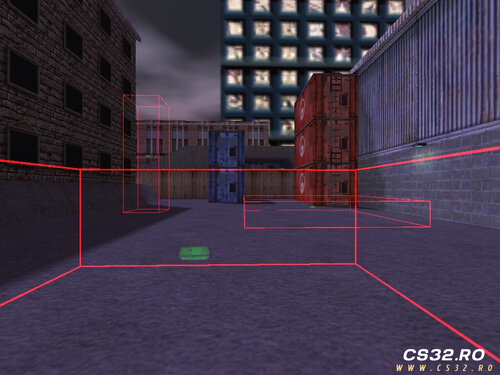
Bomb Site Control – v1.3 Description Bomb Site Control gives server administrators full control over bomb sites in real time. You can create, remove, enable, or disable bomb sites during gameplay without modifying map files. All custom bomb site locations and settings are saved automatically and loaded on every map start, ensuring consistent behavior across maps. The plugin includes a configuration file: configs/BombSite.ini This file allows you to manage key options such as: Enabling bomb sites on all maps (not only de_ maps) Controlling radar visibility of bomb sites General bomb site behavior and display settings Commands Command Description say /bs Opens the Bomb Site menu say_team /bs Opens the Bomb Site menu say /bombsite Opens the Bomb Site menu say_team /bombsite Opens the Bomb Site menu bs_reload Reloads the configuration file bombsite_reload Reloads the configuration file Key Features Create bomb sites dynamically during gameplay Remove or toggle bomb sites in real time Persistent bomb site storage per map Automatic loading on map start Bomb sites usable on any map or game mode Custom radar visibility control per team Visual bomb site indicators using C4 HUD sprites Changelog v1.0 Initial release v1.1 Optimized code for better performance Bomb sites can be expanded without being blocked by map geometry Replaced decal drawing with a C4 HUD sprite for clearer indication Enabled plantable C4 on all maps and modes v1.2 Bomb site sprite color now reflects site state Radar visibility can be configured for: Terrorists Counter-Terrorists Both teams Disabled v1.3 Added independent axis scaling for precise site resizing Added Add / Remove mode toggle for better control Introduced scaling factor control for fine adjustments Added noclip mode for easier bomb site placement Download Bomb Site Control v1.3 -
0 downloads
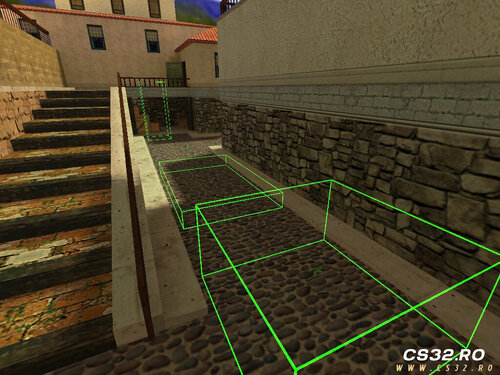
Buy Zone Control – v1.1 Description Buy Zone Control allows server administrators to fully manage Buy Zones in real time. You can create, remove, enable, or disable Buy Zones during gameplay without editing maps. Custom Buy Zone locations are saved automatically and reloaded on every map start, ensuring persistent behavior across map changes. The plugin includes a configuration file: configs/BuyZone.ini This file allows you to adjust core settings such as: Keeping or removing default Buy Zones Showing or hiding custom Buy Zones on the radar Commands Command Description say /bz Opens the Buy Zone menu say_team /bz Opens the Buy Zone menu say /buyzone Opens the Buy Zone menu say_team /buyzone Opens the Buy Zone menu bz_reload Reloads the configuration file buyzone_reload Reloads the configuration file Key Features Create Buy Zones dynamically during gameplay Remove or toggle Buy Zones on the fly Persistent storage of custom Buy Zone locations Automatic loading on map start Configurable handling of default Buy Zones Optional radar visibility for custom zones Changelog v1.0 Initial release v1.1 Added independent axis scaling for precise zone resizing Added Add / Remove mode toggle for better control Introduced scaling factor control for accurate box adjustments Added noclip mode for players placing Buy Zones, allowing easier positioning Download Buy Zone Control v1.1